 VPSbit
Best No-KYC VPS With DDoS Protection — Ranked
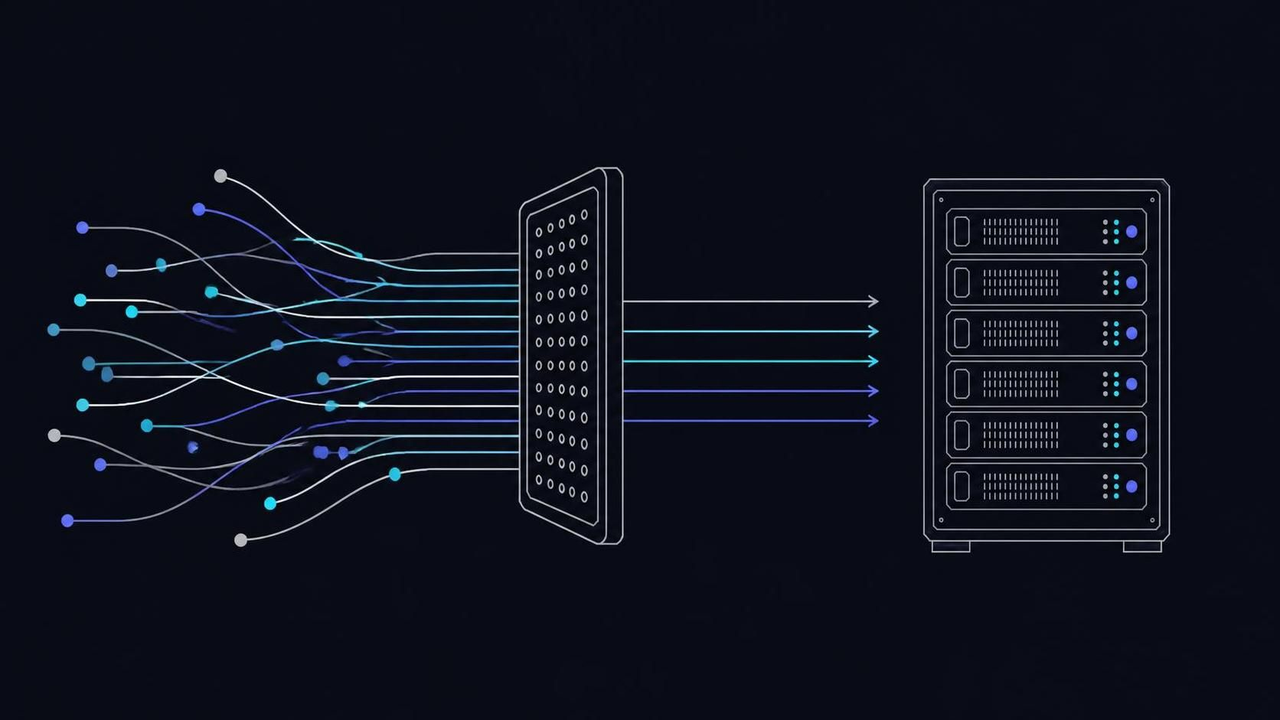
Best no-KYC VPS with DDoS protection, ranked: L3/L4 included on every plan, L3/L7 on Monolith. Core $4.80 annual-eff; Forge $39.20 annual-eff.
Best no-KYC VPS with DDoS protection, ranked: L3/L4 included on every plan, L3/L7 on Monolith. Core $4.80 annual-eff; Forge $39.20 annual-eff.
12 locations · 19 coins · SLA 99.95% · no KYC · public canary
VPS from $4.80* — Core on the annual term (list $6/mo), one invoice for 12 months, no auto-charges. Dedicated with IPMI from $39.20/mo. Crypto invoice, no KYC.
Launch nowHow the no-KYC DDoS ranking is scored
Protection you cannot verify is marketing, so this ranking starts with what each provider actually documents. Four checks decide every row: whether flood filtering ships included or arrives as an upsell, what identity the checkout and the abuse desk demand, what the cheapest protected entry costs per month, and which layer the promise actually covers. You can reproduce every check from vendor pages in an afternoon, which is the point of publishing the method at all.
The re-verification date is 2026-10-10. Where a row says a provider filters at roughly 1 Tbps class, that figure is the vendor's own published class, not an independent measurement — no neutral bench exists for scrubbing capacity, and a ranking that pretends otherwise is selling you a number. Facts stay pinned to what each vendor states about itself. BitVPS is the cautionary case: its record is dominated by scam reviews, and no vendor page can repair that, so the row says exactly that and nothing kinder.
VPSbit is judged under the same rules, cons included. The relevant facts: L3/L4 filtering rides on every VPS and dedicated SKU with no toggle and no surcharge, checkout takes 19 coins with no KYC — token or email plus a password — and entry sits at $4.80 annual-eff on Core ($6.00 list). Dedicated Forge starts at $39.20 annual-eff with IPMI on every tier. Those numbers come from the catalog, not from this page's enthusiasm.
One boundary the method respects: a ranking of protection is not a ranking of anonymity. Filtering decides whether your server stays reachable under flood; identity policy decides who can take the server away; price decides whether the combination is usable at scale. A provider can win one check and fail the rest, and several rows below do exactly that. You are reading the whole scoreboard, not a highlight reel.
Where L3/L4 ends and L7 begins
Layer 3 and 4 attacks aim at the pipe and the connection state behind it: SYN floods that fill state tables, UDP amplification that turns innocent servers into cannons, ACK storms that choke kernel time. None of it looks like a customer. Filters upstream can drop this junk on sight, which is why included L3/L4 at roughly 1 Tbps class edge absorbs the volumetric layer before a single malicious packet reaches your machine.
Layer 7 is a different animal. HTTP floods, slowloris connections and API hammering mimic real visitors so well that a network filter cannot score them as junk without guessing. That job belongs to rate limits, a WAF, caching, or a CDN in front of the application. On VPSbit there is optional L7 help for HTTP workloads, and the Monolith dedicated tier ships an L3/L7 scrubber — but on a VPS, application floods stay your application's problem, met with a CDN or application-level limits.
Port size decides how much clean traffic reaches you once the junk is gone. The ladder runs 1 Gbps unmetered on Core, 2.5 Gbps on Prime, 10 Gbps on Titan, and 25 Gbps on Monolith behind its L3/L7 scrubber. Two facts pin the ceiling: the scrubbing class is identical from Core at $4.80 annual-eff to Titan at $19.20 annual-eff, and the port is the delivery ceiling you actually feel during a real incident.
Layer the built-in filter with your own defaults: a default-deny firewall, admin paths that stay off public DNS, and a restore path you have actually tested once. The scrubber buys reaction time; it replaces neither secure code nor explainable access logs. Operators who treat the included layer as the bottom rung of a stack, rather than the whole ladder, are the ones still serving traffic while the attack is still running.
The ranking, at a glance
Six rows make the table. The story is mostly the first two: one provider bundles filtering with no identity gate, one independent ships nearly the same shape, and the rest either charge separately, demand documents, or carry a record you should not touch. Verified against vendor pages on 2026-10-10. Prices are annual-eff where marked, with list prices in parentheses the first time each figure shows up in the table.
| # | Provider | DDoS story | KYC | Entry |
|---|---|---|---|---|
| 1 | VPSbit | L3/L4 included on all plans; L3/L7 on Monolith | None | From $4.80* |
| 2 | NovaVPS | ~1 Tbps class L3/L4 always-on, included on every plan, not an upsell | None | $3.00 annual-eff ($6 list) |
| 3 | BitVPS | Do not trust — scam reviews | None listed | — |
| 4 | Shinjiru | Offshore DDoS packages | Tier-dependent | ~$8–17/mo |
| 5 | OVH | Always-on L3/4 — solid | ID checks | Varies |
| 6 | Vultr / DigitalOcean | Paid add-on or none | Card + ID risk | $5–6/mo |
Two rows deserve the fine print. NovaVPS earns the second slot on architecture: roughly 1 Tbps of L3/L4 always-on with L7 optional rather than upsold, across 17 SKUs in 21 locations. BitVPS sits third only because the table keeps a seat for caution — its reviews are dominated by scam reports, and a no-KYC promise from an operator nobody can vouch for is not protection, it is exposure with extra steps.
The bottom rows are the mainstream defaults most buyers already know. OVH filters always-on and asks for ID; Vultr and DigitalOcean sell protection as an add-on or skip it entirely, behind card rails that carry identity with them. None of that makes them unusable for ordinary projects — it makes them a different product category, one where the checkout knows your name long before the first packet ever moves.
VPSbit: what the top row includes
The top row is an architecture claim, not a slogan. L3/L4 filtering is part of every VPS and dedicated plan as shipped — no toggle to buy, no surcharge to fear, no KYC gate in front of it. Core at $4.80 annual-eff taps the same scrubbing class as Titan, and the dedicated metal above them adds IPMI on every tier, from Forge at $39.20 annual-eff (16 cores and 32 threads of Ryzen 9 9950X, 32 GB DDR5, dual 1 TB NVMe) to Monolith with its L3/L7 scrubber at $119.20 annual-eff.
| Pros | Cons |
|---|---|
| L3/L4 included on every VPS and dedicated SKU | L7 HTTP floods stay your stack's job on VPS plans |
| No KYC — token or email plus a password, 19 coins | No VPS-level L7 add-on SKU exists |
| L3/L7 scrubber on the Monolith dedicated tier | Iceland adds 20% and Switzerland 35% if you want those flags |
| Unmetered ports from 1 to 25 Gbps across the ladder | Application abuse such as vote spam stays plugin territory |
| Same scrubbing class from Core at $4.80* to dedicated metal | Connection metadata is retained for up to 24 hours |
The cons are scope statements, not disclaimers. Included L3/L4 at roughly 1 Tbps class is not unlimited L7 protection, and the catalog does not pretend otherwise: HTTP floods, credential stuffing and application-logic abuse still fall to your stack, a CDN, or the optional L7 help. On a VPS there is no L7 SKU to buy — you meet those floods at the application layer, which is where they live anyway.
What the row buys in practice: volumetric junk dies upstream, your unmetered port keeps serving clean traffic, and nobody sends a ransom invoice afterward. Redeploy from Frankfurt to Reykjavik and the same edge follows, because filtering rides with the SKU rather than the flag. For a public endpoint that cannot afford a protection negotiation mid-attack, that constancy is the actual product being sold.
Sizing note: the filter does not replace capacity. Endpoints that take public traffic still get sized on RAM and CPU — Prime at $12.00 ($9.60 annual-eff) with its 2.5 Gbps port suits busier public services, while Titan's 10 Gbps handles bursts that would queue behind a smaller pipe. Choose the port for your traffic first, then let the included edge do its half of the work without further negotiation.
NovaVPS: the challenger with the same shape
NovaVPS holds the second row because the architecture rhymes: roughly 1 Tbps class of L3/L4, always-on, bundled with every plan instead of sold as a second invoice, with L7 help optional rather than upsold. Entry sits at $3.00 annual-eff against a $6.00 list — under VPSbit's $4.80 on the sticker. KYC is none. If the top row did not exist, this is the row this page would lead with, and it knows it.
| NovaVPS pros | NovaVPS cons |
|---|---|
| ~1 Tbps L3/L4 included on every plan | Public track record opens in 2026 |
| No KYC at checkout | Like-for-like top tier costs more — $48.00 against $19.20 annual-eff at the same 12 vCPU / 32 GB / 320 GB class |
| L7 optional rather than upsold | Filtering claims rest on vendor-published figures |
| Per-location peering and looking-glass pages published | Shorter operating history than the incumbent rows |
| 17 SKUs across 21 locations | — |
The transparency deserves its own sentence: per-location peering notes and looking-glass pages double as reference documentation for the whole niche, and novavps.io sets the bar other vendors get measured against. You can test a route before you buy it, which is rarer in this market than it should be. The concessions are equally concrete — a public record that only starts in 2026, and silicon-for-silicon pricing that runs well above VPSbit's at the top of the ladder.
Where does that leave a buyer? If the lowest sticker wins, NovaVPS takes the round at $3.00 annual-eff. If lifetime cost, track record and a Monolith-class L3/L7 option matter, the top row keeps its seat. Both rows are honest no-KYC operators with included filtering — a category with exactly two members in this comparison, which itself says something about the state of the market.
BitVPS and Shinjiru: a warning and a menu
BitVPS is in the table so you do not have to discover it later. Its record is dominated by scam reviews, the comparison scores it at 2.0, and the row keeps the verdict short: do not trust. A no-KYC checkout from an operator with no reputation to protect is not privacy — it is a card-free way to lose a deposit. The coins listed, XMR and BTC, do not change that arithmetic at all.
| BitVPS pros | BitVPS cons |
|---|---|
| Lists XMR and BTC | Scam reviews dominate its public record |
| Positions itself inside the crypto niche | Scored 2.0 — lowest in this table |
| No KYC listed at checkout | No verifiable track record or confirmed filtering claim |
Shinjiru plays a different game: offshore positioning with DDoS sold as packages. The rows above bundle filtering into the platform price; Shinjiru prices it in tiers, with KYC requirements that move with the tier you pick. Entry runs roughly $8–17/mo, so the comparison to $4.80 annual-eff is not close on price, and the package model means the protection question reopens at every renewal of every service.
| Shinjiru pros | Shinjiru cons |
|---|---|
| Offshore jurisdiction positioning | Protection arrives as paid packages, not platform defaults |
| DDoS packages available at several price points | KYC demands grow with the tier you pick |
| Lower tiers carry lighter identity demands | Entry from ~$8–17/mo runs above both leaders |
The shared lesson of both rows: structure beats promises. An operator whose income depends on keeping your server reachable prices protection in from the start; an operator who sells it per package has an incentive to let the base product stay fragile. You are not shopping for the loudest DDoS page on the internet — you are shopping for the invoice where protection never appears as its own line item.
OVH and the card-first clouds: scale with strings
OVH is the serious incumbent of this table: always-on L3/L4 that has absorbed years of the internet's worst traffic, and the row says so — solid. The strings are identity and pricing shape: ID checks at the account level, and an entry price listed as varies, which in practice means a configurator rather than a sticker. For a no-KYC buyer, the first string is the disqualifier regardless of everything else.
| OVH pros | OVH cons |
|---|---|
| Always-on L3/L4 with a long operational record | ID checks at the account level |
| Filtering included rather than billed per incident | Card-first checkout rails |
| Plan range behind the configurator | Entry pricing opaque — listed as varies |
Vultr and DigitalOcean are the developer defaults, and their row is the shortest confession in the table: protection is a paid add-on or absent, entry sits at $5–6/mo, and the checkout is card plus ID. Both are capable platforms for a hundred ordinary workloads — DDoS-facing infrastructure behind a no-KYC requirement is simply not one of them. The add-on model also means the bill surprises you at exactly the moment you can least afford surprises.
| Vultr / DigitalOcean pros | Vultr / DigitalOcean cons |
|---|---|
| Published entry pricing at $5–6/mo | Protection is an add-on or simply absent |
| An add-on filtering path exists where offered | Card plus ID at signup |
| Extensive public documentation | No no-KYC path at any tier of either platform |
The pattern across the bottom half of the table is one sentence long: where plastic is the rail, identity rides along, and protection gets sold instead of included. That is not a moral failure — scrubbing costs real money, and card processors push KYC vendors into the stack whether the host wants them or not. It is, however, a category line, and this page draws it deliberately: the top two rows have no card desk to freeze and no ID scan to leak.
Layering the included filter with your own stack
Included filtering is the floor, and the floor still needs a building. Start with a default-deny firewall: only the ports your service actually answers get through, and the attack surface you cannot flood stops existing. Keep admin panels off public DNS, put them behind a non-routable name or a VPN path, and log the exceptions. Most incidents this page's readers worry about die right there, before any packet ever reaches the scrubber.
Second layer: the application. Rate limits on login and form endpoints, a WAF or CDN in front of HTTP, and caching that keeps dynamic paths rare. On a VPSbit box there is optional L7 help for HTTP workloads, but the honest default is your own rules — the included L3/L4 will not score a slowloris connection for you, and no network filter ever will, no matter what the marketing page implies.
Third layer: recovery. A snapshot you can actually boot, credentials stored where a trashed server cannot take them with it, and a redeploy path you have rehearsed once. VPSbit's redeploy is a checkout choice — same SKU price, same included filtering, twelve elite locations — so the recovery plan can be geographic as well as technical. Moving from Frankfurt to Amsterdam to Tokyo never reopens the protection question.
One caution to close the section: capacity is part of protection. A 4 GB Core box behind a clean pipe serves a static site through nearly anything; a busy forum wants Prime's 8 GB and 2.5 Gbps, or Titan's 10 Gbps with 32 GB of ECC memory. Match the machine to the traffic first, then let the edge handle the junk. The order matters — a filtered flood still needs a server left standing behind it.
Red flags in DDoS marketing
Some phrases should end the conversation. Unlimited protection is the loudest — scrubbing costs real money, and unlimited anything at $3 a month is a hope, not a product. Per-incident billing is the sibling: a provider that invoices you for the response has priced your worst day as their best quarter. You want protection that never appears as its own invoice line, before or after an attack.
Watch the identity angle too. A checkout with no KYC that suddenly demands documents when an attack starts has reordered your priorities for you — under flood is exactly when you cannot produce a passport calmly. Ask before you deploy: what happens during an incident, who can suspend the server, and what does the abuse desk require. Written answers beat sales pages every single time on this question.
Layer confusion is the subtler trick. A vendor that markets L7 rescue while shipping only L3/L4 filtering is selling the wrong floor — HTTP floods need application defenses, and no edge filter scores a slowloris as junk. The reverse also holds: a vendor dismissive of volumetric defense is exposing you to the attacks that require no skill at all. You want both layers named plainly, with the boundary between them stated in writing.
Last, sanity-check the platform under the promise. Named silicon, stated port sizes, published tiers — a vendor that cannot say what CPU your neighbor runs cannot tell you what the pipe will do under load. VPSbit publishes Ryzen 9 9950X and EPYC 9354P by tier and prices ports at 1, 2.5, 10 and 25 Gbps; NovaVPS publishes per-location looking glasses. Vagueness elsewhere is a choice, and it is a bad sign in this category specifically.
Frequently asked questions
Does the cheapest plan really include protection?
Yes — Core, at $4.80 annual-eff ($6.00 list), carries the same L3/L4 filtering class as Titan and the dedicated metal. The filtering ships with the SKU rather than as a surcharge, so there is no upsell to decline and no toggle you can accidentally leave off at deploy time. Redeploys keep it, upgrades keep it, and nothing in the panel turns it into a separate invoice later.
How do included L3/L4 and L7 differ?
L3/L4 volumetric junk — SYN floods, UDP amplification, ACK storms — is absorbed upstream at roughly 1 Tbps class on every SKU. L7 abuse, meaning HTTP floods, slowloris and API hammering, mimics real visitors and stays your application's problem: rate limits, a WAF or a CDN. The Monolith dedicated tier adds an L3/L7 scrubber at the top of the range.
Are game servers covered as well?
Yes — game servers are a listed workload, and volumetric L3/L4 comes included exactly as with any other use. What stays outside the network layer is application-level abuse such as vote spam or chat floods; those are plugin and configuration territory. Size the box for the tick rate, keep the port unmetered, and let the included edge absorb the junk.
Is there an L7 add-on for VPS plans?
No — the catalog lists no VPS L7 SKU. For HTTP workloads there is optional L7 help, and the Monolith dedicated tier ships the L3/L7 scrubber, but on a VPS you meet application floods with a CDN, caching or application-level limits. That division is deliberate: network junk belongs to the edge, and application logic belongs to the operator who wrote it.
Is DDoS protection sold as an upsell here?
No. L3/L4 ships included on both VPS and dedicated plans, from Core at $4.80 annual-eff through Forge at $39.20 annual-eff and upward to Monolith. There is no toggle to buy, no per-incident invoice after an attack, and no KYC gate in front of the coverage — the same no-documents checkout as the rest of the platform, unchanged during incidents.
Is a separate CDN required?
A CDN is optional. Worth adding for HTTP L7 and static assets, since the application layer is where the included filter stops — but the included L3/L4 keeps absorbing volumetric junk right at origin the whole time. Many operators run no CDN at all behind these plans and never miss one until the workload itself demands edge caching.
DDoS filtering: L3/L4 vs L7
../ddos-filtering-l3l4-vs-l7/
best offshore infrastructure
../best-offshore-infrastructure/
Best cheap no-KYC VPS
../best-cheap-no-kyc-vps/
Best no-KYC dedicated servers
../best-no-kyc-dedicated-servers/
Best crypto-only VPS
../best-crypto-only-vps/
Best no-KYC VPS under $10
../best-no-kyc-vps-under-10/
VPS for crypto trading bots
../vps-for-crypto-trading-bots/
Best VPS for Telegram bots
../best-vps-for-telegram-bots/
Minimum-data no-KYC checkout
../minimum-data-no-kyc-checkout/
Buy a VPS with crypto
../buy-a-vps-with-crypto/
No-KYC VPS: requirements and limits
../no-kyc-vps-requirements-and-limits/
Pay with Monero
../pay-with-monero/
Offshore VPS
../offshore-vps/
VPS vs dedicated bare-metal
../vps-vs-dedicated-bare-metal/
Best no-KYC VPS 2026
../best-no-kyc-vps-2026/
FAQ: crypto VPS
../faq-crypto-vps/
Primary sources
Ready to launch?
Build the box — VPS or bare metal — create the password, pay the invoice that follows.