 VPSbit
Self-Hosted Mail Server VPS — Port 25, PTR, No KYC
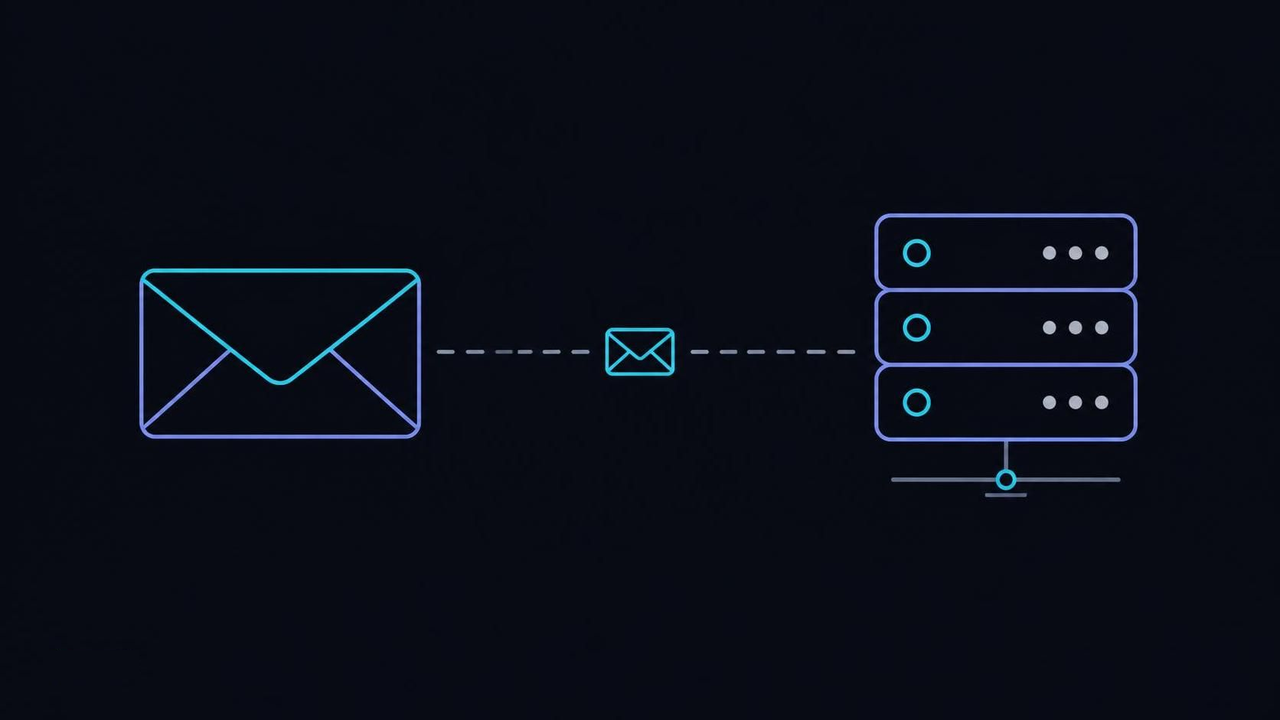
Run Mailcow or Postfix on a no-KYC VPS: port 25 open by policy, editable rDNS, SPF/DKIM/DMARC in your hands. Crypto invoice, Core from $4.80/mo annual.
Run Mailcow or Postfix on a no-KYC VPS: port 25 open by policy, editable rDNS, SPF/DKIM/DMARC in your hands. Crypto invoice, Core from $4.80/mo annual.
Port 25 is policy here, not a permission slip
The counter-intuitive truth about self-hosted mail is that the port is the easy part. Most of the hosting industry blocks outgoing port 25 by default because its address space was burned by spammers years ago, and unblocking becomes a negotiation: tickets, business justifications, waiting periods. On the VPS and dedicated lines here the block was never installed — SMTP between servers is open by policy, and there is no request to file because there is nothing to lift.
The mechanism is almost anticlimactic. Mail transfer agents speak to each other on port 25, per the SMTP specification, and your server arrives able to do exactly that: pick any of the twelve locations, image the box, and the MTA can deliver outbound the moment it is installed. The reverse record is editable from the client panel without a ticket, so the identity half of the handshake is yours to set too — the whole picture is laid out in the no-KYC requirements guide.
Where it breaks is expectation, not infrastructure. People arriving from big-cloud hosts file an unblock ticket out of habit and are genuinely confused when support replies that there is nothing to unblock. The opposite mistake is assuming open egress means deliverability — an open port means your server may speak; whether anyone listens is decided by the pointer record, the authentication records and the reputation habits in the sections below.
The policy covers the whole catalog, which matters more than it sounds. The same open port applies in Reykjavik and in Singapore, on the smallest plan and on dedicated metal — the bare-metal line included — and the dedicated tiers add IPMI so you can watch the MTA boot out-of-band when a firewall experiment goes sideways at three in the morning. DDoS filtering is included on every tier, so the mail path inherits the same baseline the rest of the catalog rents. Nothing about mail changes between flags; the law around it does.
Open egress, then, is table stakes that this checkout treats as such. Everything that actually decides whether your mail arrives is configuration you own, and the first item is the one most guides let you skip: the pointer record, which the next section puts at the front of the order of operations for a reason.
VPS from $4.80* — Core on the annual term (list $6/mo), one invoice for 12 months, no auto-charges. Dedicated with IPMI from $39.20/mo. Crypto invoice, no KYC.
Launch nowSet the pointer record before the first message leaves
The order most guides get wrong is testing connectivity before configuring identity, and it costs weeks of reputation. Receivers grade the story your server tells in the handshake — the hostname it announces, the forward record that hostname resolves to, the reverse record that maps your IP back — before they parse a single line of the message body. That story has to be consistent from message one.
The mechanism is a triangle. You pick a mail hostname, say mail.example.com, give it an A record pointing at your VPS, and set the reverse record for that IP back to the same hostname — the panel exposes rDNS per address precisely for this. Then the MTA announces the same name in its HELO; modern clients open with EHLO, and the name discipline is identical. The classic failure modes of this triangle are cataloged in the DNS operations notes, and mismatched pointer names are the oldest entry in them.
Where it breaks: people set the forward record, skip the reverse one, and mail leaves with a pointer that still names the provider's default pool — an instant scoring penalty at every major receiver. The second break is renaming mid-flight: changing the mail hostname after warm-up has begun resets the identity receivers were learning, which is nearly as bad as starting from a soiled address.
Verify it the boring way before any real mail flows. From the box itself, resolve your IP backwards and forwards and compare both answers to the MTA's configured hostname; they should agree to the character. It is a two-minute check that prevents the single most common self-inflicted wound in postfix deployments, and it needs redoing only when you add an address or move the box.
Identity triangle set: forward, reverse, announced name, all agreeing. That is the static half of the handshake — the dynamic half is what receivers remember about you over time, and no panel setting mints that. It accrues at the pace of weeks, which is exactly why the sellers of shortcuts find buyers; the next section is about why their product does not exist.
A fresh IP has no reputation, and nobody honest can sell you one
Buying a pre-warmed address is buying someone else's history, and collections agencies do not sell good debts. A fresh IPv4 has no reputation anywhere on the internet — not bad, not good, unknown — and no provider can ship you a shortcut around the weeks it takes receivers to learn what you send. The market in pre-warmed addresses exists precisely because buyers keep hoping otherwise.
The mechanism underneath warm-up is that the large receivers score your domain and your IP separately, which cuts two ways. Your domain reputation follows you onto a new address, so an established domain recovers faster than its new box deserves; a clean domain on a soiled address digs out faster than the reverse. Warm-up is the process of giving both scores time to converge on the truth about your mail.
Where it breaks: volume. You configure everything, the test messages to your own accounts land beautifully, and week one feels like permission to import the full list. Bounces climb past a few percent, the domain score reads the ratio, and the ramp that takes weeks gets reset to zero by one eager afternoon. The discipline is boring on purpose: low volume toward recipients who actually open, a slow weekly increase, bounces held under a few percent.
Watch the queue instead of your inbox. mailq and postqueue -p show what the MTA is holding and why, and the Postfix documentation covers both in its first pages precisely because deferred mail is the normal state of a healthy server. Rising deferrals with 4xx replies are receivers asking for patience; 5xx rejections are receivers answering a question you should not have asked yet.
Reputation, then, is a ledger only time writes to, and every shortcut offered against it is priced in the weeks it costs you when it fails. The records in the next section are the part you do control — the three promises that tell receivers, in machine-readable form, who is allowed to speak for your domain.
SPF, DKIM and DMARC are three different promises
The counter-intuitive part of email authentication is that publishing all three records wrong scores worse than publishing two right. Receivers do not grade presence; they grade alignment — whether the records that exist actually agree about who speaks for the domain visible in the From line. A pile of half-configured promises reads as a domain that does not know its own mail.
The three records make three different promises. v=spf1 lists the addresses allowed to send for the domain, per the SPF specification; DKIM attaches a per-message signature a receiver checks against a published key, per the DKIM specification; and DMARC ties both to the visible From domain and tells receivers what to do when they disagree — quarantine at p=quarantine, reject at p=reject, plus aggregate reports to the rua= address so you can see what the world sees.
Where it breaks: the legitimate relays you forgot. A billing SaaS, a newsletter tool or a monitoring system sending as your domain appears in none of the promises, and DMARC does exactly what you asked it to do to them. Sending lists from a subdomain keeps the organizational domain's alignment clean while the subdomain carries its own reputation. The second classic is a DKIM rotation done backwards — deleting the old selector's key while mail signed with it is still in flight, so messages fail verification in transit for hours after the change and the reports fill with mystery failures.
Rotation has a right order: publish the new selector._domainkey record alongside the old, switch signing over, and drop the old key only after the queue has drained and the reports go quiet. Keep the key actually rotating — a DKIM pair that has not changed in two years is one leaked backup away from being someone else's signing identity.
Three promises, one alignment story, and a rotation habit. Authentication settles what receivers believe about you; the queue decides what actually happens to a message when a receiver hesitates — and that plumbing has mechanics of its own, which is the next section's territory.
Queue mechanics: deferrals, backoff, and reading the mailq
The counter-intuitive habit worth building early is composure about the queue: a healthy server's deferred pile is never zero, because deferral is normal operation, not failure. Mail that cannot land right away is held and retried on backoff rather than bounced, and the operators who damage their own deliverability are usually the ones who panic about the delay instead of reading it.
The mechanism is a set of directories, not a mystery. Postfix separates incoming, active and deferred queues under /var/spool/postfix/; transient 4xx answers re-queue a message with growing backoff, permanent 5xx answers bounce it back to the sender, and maximal_queue_lifetime bounds how many days deferred mail keeps trying before the final bounce. The inspection tools are built in: postqueue -p lists the backlog, postcat -q opens any queued message for reading, postsuper -r requeues one for an immediate retry.
Inbound has its own border gate. postscreen scores connections before the SMTP conversation even starts, shaking off zombie clients cheaply, and accepted mail reaches local boxes through LMTP into Dovecot delivery, where Sieve rules file it per recipient. Every stage is observable, and every stage is a place a misroute can hide if you configure it blind.
Where it breaks: operators who force flushes every ten minutes teach receivers nothing — deferred retries expire on the receiving side's own schedule — and deleting deferred entries to tidy up destroys the evidence a deliverability ticket needs. A queue that grows monotonically for days means a downstream failure such as authentication, storage or filtering, not a network mood. Publishing enforced TLS policy — MTA-STS per RFC 8461 with reports per RFC 8460 — hardens the same paths the queue serves.
Queues observable, lifetimes bounded, backoff understood: the plumbing is legible once you look at it directly. With transport and identity both settled, the remaining decisions are architectural — which stack to install and on how much metal — and that is a question about failure modes, not feature lists.
All-in-one or parts: choose the failure you want to be able to fix
Stack arguments online are feature arguments, which is why they never end. The real question is which 3 a.m. failure you want to be able to fix from memory: an all-in-one bundle fails as a unit and recovers as a unit, while a hand-assembled stack fails one part at a time and lets you replace exactly that part. Neither is correct; one of them matches you.
The bundled route is Mailcow or Mail-in-a-Box — SMTP, IMAP, webmail and an admin interface deployed as one unit, which is genuinely the fastest path from empty VPS to working mail for a personal or family domain. The parts route is Postfix for SMTP, Dovecot for IMAP and delivery, and Rspamd for filtering: more decisions up front, and every component swappable without touching the others.
Where it breaks: the bundle's upgrade path — a major Mailcow update that moves the mailstore format is a unit-level event, so take a real backup before it runs. On the parts side the classic gap is shipping Postfix and Dovecot and forgetting the filter, then wondering why the spam folder became a lifestyle. And on both sides: hosting the website on the same IP as mail means the web address inherits whatever the mail address earns.
The IP separation has a priced fix. Order a Core at $4.80/mo on the annual term (list $6.00/mo) for the mail role, add the $3.50/mo extra IPv4 for web, and the two reputations never touch — rDNS stays editable per address, so each one tells its own true story. For a domain that sends invoices and hosts a shop, that $3.50 is the cheapest insurance on this page.
Stack and address plan settled, sizing is the last architectural call, and the numbers mislead less than the intuition does. The next section explains why disk — the spec everyone checks first — is almost never the constraint that matters for mail, and why a tier that looks oversized usually is not.
Disk is never the constraint; reputation always is
People size mail servers the way they size web servers — CPU first, disk second, reputation never — and the instinct inverts every term. A personal or small-domain mail load barely warms a modern core; the mailstore is fsync-heavy, which makes NVMe matter and capacity mostly moot. What actually limits mail is the unbuyable resource: the reputation the earlier sections described. If you are weighing VPS against bare metal for mail, the VPS-versus-dedicated guide settles the load question first.
The hardware case for a step up is headroom, not necessity. Titan at $19.20/mo on the annual term (list $24.00/mo) — 8 vCPU of EPYC, 32 GB of DDR5 ECC memory and 320 GB of NVMe — carries a personal or small-domain mail load without strain, and the ECC matters for a store meant to live years: a silent bit flip in a maildir is corruption you discover at restore time, not write time. If you want to stop thinking about the box entirely, put the domain on Titan at $19.20/mo annual-eff and let the headroom absorb both growth and curiosity.
Where it breaks: colocation of appetites. Mail shares the box with a web app, the web app shares it with a database, the database has a bad index, and suddenly Dovecot is starving for I/O behind a query that has nothing to do with mail. Mailboxes are latency-sensitive in ways users notice — opening a folder should not queue behind someone's dashboard. Separate roles onto different boxes, or at minimum separate addresses if you must share one.
Backup discipline closes the sizing story: the mailstore is the one dataset on the box that cannot be recreated from a repository or a pipeline, so it gets the real backup schedule, tested restores included. Everything else on a mail VPS is reproducible config; the maildir is the asset. Size for I/O and backups, buy headroom once, and spend the saved attention on the queue.
Sizing, then, is like reputation: unbuyable after the fact and cheap to get right first. The last architectural question is behavioral — what you feed the list — and it is the one with a legal edge, which is where the next section draws the line.
Legal sending only: where the AUP draws the line
The fastest way to lose a clean IP is not a misconfigured record; it is sending to people who never asked. The AUP bans spam outright — not as a gray area, not as a volume question, but as an abuse case — and an abuse report that checks out travels to the facility's jurisdiction, where it is handled like any other complaint about a customer's server.
The mechanism is category, not mood. The prohibited list is short and named — spam among them — while everything legal runs without a permit: personal mail, domain mail, transactional mail, list mail to people who opted in. RFC 2142 standardized the contact mailboxes decades ago, and running a real abuse@ address on your sending domain is both good practice and the fastest way to hear about problems while they are still small enough to fix quietly.
Where it breaks: the rented list. Cold campaigns and purchased lists are spam by definition — the recipients did not ask — and no warm-up schedule, authentication stack or fresh IP survives being pointed at one. Real marketing at scale belongs on an ESP built for opt-in: they exist because deliverability at volume is a discipline of consent, and consent is verifiable, which is exactly what a VPS renting you an address cannot verify for you.
The recovery path matters as much as the rule. If a stream draws reports — even legitimate mail to a stale list does — the sequence is pause the stream, fix the consent problem, and let the queue cool; reputation rebuilds along the same weeks-long curve as a fresh address, only from partway up. Ignored reports compound instead: the second report of the same behavior lands on a colder receiver than the first, and the third lands colder still.
The line, then, is consent, and it is enforced the same way at every host that operates openly. What is left is assembly — the whole build from empty box to warm, authenticated sender, in order — and the closing section runs it start to finish without introducing a single new rule.
The mail server, in the order to run it
Run the build in this order and nothing has to be redone. Pick the rack for its law, not its ping — the jurisdiction-first guide holds for mail exactly as for anything else: Switzerland or Iceland for the non-EU postures, Amsterdam for peering adjacency, any of the twelve for the mail itself, because delivery follows reputation and reputation does not check latitude. Order the box, image it, and note both addresses if you took the extra IPv4 for role separation.
Second, identity before connectivity: choose the mail hostname, point an A record at the box, set the reverse record in the panel to the same name, and configure the MTA to announce it — the triangle from earlier, verified with a forward-and-reverse lookup before anything sends. This is also the moment to confirm the panel shows the pointer you expect, because the default pool name is what receivers see until you change it.
Third, the stack and the promises: install the bundle or the parts you chose, publish v=spf1 scoped to exactly who sends, wire DKIM with a fresh selector and a p=quarantine DMARC watching reports, and only tighten to p=reject once the reports show the alignment you expect. Tightening early is the most common way to block your own legitimate relays.
Fourth, the weeks: warm the address with low volume toward recipients who open, hold bounces under a few percent, watch mailq instead of the inbox, and rotate the DKIM key on a schedule rather than after an incident. Port 25 needs nothing from you at any step — it was open before the box existed, and it stays open whether or not you are ready.
That is the whole sequence: rack by law, identity by triangle, promises by record, volume by patience. Every failure this page describes is one of those four rungs skipped or done out of order, and every one of them is cheaper to do right the first time than to repair after the first thousand recipients have voted.
Is port 25 blocked on VPSbit?
No. SMTP on port 25 is open across the VPS and dedicated lines by default policy, and the PTR record is editable from the client panel — no ticket, no business justification, no waiting period. The block most providers install is simply absent from this network.
Can I send bulk marketing from a VPS?
No. Rented lists and cold campaigns are spam by definition, the AUP treats them as an abuse case, and no single address survives being pointed at one. Host personal and domain mail here, and run real marketing through an ESP built for opt-in at scale.
Which location is best for mail deliverability?
Delivery depends on reputation, not geography — latency matters little for SMTP. Choose the flag for legal posture: Switzerland for process, Iceland for a non-EU rack, Amsterdam for AMS-IX adjacency. The mail itself arrives the same from any of the twelve locations.
Does Mailcow work on these plans?
Yes. Install Mailcow, Mail-in-a-Box, or a hand-rolled Postfix stack; the box is root KVM and the MTA is yours to operate. There is no managed-mail layer beyond the abuse policy every host applies, so backup discipline is yours as well.
Is an extra IPv4 worth it for mail versus web?
Worth it when one box serves both roles: an extra IPv4 is a $3.50/mo add-on, so the web address never inherits the mail address's reputation or the reverse. Mail-facing rDNS stays editable per address, so each one can tell its own accurate story.
How should I rotate the DKIM key?
Publish the new selector's record alongside the old, switch signing over, and remove the old key only after the queue drains and the reports go quiet. Keeping keys actually rotating means one leaked backup never becomes someone else's signing identity for your domain.
Primary sources
More ways to pay
Pay with Bitcoin · Pay with Monero · Pay with USDT (TRC-20/ERC-20/SPL) · Pay with Litecoin · Pay with Ethereum · Pay with Solana · Pay with x402 · Pay with Dogecoin · Pay with XRP · Pay with TRX · Monero on bare metal · Dedicated servers with crypto · Pick the jurisdiction first.
Ready to launch?
Build the box — VPS or bare metal — create the password, pay the invoice that follows.