 VPSbit
DDoS-Protected VPS for Game Servers — Minecraft, CS2, Rust
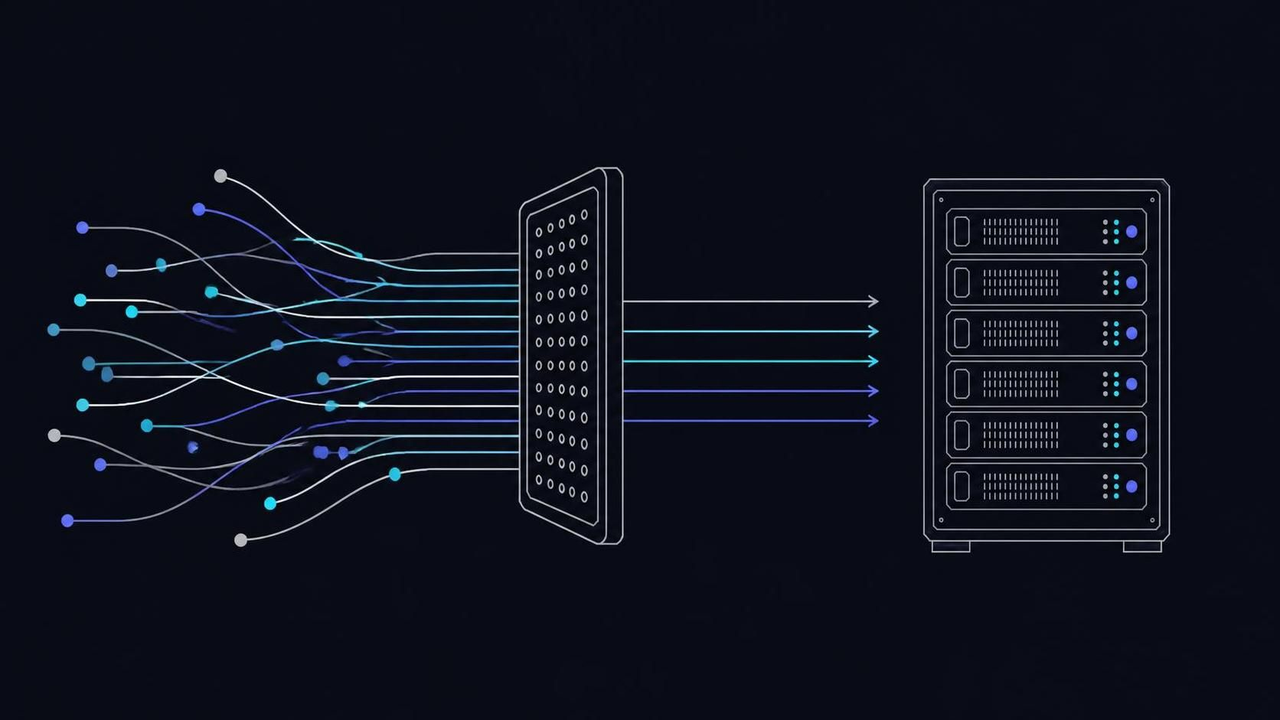
Tick rate, slot math and attack reality for Minecraft, CS2 and Rust, with DDoS filtering on the platform. Game-ready VPS from $4.80/mo annual.
Tick rate, slot math and attack reality for Minecraft, CS2 and Rust, with DDoS filtering on the platform. Game-ready VPS from $4.80/mo annual.
The spec sheet lies about games by omission
Nothing on a VPS price table predicts how a game server will feel, because the number that decides feel is rarely a headline: single-thread clock speed. Game simulation runs its tick loop on one thread, and when that loop misses its budget the symptom is not a crash — it is rubber-banding, hit registration drift, and a community that leaves quietly. Core count sells plans; clock speed plays the game. That inversion is the first thing to internalize, because everything you buy afterwards depends on it.
The engines differ in what they eat. CS2 is tick-rate bound: a strong single-thread clock beats core count, which is why the EPYC 9354P at 3.25-3.8 GHz or the Ryzen 9 9950X at 4.3-5.7 GHz matters more than a vCPU tally. Minecraft is the RAM eater: 8 GB is the minimum once a modded community forms, as its own server page hints and every modpack confirms. Rust wants memory and disk I/O for its save and eviction loops — 16 GB and NVMe, which every plan here carries as standard rather than as an upgrade.
Tick math makes the clock argument concrete. Minecraft targets 20 TPS, which budgets 50 ms per tick for everything: entity AI, redstone, chunk ticks, plugin handlers. A slow core that spends 60 ms on a heavy tick cannot be rescued by seven idle cores, because the loop is serial and the budget is per-tick, not per-second. This is why a 2 vCPU plan on a fast clock outplays an 8 vCPU plan on a slow one for tick-sensitive servers, and why utilization graphs mislead anyone who reads them at face value.
The typical mistake is shopping by vCPU count and then tuning the wrong variable afterwards — adding players when the tick is already slipping, or installing a performance modpack to compensate for a slow core, which raises CPU use again. The second mistake is believing burst clock numbers without the sustained story: 5.7 GHz is a single-core boost, and sustained all-core behavior under a full server differs. Ask what the tick budget is, then shop for the clock that fits it, and let the core count follow.
With clock, RAM and I/O mapped to engines, the rest is arithmetic per game. The next section sizes Minecraft, CS2 and Rust with actual numbers, and shows where the plan ladder should cut.
VPS from $4.80* — Core on the annual term (list $6/mo), one invoice for 12 months, no auto-charges. Dedicated with IPMI from $39.20/mo. Crypto invoice, no KYC.
Launch nowSizing by game, with the numbers
One sizing table cannot fit three engines because they bottleneck on different resources, so the honest approach is three small tables in your head. The counter-intuitive result: the right plan for a 40-player vanilla Minecraft server may be wrong for a 20-player modded one, and a CS2 server that feels perfect at lunch can degrade at prime time purely on tick pressure. Size for the workload's worst hour, not its average, because communities play in the worst hour.
Minecraft: count on 8 GB as the minimum once a modded community forms — Prime, with 8 GB of DDR5 and 160 GB of NVMe, is the realistic floor, and Titan with 32 GB answers heavyweight packs. Order Prime at $12/mo list — $9.60/mo on the annual term — when the modpack list starts growing, and step up to Titan at $24 list, $19.20 annual-eff, for the packs that eat the mid tier alive. Vanilla class servers fit lower tiers fine; mods never stay vanilla for long.
CS2: tick-rate bound again, so the sizing question is clock quality — the EPYC 9354P at 3.25-3.8 GHz carries a busy community server, and metal does it better still. Rust: memory and disk I/O dominate, 16 GB and NVMe being the working floor, with chunk eviction and save loops hammering disk in bursts. Bandwidth is the quiet variable in all three: 1 Gbps unmetered on the entry plan, 2.5 Gbps on Prime, 10 Gbps on Titan — chunk bursts to a freshly joined crowd are the moment the port matters.
The folklore that breaks sizing is player-count formulas, ten players per gigabyte and similar, which ignore mods, view distance, entity counts, and the difference between AFK farmers and 200-entity contraption farms. The second failure is sizing for launch day: communities grow, modpacks accrete, and the plan that fit the trailer does not fit month four. Write down RAM, tick budget, and slot target; revisit after every modpack change; and move tiers on tick evidence rather than vibes or lobby complaints.
Sized correctly, the box still needs to survive the attention a public IP attracts. Attacks are a when, not an if, and the next section separates the two layers of that problem — the one the platform owns and the one you do.
A public IP is a when, not an if
Public game servers do get hit — by rivals, by range-scanning bots, and by users of free booter services who attack for entertainment. The useful question is not whether but which layer the hit lands on, because the two layers have different owners: volumetric floods belong to the platform, application-level abuse belongs to you. Budgeting for the first and scripting for the second is the whole defensive posture a community server needs, and it costs less than one evening of setup.
Volumetric L3/L4 filtering is built into the platform on every tier, with no toggle and no fee — which is why the DDoS story belongs in the platform itself, never a per-IP upsell. A per-IP protection product has to divert your traffic before it filters it, adding latency and a dependency; platform-level filtering sits on the path by construction. The floods that used to take hobby servers off-line — UDP amplification, SYN storms sized in the tens of gigabits — soak into that layer, and your players never notice a frame.
Application-level abuse passes volumetric filters precisely because it looks like players: vote spam flooding your ranking, chat floods drowning moderation, join-leave loops filling slots, RCON brute force knocking on the admin port. That stays plugin territory — the moderation and rate-limiting plugins for your engine are the actual filter, which is why the abuse reflex belongs in your runbook: knowing which plugin mutes which flood is the difference between an evening and a week.
The classic mistakes cluster around ports. Leaving the RCON port on 25575 open to the world invites password grinding; publishing the query port alongside the game port is necessary for server browsers, but leaving a panel port open next to them is pure surface. Assuming the platform filter will also catch an L7 flood of legitimate-looking connections is the second mistake — those need your rate limiting, and the top dedicated tier adds an L3/L7 scrubber for operators who want the platform to carry more of that load.
Ports trimmed and layers understood, the remaining decision is where the box sits. Placement follows players, and the physics is less negotiable than price, as the next section shows with actual milliseconds.
Place the box where the players are, not where it is cheap
For game servers, latency is the product: a cheap flag that adds 80 ms to every swing loses a community faster than any outage, because players compare you to the server one tab over. Buyers trained by web hosting to optimize price per gigabyte get this backwards. The placement question is player geography first and price second — and the physics that decides it is not configurable, not tunable, and not for sale at any tier.
The arithmetic is honest: light in fiber travels at roughly 200,000 km/s, so 100 km is about 1 ms of round trip before any routing, peering, or queuing adds its tax. Tokyo for JP and KR, Singapore for SEA, Hong Kong for the Greater Bay Area, Frankfurt for EU — those are not marketing lines but where the peering points sit: JPIX and JPNAP in Tokyo, SGIX in Singapore, HKIX in Hong Kong, AMS-IX and DE-CIX in Frankfurt and Amsterdam. The locations table lists each flag's tier, uplink, peering and governing law.
Latency budgets frame everything else: a tick can hide 30 ms of jitter, but it cannot hide a fiber path that was never built. 12 locations at one SKU price change the growth story: a community that outgrows its region moves by re-deploy — new box, copy the world, cut DNS — not by renegotiation. Client-side prediction and interpolation can mask jitter, but they cannot hide 200 ms of honest distance, which is why EU players on a Tokyo box rubber-band no matter how good the tick.
The classic mistake is choosing the flag by sticker price or by jurisdiction fashion when the community lives somewhere else — a SEA community on a European box feels it every second of play. The second is forgetting the move path: worlds copied with rsync -a, save boundaries respected, and DNS switched with a short record lifetime make the redeploy boring; without those, the move becomes a week of split communities arguing about which server is the real one.
Flag picked and plan sized, the first hour on the new box decides how much abuse your public address will invite. The port plan is next, and it is the cheapest mitigation you will ever configure.
First-hour lockdown: the port plan
The cheapest DDoS mitigation you will ever run is a default-deny firewall, because most of what reaches a game server's public address is not an attack at all — it is scanners, and scanners cost you nothing if they find nothing to greet them. Every port you do not publish is a port nobody can flood, probe, or brute-force; every panel you keep off the public list is a login form that never collects attempts. The five-minute checklist below is unglamorous, and it prevents more incidents than any paid add-on.
Publish only what the game needs: the UDP game port and the query port. Minecraft answers on 25565 with query on the same port when enabled; CS2 uses 27015 for game and query traffic; RCON on 25575 should bind to loopback or the VPN interface only. Keep the panel and SSH off the public list — reach them over WireGuard on 51820, following the official quick start — and default-deny everything else with nftables: ufw default deny incoming is the two-word version of the same idea.
Snapshot before modpack updates. Snapshotting rides the checkout as an add-on, and a pre-update snapshot rolls back a broken modpack in minutes instead of a rebuild — make it the ritual that precedes every update, not an afterthought after the first broken one. This pairs with the off-box backup loop later in the guide: snapshots answer bad updates fast, backups answer disasters slowly and thoroughly. Different jobs, both scheduled, neither optional once a community depends on the world.
The recurring failures: RCON bound to 0.0.0.0 with a weak password, because the config default said so; a web panel published for convenience that becomes the real attack surface; and the forgotten staging server — an old modpack test instance still listening on its default ports, running a plugin set with a known vulnerability. Inventory listeners with ss -tulpen, close what the players cannot name, and write down what remains open and why, so the list is a decision rather than an accident.
With the surface trimmed, the ongoing question is how the box is actually coping under load. The answer is the tick, not the CPU graph, and the next section argues that with numbers.
Watch the tick, not the CPU percent
By the time a game server's CPU graph looks alarming, the community has felt it for days — tick degradation leads, utilization lags. A server at 40% CPU with a degrading tick rate is already oversubscribed for its players, because the tick loop is serial and its misses show up as rubber-banding before any graph turns red. The monitoring question is therefore: how long did the worst tick take, not how busy does the box look to a passerby.
Minecraft makes the budget explicit: 20 TPS means 50 ms per tick for everything — entity AI, chunk ticks, plugin handlers — and the server reports its own slippage in the console. CS2's sub-tick model tightens the same logic at higher frequency. Watch tick time and TPS directly, percentile not average: the p95 tick is the one that disconnects a player mid-fight. What top shows you, per its manual, is averages; averages are exactly what a tick-bound server does not die of.
Move tiers on tick evidence. When the p95 tick time outruns the budget for a week straight, rent Forge at $49/mo list — $39.20/mo on the annual term — and rsync the world directory over in one maintenance window; its 16-core 9950X at 4.3-5.7 GHz is a different class of tick headroom. The port matters too: 1 Gbps unmetered on the entry plan, 2.5 on Prime, 10 at the top of the VPS ladder — unmetered means the burst costs nothing but the switch itself.
Waiting for 100% CPU is the classic mistake — on a tick-bound server it never arrives, because the loop blocks on itself while other cores idle. Reading average CPU instead of tick percentiles is the second; swap counting as RAM headroom is the third, and a server living in swap has already lost the tick race regardless of what the dashboard says. Watch the tick, the p95 of it, and the uplink during join bursts — in that order, every week.
Tick watched and tiers honest, the last operational duty is the world itself: saves that change every second and corrupt easily if treated carelessly. The backup loop of the next section treats them like what they are — a database.
World saves are the state; treat them like a database
A game world changes more often than most production databases and gets backed up less, because it is just a game until 400 hours of community building evaporates in a corrupted save. The world directory is the purest state on the box: nothing about it is reproducible, no script can rebuild it, and the delta between two saves is the players' evening. A corrupted region file is not a downtime incident; it is an archaeology project. Treat it with the discipline you would give an orders table.
Crash consistency is the enemy: copying a live world mid-save produces torn region files that may load, may load partially, or may poison the level on next boot. Minecraft gives you the lever: save-off, save-all, run the copy, save-on — a few seconds of paused writes for a consistent set. Schedule that window into the backup job rather than archiving the directory blind at 4 a.m. and hoping the engine happened to be between writes that particular night.
The full state is wider than the overworld: the Nether and End dimensions, playerdata with inventories and positions, and the plugin stores — permission and economy databases keep their own files or schemas and are exactly what players notice first when missing. The off-box leg follows the 3-2-1 pattern from the backup guide: a scheduled borg create or restic backup to a second box, encrypted at the source, retention laddered. Snapshots cover the pre-update rollback; the off-box copy covers everything worse.
The recurring mistakes: backing up only the overworld folder while Nether and playerdata stay behind; testing restores by file count instead of by booting a scratch copy of the world; and assuming the plugin database is inside the world directory when it lives in a separate schema. A world restore that loses inventories is a support disaster even when the terrain is perfect — back up the whole set and verify by boot, quarterly, like any database you are paid to keep.
Ports, tick, and saves together form the whole operating rhythm of a community server. The final section strings every step into one launch order you can run this evening, on one box, without improvising.
The game-server launch, in the order to run it
The launch order exists so nothing depends on an unfinished step. First, place by geography: pick the flag where the community lives — Tokyo for JP/KR, Singapore for SEA, Hong Kong for the Greater Bay Area, Frankfurt for the EU — and check the round trip from a player's perspective, roughly 1 ms per 100 km of honest distance. Second, size by game with the numbers above: 8 GB as the Minecraft modded floor on the mid tier, CS2 on the best clock you can justify, Rust at 16 GB with NVMe underneath.
Third, order and boot: plan, term, location, and the OS your engine prefers — the no-KYC checkout playbook covers identity and payment if that side matters to you. Fourth, lock down before anything public: ufw default deny incoming, the game and query ports open, RCON and SSH behind WireGuard, and an inventory of listeners with ss -tulpen to prove the list is honest. Fifth, snapshot as the baseline — the checkout add-on gives you the pre-change ritual for every modpack update that follows.
Sixth, install and load-test: bring the engine up, apply the modpack, and watch the tick under a simulated evening — the console's TPS report is the honest one, p95 not average. Seventh, wire the backup loop: save-off, save-all, copy, save-on on a daily schedule, shipped off-box with Borg or Restic to the second box, retention laddered, and one restore test that actually boots a scratch copy of the world rather than counting files.
Eighth, write the abuse reflex before the first attack: which plugin mutes chat floods, which one rate-limits votes, where the RCON password lives, and who you tell when the evening goes loud. The platform's L3/L4 filtering absorbs the volumetric part; the reflex handles the part that looks like players. Ninth, schedule the reviews: tick trend weekly, restore test quarterly, modpack snapshot ritual before every update — three calendar entries that keep the whole stack boring.
Run in that order, the launch leaves nothing to memory: placement and sizing are written down, the surface is closed, the tick has a baseline, the world has copies in two places, and the community's first bad evening is a runbook entry rather than a crisis. That is the entire difference between a server that hosts a community and one that merely listens on a port.
Are game servers allowed?
Yes — game processes are a listed workload, and DDoS filtering is included on every tier with no toggle and no fee. The standard AUP lines still apply: no phishing, spam, or attack traffic originating from the box. Run the community, mind the port plan, and the platform carries the volumetric part of the threat.
How many players fit on a VPS?
Small communities: dozens per plan on the mid tiers, depending on the game and the mods. Tick stability and bandwidth are the real limits, and both are visible in your monitoring — watch p95 tick time and uplink during join bursts, and move tiers on evidence rather than player-count folklore.
Do I get root for server modding?
Yes — full root on every VPS, so custom JVMs, panel software, and plugins remain your call. That also means the hardening is your call: key-only SSH, default-deny firewall, and RCON off the public interface are the first-hour baseline from this guide, not options the platform performs for you.
Does the included DDoS filtering stop everything?
No — volumetric L3/L4 floods are absorbed by the platform, but application-layer floods that mimic real players need your engine's rate limiting and moderation plugins. The top dedicated tier adds an L3/L7 scrubber for operators who want the platform to carry more of the application layer.
Snapshots or backups for game worlds?
Both, for different jobs: a snapshot before every modpack update rolls back a broken deploy in minutes, while an off-box Borg or Restic copy answers provider loss and ransomware. Schedule the restore test quarterly and verify by booting a scratch copy of the world, not by counting files.
Primary sources
More ways to pay
Pay with Bitcoin · Pay with Monero · Pay with USDT (TRC-20/ERC-20/SPL) · Pay with Litecoin · Pay with Ethereum · Pay with Solana · Pay with x402 · Pay with Dogecoin · Pay with XRP · Pay with TRX · Monero on bare metal · Dedicated servers with crypto · Pick the jurisdiction first.
Ready to launch?
Build the box — VPS or bare metal — create the password, pay the invoice that follows.