 VPSbit
DDoS-Protected VPS: What Filtering Actually Covers
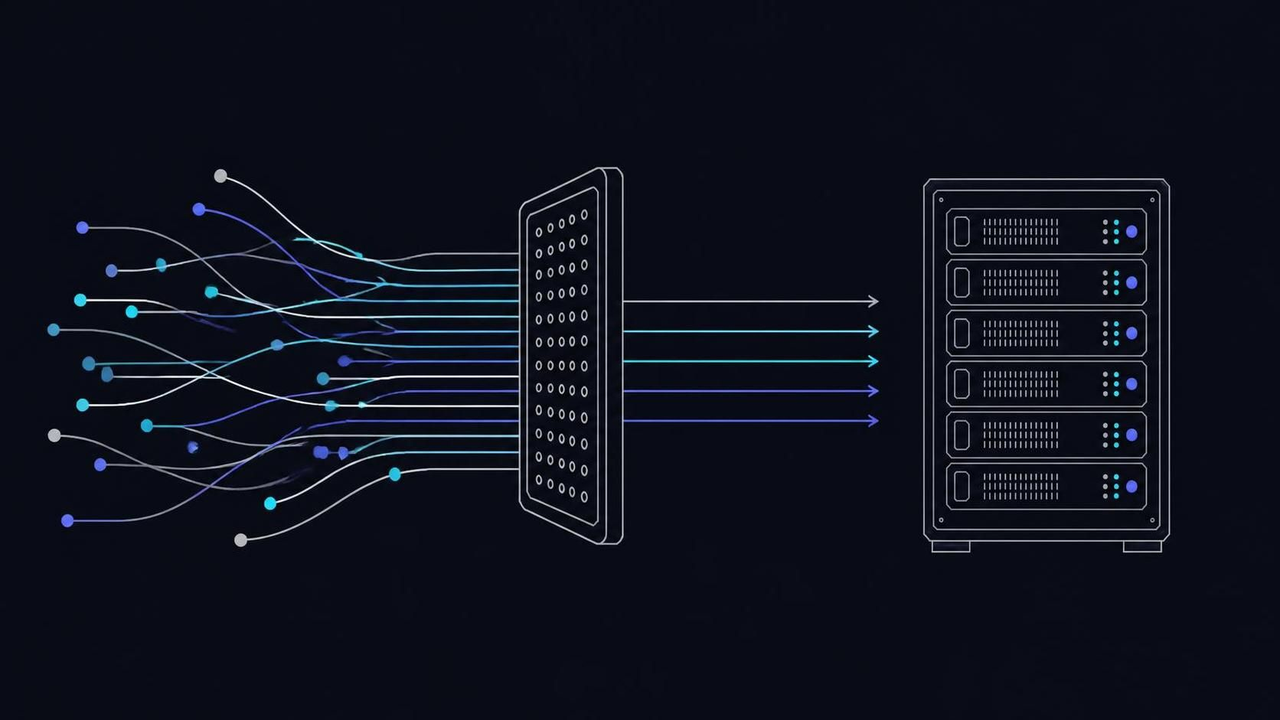
L3/L4 scrubbing rides every VPSbit plan at no extra fee; L7 floods stay yours to rate-limit. What Core at $6/mo absorbs, and where your app takes over.
Every VPSbit plan carries L3/L4 scrubbing at no extra fee, on every port; application-layer floods stay yours to rate-limit, cache and time out. Core at $6/mo list rides the same network shield as the largest dedicated tier — the plan buys compute, the network brings the filter.
The layer name decides who answers the attack
Most arguments about DDoS protection measure the wrong layer, and the mismatch costs you real money. A shield that absorbs the largest volumetric flood on record will still fold under a few thousand patient HTTP connections, because the two attacks do not travel on the same layer. When you evaluate a hosting offer, the first question you ask is never how big the filter is — it is which layers the filter answers, and which layers it leaves for you.
Layer 3 and layer 4 floods — SYN storms, UDP amplification, ACK abuse — aim at your pipe and your state tables, and upstream scrubbing centers swallow them in transit. The centers match traffic against volume and protocol profiles, then drop the garbage before it reaches your host, on every port rather than only 80 and 443. The defenses are old and settled: RFC 4987 catalogs the SYN-flood countermeasures every modern stack ships by default, and you inherit that entire body of work without configuring anything.
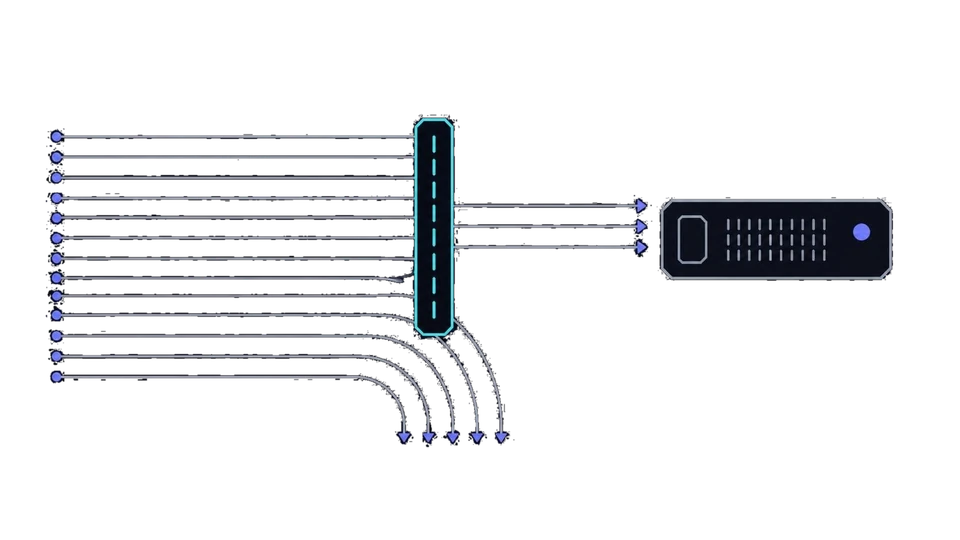
Layer 7 is a different animal, and no network filter can save you there. A slowloris holds sockets half-open; an API flood replays validly signed requests as fast as your endpoint accepts them; a cache-miss storm forces the database to recompute one page per visitor. Each request is individually legal, so the network delivers all of them — a filter built to pass legitimate traffic cannot refuse traffic that looks legitimate.
RFC 4732's taxonomy of denial-of-service makes the point plainly: exhausting a server's resources rarely requires any bandwidth at all. That is the mistake behind every "the protection failed" post-mortem you will read — the incident report usually shows an application-shaped flood walking past an intact network filter. Read a DDoS-included banner as a network guarantee: the pipe and the state machinery survive, and everything shaped like a request is left for you to rate-limit, time out and cache.
- SYN flood — half-open handshakes aimed at the listen queue
- UDP amplification — reflection off misconfigured third-party services
- ACK flood — garbage acknowledgements at line rate
- Fragment abuse — malformed pieces the stack must reassemble
- slowloris — sockets held half-open until timeouts clear
- API replay — valid signed requests at full speed
- Cache-miss storm — forced recomputation for every visitor
- Credential stuffing — aimed at login endpoints first
VPS from $4.80* — Core on the annual term (list $6/mo), one invoice for 12 months, no auto-charges. Dedicated with IPMI from $39.20/mo. Crypto invoice, no KYC.
Launch nowWhat the filter covers on every plan
The filtering is not a feature attached to your plan — it is a property of the network the plan sits on, and the distinction matters the moment you compare catalogs. A host that sells protection per IP is selling you a toggle; a host that scrubs upstream has nothing to toggle in the first place. Here, L3/L4 filtering ships enabled on every VPS and dedicated SKU: no per-IP fee, no support ticket, nothing for you to switch on after provisioning.
The account underneath stays light either way: the minimum-data checkout asks for a token, or an email plus a 12-character password, and nothing else. The metal ladder adds a layer of its own — every dedicated tier carries the same volumetric filtering plus IPMI, out-of-band power and console from your browser. At the top, Monolith pairs its dual-EPYC platform with an L3/L7 scrubber on the 25 Gbps uplink, the one SKU where application-layer scrubbing belongs to the hardware rather than to the stack you build on it.
Sizing is where you decide what the shield actually protects. Order Core at $6/mo list — $4.80/mo on the annual term — and the filtering rides it identically to the biggest dedicated tier: the plan buys compute, the network brings the shield. Core runs on the Ryzen 9 9950X with 4 GB of DDR5 and 80 GB of NVMe behind an unmetered 1 Gbps port, ample for a service that sits behind the filter. If the workload is web-facing and fragile, spend the difference on a CDN before you spend it on a bigger port.
Two mistakes break this picture. The first is assuming the included layer follows you off the platform: the scrubbing exists on this network's transit, so moving the same server to a cut-rate provider elsewhere moves it outside the filter mid-incident, at the worst possible moment. The second is treating Monolith's scrubber as a reason to buy metal for a blog — the honest fix for a small site is rate limiting plus a cache, and both cost you an afternoon instead of an invoice.
- L3/L4 scrubbing, enabled at provision — no toggle
- No per-IP fee and no ticket to file
- Every port matched, not only 80 and 443
- IPMI console on all three dedicated tiers
- L3/L7 hardware scrubber reserved to Monolith's 25 Gbps uplink
Port speed is the ceiling on clean traffic
An unmetered port sounds like an infinite pipe, and that reading fails exactly when you need it most. Unmetered means nobody meters your bytes; the ceiling is still the port itself, and the ceiling that matters is clean traffic — the bandwidth left after upstream filters finish dropping garbage. When an attack saturates what remains, users time out even though every malicious packet was discarded, which is why port choice is a mitigation decision you make at deploy time, not a billing detail you discover during an incident.
The ladder in the catalog is short and worth memorizing before you need it. Core runs an unmetered 1 Gbps port; Prime steps to 2.5 Gbps; Titan carries 10 Gbps; the dedicated tiers span 1 Gbps on Forge to 25 Gbps on Monolith. Those figures are worst-case ceilings for traffic that actually reaches the host. Volumetric attacks die upstream, so what lands on the port is residue — but an attacker with more capacity than your link can still darken a 1 Gbps service from anywhere on earth, which is why capacity is an architecture question, not a shopping-cart question.
Two levers change the math for you. The first is placement: the map spans twelve elite locations, and peering quality at the facility — AMS-IX in Amsterdam at 40 Gbps, DE-CIX in Frankfurt at 100 Gbps, HKIX in Hong Kong — decides how much junk the upstream tiers absorb before your port sees anything. The second is the application's appetite: a game server behind a community whitelist presents a far narrower face than an open WordPress install, so the same port survives a longer list of attackers for one workload than for the other.
The typical mistake is upsizing the plan mid-attack instead of moving HTTP behind a CDN. A bigger port raises the ceiling by a factor; a cache in front of the site removes the applicability of the flood entirely, and costs you less than the upgrade would. Buy capacity for legitimate growth, never for attacker arithmetic — the table below shows what each tier's port actually buys you.
- Core — unmetered 1 Gbps, enough for filtered web workloads
- Prime — 2.5 Gbps for busier sites
- Titan — 10 Gbps for APIs and game communities
- Forge to Monolith — 1 to 25 Gbps on dedicated metal
| SKU | Silicon | Unmetered port | Filtering scope | List / annual-eff |
|---|---|---|---|---|
| VPS Core | Ryzen 9 9950X, 2 vCPU | 1 Gbps | L3/L4 upstream, included | $6.00 / $4.80 |
| VPS Prime | Ryzen 9 9950X, 4 vCPU | 2.5 Gbps | L3/L4 upstream, included | $12.00 / $9.60 |
| VPS Titan | EPYC 9354P, 8 vCPU | 10 Gbps | L3/L4 upstream, included | $24.00 / $19.20 |
| Dedicated Forge | Ryzen 9 9950X, 16c/32t | 1 Gbps | L3/L4 + IPMI console | $49.00 / $39.20 |
| Dedicated Summit | EPYC 9354P, 32c/64t | 10 Gbps | L3/L4 + IPMI console | $89.00 / $71.20 |
| Dedicated Monolith | dual EPYC 9554P, 128c/256t | 25 Gbps | L3/L4 + L3/L7 scrubber | $149.00 / $119.20 |
The kernel's state table is the real front line
Cheap attacks aim at memory, not bandwidth. Every TCP connection your server tracks occupies kernel memory, and a SYN storm that never completes a handshake forces the stack to hold half-open entries until timeouts clear them — so a modest botnet can exhaust defaults that were sized for a laptop. State exhaustion, not pipe saturation, is how most small attacks actually land, and it is the half you can tune: the kernel is the target, so the kernel is where you go.
Linux exposes every relevant knob in one directory, and you should visit it before an incident does. The connection tracker caps itself at nf_conntrack_max; the SYN backlog answers to tcp_max_syn_backlog; the listen queue an application can even request is bounded by net.core.somaxconn. SYN cookies — tcp_syncookies — let the stack answer storms without storing per-connection state, a technique the tcp(7) manual documents beside the tuning variables. Raise the queues before the attack, because resizing them during one competes with the flood for the same CPU you are trying to defend.
Order matters as much as the values. Set somaxconn to match what your application actually requests with its listen backlog, then raise tcp_max_syn_backlog and nf_conntrack_max to figures the RAM affords — a 4 GB VPS holds hundreds of thousands of tracker entries comfortably, and dedicated metal with ECC holds millions. During a test flood, watch the counters under /proc/sys/net/netfilter/ and you will see which table fills first; that table, not the bandwidth graph, tells you the real story of the incident.
The classic failure is a kernel tuned wide behind an application that still listens with a default backlog: surplus connections complete the handshake and pile up in userspace, where the worker pool becomes the bottleneck instead. Tune both sides, or the tuning is theater. The same idea has older cousins — pf on BSD expresses it as state limits in pf.conf — and every commercial firewall sells the same concept behind a license you do not need here.
- net.core.somaxconn — ceiling on the application listen queue
- tcp_max_syn_backlog — half-open handshake capacity
- nf_conntrack_max — entries the connection tracker may hold
- tcp_syncookies — answer storms without per-connection state
- /proc/sys/net/netfilter/ counters — shows which table fills first
Application-shaped floods and the limits that answer them
An attacker who matches your traffic profile is invisible to any network filter, by construction: the filter's job is to pass legitimate requests, and these are legitimate requests. What answers them is a second, thinner shield running inside your application — rate limits, connection caps, timeouts that make abusive patience expensive. None of it needs new infrastructure, whatever the upsell emails tell you. It needs an afternoon of configuration and the willingness to reject the occasional real user who behaves like a bot for an hour.
nginx makes the shape explicit. A limit_req_zone directive defines a keyed rate — requests per minute per IP, say — and limit_req enforces it per location, while limit_conn caps simultaneous connections from one address. The official module documentation covers both, including the burst and delay knobs that keep the throttle from feeling like a wall to a human. Apache's mod_reqtimeout closes the slowloris window the same way, by timing out half-written requests before they cost you a socket. The mechanism is boring on purpose: a counter with a verdict.
Cache placement does half the work for you. HTTP caching, specified in RFC 9111, lets one generated page answer ten thousand readers, which converts a cache-miss flood into a capacity question you can actually size. Put the cache in front, mark personalization with short lifetimes, and a flood that once reached the database dies at the edge instead. WordPress operators should treat xmlrpc.php and the login endpoint as the first things to throttle, because they are the first things attackers train on — that observation costs you nothing and saves restarts.
When the workload outgrows a VPS — an API with real customers, a community that cannot tolerate cache staleness — the escape hatch is metal with out-of-band control. Forge at $49 list ($39.20 annual-eff) brings IPMI: you reimage a wedged machine from your browser instead of filing a ticket, and the 2 x 1 TB NVMe array absorbs a bigger hot set. One warning before you tighten anything: log the verdicts for a week first, then set ceilings above the legitimate peak you observed.
- limit_req_zone — keyed rate, requests per minute per IP
- limit_req — enforce the zone per location
- limit_conn — cap simultaneous connections per address
- burst and delay — soften the wall for brief spikes
- mod_reqtimeout — close half-written slowloris requests
- RFC 9111 semantics — one page answers ten thousand readers
- Short lifetimes on personalized fragments
- Throttle xmlrpc.php and the login endpoint first
- CDN in front — request floods become cache hits
Shrink the face your server shows the internet
The lightest mitigation is not a filter at all — it is fewer open doors. Every listening service, from port 22 to that forgotten panel, is an address an attacker can flood, probe or log into, and most servers run far more of them than the application requires. Before you spend money on capacity, enumerate what actually faces the internet. A VPN endpoint or a whitelisted game server presents a far narrower face than a default install, and a narrow face starves floods of the legitimate-looking cover they need to hurt you.
Start with an honest inventory. ss -tlnp lists every listening socket; you compare the output against what the application actually requires and close the rest. Default-deny incoming with nftables or ufw, then reopen ports one service at a time and record why each exists. Move administrative planes out of public view where you can — a database bound to localhost cannot be flooded from outside, and a management interface reachable only over a VPN tunnel removes a whole category of exposure rather than shrinking it by a few ports.
Dedicated boxes give you an option VPS tenants lack: a management plane that does not share the network path with production at all. IPMI sits on its own interface, so production can be firewalled to a handful of ports while the console stays reachable when something wedges — the trade is sketched in the VPS versus dedicated comparison. That separation is why whitelisted game servers and VPN endpoints do so well on metal: the public surface is 2 or 3 UDP ports, and the state machinery behind them is sized by you, not by a defaults file written for a laptop.
Beware hygiene theater. Closing a port in the firewall while the service still binds to 0.0.0.0 changes nothing; hardening SSH while an unpatched panel listens on the same box changes nothing either. Re-run ss -tlnp after every deploy, not once at setup, because services drift open over time and drift is what catches you. Surface reduction compounds with everything else on this page — a smaller face needs less filter, less queue and less cache, which leaves you more headroom for the traffic you actually want.
- ss -tlnp — enumerate every listening socket
- Default-deny incoming, then reopen per service
- Record why each open port exists
- Bind databases to localhost, never 0.0.0.0
- Management planes behind a VPN tunnel
Tor exits and other magnet workloads
The noisiest workloads are the ones that need the shield most, and they get it on the same terms as everything else. A Tor exit relay inherits the ambient hostility of the entire network it summarizes — scanners, reflection attempts and drive-by floods arrive whether or not anyone intends to target you. Filtering rides the plan here too; what changes is the paperwork, because a role that generates complaints by design is provisioned on request with an abuse contact attached. You ask for the relay, you attach the contact, and the box ships protected like any other server.
The platform side stays boring, and that is the point. Unmetered transit, no payload or guest traffic logs, connection metadata that expires inside 24 hours, billing and panel actions retained — the privacy policy carries the exact wording, and the Tor Project documents the software side for exit operators. Nothing about the relay role changes the network promise: the filter protects the box, the law of the facility location governs the complaints, and your configuration governs everything else. That triple is the whole arrangement, and it is worth reading twice before you commit.
Location choice follows the same logic as any privacy-adjacent workload, and the premiums are published rather than hidden: Iceland carries +20%, Switzerland +35%. An exit in Reykjavik answers complaints under a no-mandatory-retention regime; an exit in Zurich answers under the Swiss FADP, outside the EU. If jurisdiction drives the decision more than latency does, a jurisdiction-first pass covers the full matrix — and the short version is that you pick the city for whose law you want answering the mail.
On the box itself, torrc is where the face gets narrowed. A reduced ExitPolicy shrinks the port ranges the relay will carry; AccountingMax caps the daily byte budget; the control port stays bound to localhost where nothing external can reach it. An exit that handles only a few port ranges presents a far narrower face than a full exit, and every port you refuse is a class of abuse that never arrives to be complained about. Run it without the abuse contact and you discover, mid-incident, that the complaint process needs somewhere to route — the one failure mode entirely within your control.
- Reduced ExitPolicy — fewer port ranges carried
- AccountingMax — daily byte budget for the relay
- Control port bound to localhost only
- Abuse contact attached before the first complaint
- Reykjavik — price x1.2, no mandatory data retention
- Zurich — price x1.35, Swiss FADP, non-EU
- Oslo — price x1.2, EEA GDPR
- Luxembourg — price x1.15, EU GDPR data-trust regime
Location and peering decide how much junk reaches you
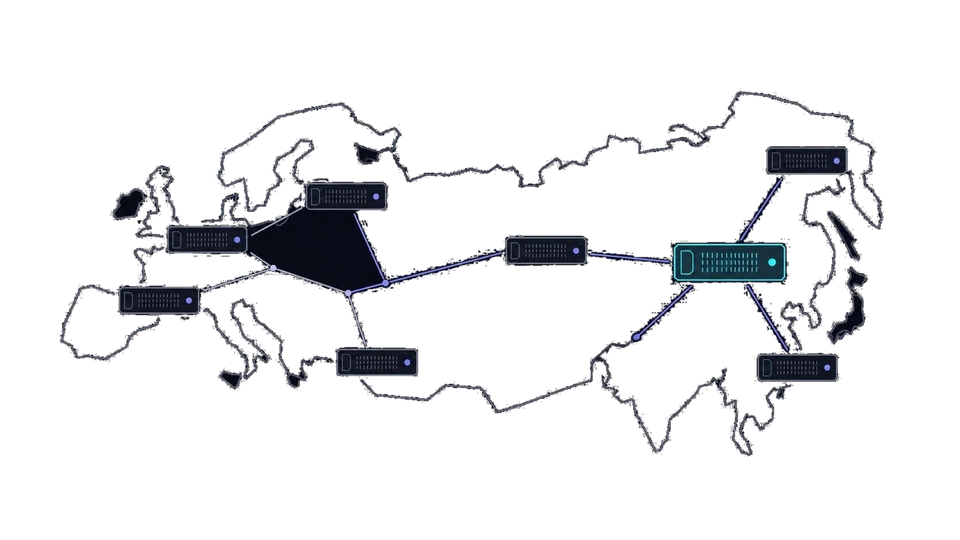
The filter sits upstream, so the path between your users and the facility is part of the defense, and you choose that path at deploy time. The map spans twelve cities, and peering quality at each one decides how much hostile traffic the upstream tiers absorb before anything reaches the port you pay for. A service aimed at European players sits well in Frankfurt on 100 Gbps of facility capacity or Amsterdam on 40 Gbps; a service aimed at East Asia sits well in Tokyo or Singapore, both on 100 Gbps, or Hong Kong on 40 Gbps with HKIX peering.
The exchanges behind those figures are the plumbing, and you inherit them with the city. Amsterdam hangs on AMS-IX and DE-CIX; Frankfurt on DE-CIX Frankfurt; Zurich on SwissIX and DE-CIX with a Tier IV / 2N+1 facility; Tokyo on JPIX and JPNAP; Singapore on SGIX; Hong Kong on HKIX. The names matter because scrubbing quality and path quality travel together — the better peered the route, the less residue reaches you after the filters finish. You choose the city; the network does the rest.
Law is the third axis, and it varies more than the ping does. Abuse here is handled under the law of the facility location: EU GDPR in Frankfurt, Amsterdam, Stockholm, Helsinki and Luxembourg; the FADP in Zurich; APPI in Tokyo; the PDPA in Singapore and Taipei; the EEA GDPR in Oslo. Iceland's no-mandatory-retention regime is why privacy-adjacent workloads cluster in Reykjavik, and why that city and Zurich carry published premiums of +20% and +35% — the offshore overview maps the rest for you.
For flood-prone services, pair the location with the face. A game server with a community whitelist in Tokyo shows the world 2 or 3 UDP ports; the same software as an open install shows hundreds. Choose the city for the audience, the plan for the clean-traffic ceiling you need, and the surface for how many complaints you are willing to read — three decisions, all made before the first packet, and none of them reversible mid-incident without downtime you did not plan.
- Frankfurt — Tier III+ / 2N, 100 Gbps, DE-CIX Frankfurt
- Amsterdam — Tier III+ / 2N, 40 Gbps, AMS-IX / DE-CIX
- Zurich — Tier IV / 2N+1, 100 Gbps, SwissIX / DE-CIX
- Tokyo — Tier III+ / 2N, 100 Gbps, JPIX / JPNAP
- Singapore — Tier III+ / 2N, 100 Gbps, SGIX
- Hong Kong — Tier III+ / 2N, 40 Gbps, HKIX
The DDoS-protected VPS, in the order to run it
Start by classifying the service you intend to run, because the classification decides everything downstream. A whitelisted game server, a VPN endpoint and a public WordPress blog face floods of very different shapes, and the catalog answers all three from the same filtering. Configure the plan, the term and one of the twelve locations; pay the crypto invoice — BTC, XMR and 17 more coins, no KYC, a token or an email plus a 12-character password — and the VPS images about a minute later with L3/L4 filtering already enabled. There is no toggle to find and no ticket for you to file.
Before the first real user arrives, harden the kernel. Raise nf_conntrack_max, tcp_max_syn_backlog and somaxconn to values your RAM affords, enable SYN cookies, and confirm the application's listen backlog matches the queue you just widened. Then inventory listeners with ss -tlnp, default-deny incoming, and reopen only the ports the service needs. Fifteen minutes of work here decides how much of the volumetric residue — the junk that survives upstream scrubbing — your box shrugs off without waking you up.
Next, put the application-shaped defenses in place. Define a limit_req_zone, set limit_conn ceilings, tighten read and header timeouts, and put a cache in front of anything expensive to render; if the surface is web-only, a CDN converts request floods into cache hits before they touch you. Log the verdicts for 7 days before tightening, so the limits reflect real users rather than guesses — this is the half of DDoS defense the platform cannot do for you, and the half that decides layer-7 outcomes when the flood arrives.
Then size for residue. Check the port your plan carries — 1 Gbps at entry, up to 25 Gbps on Monolith — against the clean traffic the service actually needs, and remember that a bigger port is a growth purchase, not an attack purchase; nobody sells you a filter upgrade mid-incident, because the scrubbing is not a plan feature. If the workload attracts deliberate targeting, prefer a narrow face: a whitelist, a reduced exit policy, management behind a VPN. On metal, verify IPMI access on day one, so a wedged machine is your reimage rather than your ticket.
Finally, rehearse. Load-test the limits, review what the filters logged during the test, and write the order down somewhere you will actually look. A defense you have never executed is a diagram, not a defense, and a live flood is the worst possible moment to read the manual for the first time. The sequence below compresses the whole page into 7 lines you can paste next to the console.
- Classify the service: whitelist, VPN endpoint, or public web
- Provision: plan, term, location, crypto invoice
- Harden the kernel: queues, cookies, matching backlog
- Bound the application: rates, connections, timeouts, cache
- Size the pipe for clean traffic, not for attackers
- Narrow the face: close ports, whitelist, reduce policy
- Rehearse: load-test, read the logs, write it down
Is DDoS protection really included, not an upsell?
Yes — L3/L4 filtering ships enabled on every VPS and dedicated SKU, with no per-IP fee and no ticket to request it. The single exception runs in your favor: Monolith's L3/L7 scrubber, built into the 25 Gbps uplink itself.
Will filtering block my legitimate users?
Volumetric scrubbing is statistical and tuned upstream, so browsers, APIs and game clients pass unnoticed. What it cannot judge is application-shaped abuse — a slowloris or a valid-looking API flood belongs to your rate limiting, your timeouts and your cache, not to the network.
Do Tor exits get DDoS protection?
Yes, on the same terms as any other server — and exits attract more ambient noise than almost any workload you could name. They are provisioned on request with an abuse contact attached, because the role generates complaints by design and the contact is where those complaints route.
What happens if an attack still saturates my service?
The filters keep the pipe and the state tables alive, but an L7 flood that mimics users can still exhaust the application, so you work your half of the defense. Move in this order and check each item before the next: <ul><li>Connection limits and timeouts first</li><li>Caching in front of expensive renders</li><li>HTTP moved behind a CDN</li><li>IPMI reimage on dedicated tiers</li></ul>
Can I upgrade filtering capacity during an attack?
There is no filter upgrade to buy mid-attack, because the scrubbing is a network property rather than a plan feature. What you can change is your side: raise kernel queue limits, tighten or widen application limits, or move HTTP behind a CDN while the incident is live.
Does the filter cover UDP services like game servers?
Yes — scrubbing matches volume and protocol profiles on every port, not only 80 and 443, so UDP amplification dies upstream like any other volumetric flood. For game servers specifically, a community whitelist narrows the face further and costs you nothing at all.
Primary sources
More ways to pay
Pay with Bitcoin · Pay with Monero · Pay with USDT (TRC-20/ERC-20/SPL) · Pay with Litecoin · Pay with Ethereum · Pay with Solana · Pay with x402 · Pay with Dogecoin · Pay with XRP · Pay with TRX · Monero on bare metal · Dedicated servers with crypto · Pick the jurisdiction first.
Ready to launch?
Build the box — VPS or bare metal — create the password, pay the invoice that follows.