 VPSbit
WireGuard VPS vs VPN Subscription — No KYC
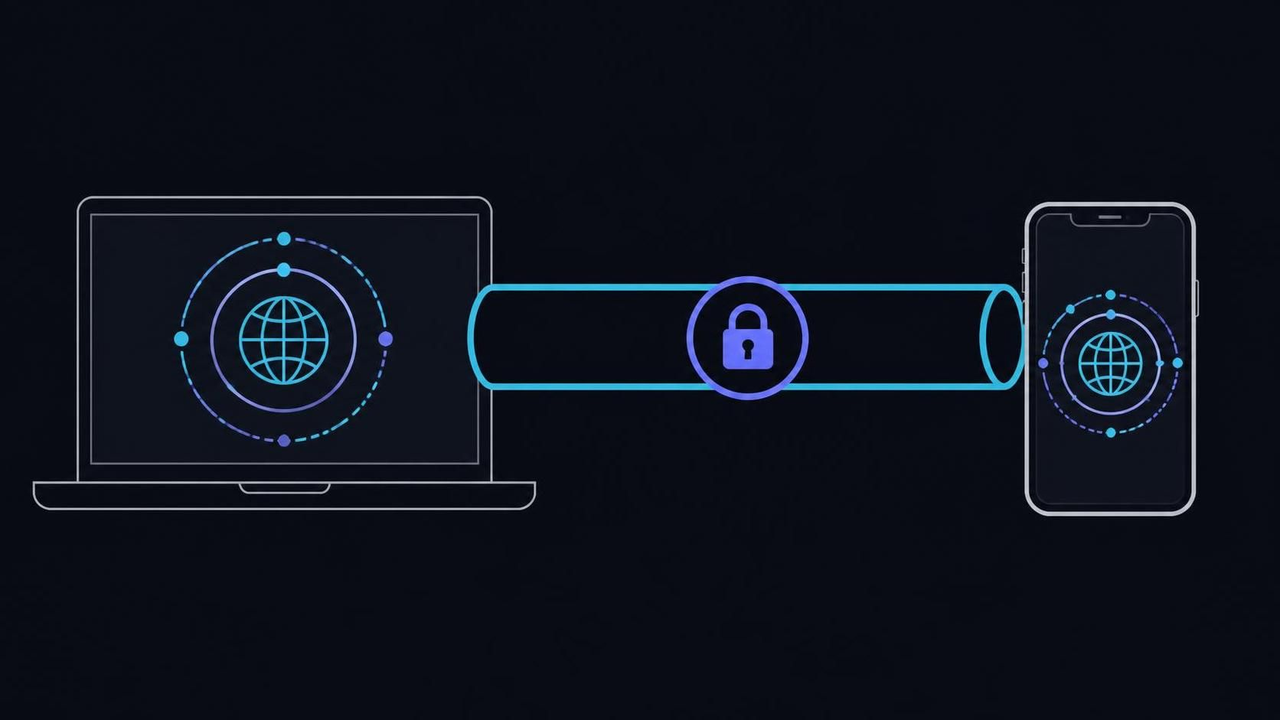
Own the endpoint or rent the fleet: a single-user WireGuard box on Core from $6/mo list ($4.80 annual-eff) versus a shared VPN subscription.
Own the endpoint or rent the fleet: a single-user WireGuard box on Core from $6/mo list ($4.80 annual-eff) versus a shared VPN subscription.
Own the endpoint or rent the fleet
The counter-intuitive framing is that a VPN subscription does not remove trust from the picture — it replaces one trusted party with another. Your traffic exits alongside hundreds of other tenants, the provider sees connection metadata, and the no-logs policy is a promise rather than an architecture you can inspect. A self-hosted WireGuard gateway on your own VPS has exactly one user, so the log question dissolves on its own: nothing else connects to it, and there is nothing else to log.
Mechanically, WireGuard is a small, heavily reviewed kernel-level VPN, and the project's quick start fits on a single screen. A link is a keypair exchange plus routing: wg genkey creates a private key, a peer line publishes the public half, and AllowedIPs decides which destinations the encrypted path carries. On OpenBSD the same idea ships in the kernel as the wg(4) interface, so the concept travels across systems without changing shape.
The trade for owning the exit host is that you become your own support department, and the setup math later in this page says that costs about fifteen minutes once, then nearly zero. What you give up is the commercial pool's address hygiene work and the cover of a shared exit — real losses in specific cases, and both are treated honestly a couple of sections down rather than waved away.
The misstep at this stage is comparing the two on monthly price alone and ignoring what each one is for. A subscription is a service with a fleet, a support desk and a privacy policy you must take on faith; a rented slice is infrastructure under your root login where every claim is checkable. They answer different problems, and the honest comparison runs per use case, not per invoice line.
VPS from $4.80* — Core on the annual term (list $6/mo), one invoice for 12 months, no auto-charges. Dedicated with IPMI from $39.20/mo. Crypto invoice, no KYC.
Launch nowWhat a shared exit costs in reputation
Shared exits carry the behavioral history of everyone on them, and reputation systems notice. When hundreds of tenants browse from one address, streaming platforms flag it, banks raise verification walls or return HTTP 403, and some APIs reject the range outright. Your own conduct can be spotless and the exit still gets throttled — that is the structural cost of sharing an address with a crowd you did not pick.
A single-user gateway inverts the model. The address is used only by you, its reputation is yours alone, and services that reject known VPN ranges treat it as what it looks like: one ordinary server on an unmetered 1 Gbps port. For banking portals, store backends and workplace APIs, this is frequently the difference between the service working and the service refusing you politely forever.
Reputation also heals asymmetrically. A flagged shared address recovers only when the provider rotates it out of the pool, on their timetable and for their reasons; your dedicated address recovers the moment the conduct that caused the flag stops, on yours. That asymmetry changes how you operate: rate-limit your own bulk jobs, keep mail off the pipe unless you enjoy debugging delivery, and the address stays unremarkable. For an internet address, unremarkableness is an asset you compound by never giving anyone a reason to remember it.
The counterweight is blending. A solo address used around the clock is itself a pattern, while crowds make everyone look alike; if the goal is to be unremarkable among many, the right tools are shared exits or routing through .onion circuits, not a bigger VPS. A personal gateway gives you a consistent identity, and consistency is the opposite of what blending wants — know which of the two you are buying.
Expecting one tool to do both jobs is the failure mode here: the stable identity of a personal exit and the herd's anonymity. Those are different properties, produced by different architectures, and confusing them leads to paying for a VPS that cannot blend and a subscription that cannot bank. Split the use cases first, then assign a tool to each, and the comparison stops being an argument.
Where the self-hosted box wins
Daily-driver privacy from your ISP or campus network is the headline case: the encrypted path moves your DNS queries and browsing metadata off an operator who monetizes both and onto a machine where the only reader is you. Most people's actual threat model — privacy from the local network and the provider, rather than from states — is fully covered by that single move, and it costs one small server and fifteen minutes.
The second case is a stable, single-user address for services that flag shared ranges: banking portals, work APIs, store backends and everything else that treats crowd IPs as guilty until proven innocent. The third is site-to-site routing into your own equipment — a homelab, a NAS, office resources — which consumer subscriptions cannot route at all, because there is no fleet member sitting at your rack. When the link becomes an office gateway with real throughput, rent Forge at $49/mo list — $39.20 on the annual term — and let whole cores and 2 x 1 TB NVMe carry it.
WireGuard's roaming behavior earns its reputation in daily use: per-device keypairs plus a PersistentKeepalive = 25 line keeps phones and laptops connected across network changes without the reconnection ceremony older protocols perform. One keypair per device, one AllowedIPs line per device on the server, and the fleet is exactly as large as your household — no seat licenses, no device caps, no upsell screen.
The trap: routing everything by default — sending 0.0.0.0/0 through a gateway that then becomes a single point of failure for the whole household's connectivity. Split tunneling, which routes only private ranges or chosen destinations, keeps everyone online while the exit host reboots. Decide per device what truly needs the encrypted path; blanket routing is a default, not a decision.
Where the subscription still wins
Streaming-region gymnastics stay the subscription's home turf. Commercial pools maintain address catalogs that platforms tolerate or block in bulk, and refreshing those catalogs against detection is the provider's full-time job, not yours. A self-hosted gateway on a datacenter address will look like exactly what it is, and geofenced catalogs treat addresses classified as hosting accordingly — which is the honest, expected outcome.
Travel deserves its own honesty. Hotel and airport networks vary from merely nosy to actively hostile, and a subscription app that connects in one tap from an unfamiliar operating system earns its fee precisely there. A WireGuard client works from the road too, but it assumes the roadmap lives in your head — profile files, key backups, a plan for when the import fails on some hotel TV's captive portal. Prepare both, choose in the moment, and the comparison stops being ideological; tooling debates resolve poorly in airport lounges, while redundancy resolves them well.
Crowd blending is the second legitimate win. Disappearing into a crowd of tenants makes your traffic look like everyone else's, while a solo address used daily is a consistent, attributable pattern. For the narrow goal of being unremarkable among many, a shared exit or routing toward .onion services is the right architecture, and no amount of VPS sizing substitutes for the herd itself.
The third case is pure pragmatism: the commercial app handles endpoints, updates and mobile integration with zero administration, down to details like keeping 1420 as the link MTU on flaky mobile networks. That convenience is real and often worth the fee for the streaming layer. For identity-sensitive traffic — banking, work, admin panels — keep the self-hosted path; the two coexist on the same laptop without conflict.
Reversing the previous section's error is the hazard here: expecting the subscription to be private rather than convenient. Its architecture is a shared, trusted middlebox with a policy document, and that is fine for the jobs where a policy document is enough. Use it for those, keep anything sensitive on the machine you root yourself, and stop asking either tool to do the other's job.
The fifteen-minute tunnel
The WireGuard setup loop fits inside a coffee break. Order the machine, log in with SSH keys, install the wireguard tools, follow the quick start's few commands, and enable forwarding with net.ipv4.ip_forward=1 through sysctl. Generate a keypair per client with wg genkey and wg pubkey, write /etc/wireguard/wg0.conf, and bring the interface up with wg-quick up wg0.
Budget the quarter hour honestly and the exercise teaches the right lesson: two minutes go to ordering, three to the first login, and the remaining ten to keys, forwarding, and the config file. Nothing in the sequence requires prior networking study; the quick start assumes a reader who can edit a file and restart a service, nothing deeper. If the first attempt stalls near the end, the debugging notes below name the two usual suspects. Plan a second pass a week later — rebuilding the whole thing from scratch, without notes, is what turns a recipe into a skill.
The config file is the whole product: an Address for the link's inner network, a ListenPort of 51820/udp by convention, the private key, and one [Peer] block per client carrying its public key and AllowedIPs. Client configs mirror the same fields in reverse. The Linux ip(8) manual explains the forwarding and NAT lines if they are new to you, and the install page covers the tools on every platform you might bring.
Put the gateway on Core at $6/mo list — $4.80 on the annual term — and the hardware argument ends there: 2 vCPU and 4 GB of DDR5 encrypt far more than a household generates, bandwidth is unmetered, and the ceiling is the 1 Gbps port rather than any quota. Provisioning lands about a minute after the invoice credits, which is why the quarter-hour claim includes the ordering step itself.
The classic first-run failure is a firewall that never opened 51820/udp, diagnosed as WireGuard being broken when the link simply cannot receive a handshake. The second classic is forgetting the forwarding and NAT rules, where handshakes succeed but no traffic flows. Test in that order — port, then forwarding — and the loop closes within minutes instead of consuming an evening.
Handing keys to friends
Sharing the gateway is technically trivial — you generate and hand out keypairs — and it converts a private link into a small trust network. Every peer's traffic exits your address, which makes their conduct your AUP exposure: one peer's abuse reads as yours in the abuse pipeline. Issue keys the way you would lend a car, to people whose driving you can answer for without flinching.
Scale brings its own small arithmetic. Every additional peer multiplies the revoke surface, and past a handful of users the named-block list deserves the same treatment as any production config — version control, a comment per entry, a quarterly pruning pass. Households rarely need that formality; study groups and small teams grow into it within a year. Decide at five peers which kind of operator you are, because the habits that work for four people quietly fail at fourteen, usually during the week everyone is traveling.
The operational hygiene is modest. One keypair per person, named [Peer] blocks in wg0.conf, and a habit of revoking — deleting the block and applying it with wg syncconf — the moment a device is lost or an arrangement ends. Because each peer has distinct keys, traffic volumes between your users are visible to you in the interface statistics, which is enough to notice when someone's usage pattern suddenly stops looking like theirs.
A shared family gateway also centralizes failure: when the machine is down, everyone's encrypted path is down together. That is acceptable at household scale and worth a maintenance note at team scale. The acceptable-use rules are short and readable — attack traffic, spam, phishing and worse are banned exactly as for any other service — and the AUP page is the contract every peer inherits when you hand over a key, whether they read it or not.
The cardinal error is anonymous key distribution: posting a config into a group chat turns your address into a public VPN and your account into the liability. Peers you cannot name are peers you cannot answer for, and the abuse process will answer on your behalf instead. Hand out keys with names attached, keep the list current, and the trust network stays exactly as small as you intended.
Endpoint location: latency first, law second
For a personal link, latency is the entire user experience: every page load rides the extra hop, and a distant exit turns a fast connection into a sluggish one. Put the machine near you. One list price covers all twelve sites except the published premiums — Iceland and Norway at +20%, Switzerland at +35%, Luxembourg at +15% — so choosing the nearest city costs nothing extra and pays back on every request.
Measure rather than assume: a one-minute probe from your usual network to each shortlisted site — a simple ping, repeated at the hours you actually browse — beats any map of undersea cables. Evening congestion on your own last mile often matters more than transatlantic fiber, and the numbers will show it. Budget roughly thirty milliseconds per thousand kilometers as a floor, add peering luck, and treat anything under forty as indistinguishable in daily use. The best site is frequently the second-most famous one, a half-tier down from the headline city, at identical cost.
Jurisdiction enters when the exit doubles as a service host — when the same address carries a mail relay, a website or an API, or when the legal environment matters to your threat model. The guide that picks the jurisdiction first orders that decision, the 14-Eyes explainer covers the intelligence-sharing shorthand, and the offshore guide maps the broader flags-and-law picture for workloads with real legal sensitivity.
Dual-stack helps quietly here. Every VPS includes one IPv4 address plus an IPv6 /64, and WireGuard carries both families over the same link without extra configuration. Gateways on well-peered sites — Amsterdam on AMS-IX, Frankfurt on DE-CIX — keep the extra hop nearly invisible for most European users, which is exactly what a tunnel you forget about is supposed to feel like.
The wrong way round is choosing the exit by jurisdiction folklore and then suffering the round-trips every day. Law matters for what the machine is; for what it does to your browsing, physics votes first and turns out to vote unanimously. Choose deliberately — nearest site for a pure tunnel, law-conscious site when the relay serves more — and write down which reasoning you used.
Settling the invoice without a card
Checkout is crypto-only across nineteen coins: BTC and XMR lead, ETH, SOL, LTC, BNB and TRX follow, then XRP, DOGE, DASH and ADA, GRAM for Telegram-adjacent rails, and USDT on seven networks — TRC-20, ERC-20, BEP-20, SPL, Polygon, Arbitrum, Optimism. The invoice converts at the live rate, and the yearly option applies its twenty percent discount to the USD total before conversion, which makes USDT the dollar-stable case.
Practical checkout notes save first-timers grief: send the exact amount, once, from a wallet you control — exchange withdrawals with skimmed fees land underpaid and stall in review. Keep the quote's validity window in mind, since live-rate invoices expire and a slow broadcast can mean paying twice. Confirmation times vary by coin and network congestion, from seconds to the better part of an hour; the provisioning clock starts at the credit, not at your broadcast. None of this is difficult, but every step has a first time, and the first time is when these notes earn their keep.
Identity stays credential-shaped: signup is a token or an email plus a 12-character password, with no passport, phone or card anywhere in the flow. The crypto purchase guide walks the checkout end to end, the Monero guide covers the quietest corridor, the USDT guide the stable one, and the crypto VPS FAQ answers the billing questions that come up most often.
For a link you intend to keep, the yearly option is the boring-correct choice: one invoice for twelve months, no auto-charges, and the same discount whether the machine is a VPS or dedicated metal. The minimum-data checkout guide documents what the account file does and does not contain, and the Bitcoin payment guide covers the most legible corridor for anyone who prefers plain and predictable.
Assuming payment privacy substitutes for account hygiene is where billing discussions go wrong. The coin decides what the public ledger says, while the checkout decides what the provider's file says, and the two are separate surfaces with separate guides — the anonymity guide maps them properly. Choose the rail for the ledger, keep the account credential-shaped, and neither surface surprises the other.
The WireGuard tunnel, in the order to run it
Run the build in this order and each step validates the one before it. First, split the use cases: what rides your gateway every day, and what — if anything — stays on a subscription app for streaming catalogs and crowd blending. Second, pick the location: the nearest site for latency, or by law if the exit will also carry mail or a website. Third, order the machine and log in with SSH keys, never passwords.
Fourth, install the wireguard tools and generate the server keypair; enable net.ipv4.ip_forward=1 and the NAT rule that masquerades link traffic out the public interface. Fifth, write /etc/wireguard/wg0.conf with one peer block per client and bring the interface up with wg-quick up wg0. Sixth, open 51820/udp in the firewall and confirm a real handshake from a device outside your own network.
Seventh, distribute client configs one per device, with split-tunnel AllowedIPs unless you truly mean to route all traffic through the exit. Eighth, document the peer list and the revoke procedure — delete the block, reload — so offboarding a lost laptop is a ten-second job rather than an incident. Ninth, schedule the boring maintenance: package updates, one restore rehearsal per quarter, a monthly check that the gateway still answers.
Tenth, and least glamorous: write the rollback. A link that everyone depends on needs a documented way to say no — which firewall line disables it, which DNS change moves traffic off it, who gets told. Households skip this until the first bad update, teams skip it until the first outage, and both regret the same skipped paragraph. Ten minutes with a text file, revisited after every change, keeps the exit an asset instead of a single point of failure with no off switch.
Kept in that order, the build stays a fifteen-minute project with years of quiet operation behind it. The gateway does exactly one job — carry your packets — and every decision above exists to keep that job small, inspectable and yours. When the use cases change, re-run the order from the top; the steps are cheap the second time. That is the whole argument for owning the exit: the work fits in your head.
Is running a VPN on a VPS legal?
Yes. VPN and proxy operation is an explicitly allowed workload under the AUP, which still governs whatever travels through the encrypted path. Running the gateway is ordinary hosting; attacking, scanning or spamming through it is what the acceptable-use rules prohibit, and that holds at every one of the twelve locations regardless of local law.
What plan fits a personal VPN?
The entry VPS tier — 2 vCPU, 4 GB of DDR5, an unmetered gigabit port — moves one or two devices comfortably, because a link's load is tiny compared to any compute workload. Bandwidth is unmetered on every line, so the practical ceiling is port speed rather than any quota, and stepping up is only about how many other services share the machine.
Can friends share my VPS VPN?
Technically yes, since you generate and hand out the keys yourself. Understand the bargain first: everything leaving the gateway is your AUP exposure, and one peer's abuse reads as yours in the abuse pipeline, so hand keys to people you can answer for and keep a named peer list so revocation stays a ten-second job.
Which location should the endpoint use?
Near you, for speed: latency is the whole experience on a personal link, and every extra tens of milliseconds is paid on every request. Jurisdiction matters when the exit also serves a service; a dozen sites share a single base rate apart from four published surcharges, so the deliberate choice costs thought rather than money.
Do I still need a subscription app alongside it?
Only for the jobs a solo gateway cannot do — streaming catalogs and herd blending, where a commercial pool's address hygiene is the actual product. Many people run both on the same devices: the personal exit for identity-sensitive traffic, the commercial app for the rest. They solve different problems, do not conflict, and mixing them is the sensible answer to a mixed threat model.
Primary sources
More ways to pay
Pay with Bitcoin · Pay with Monero · Pay with USDT (TRC-20/ERC-20/SPL) · Pay with Litecoin · Pay with Ethereum · Pay with Solana · Pay with x402 · Pay with Dogecoin · Pay with XRP · Pay with TRX · Monero on bare metal · Dedicated servers with crypto · Pick the jurisdiction first.
Ready to launch?
Build the box — VPS or bare metal — create the password, pay the invoice that follows.