 VPSbit
Paying for a VPS with Monero (XMR) — the whole flow
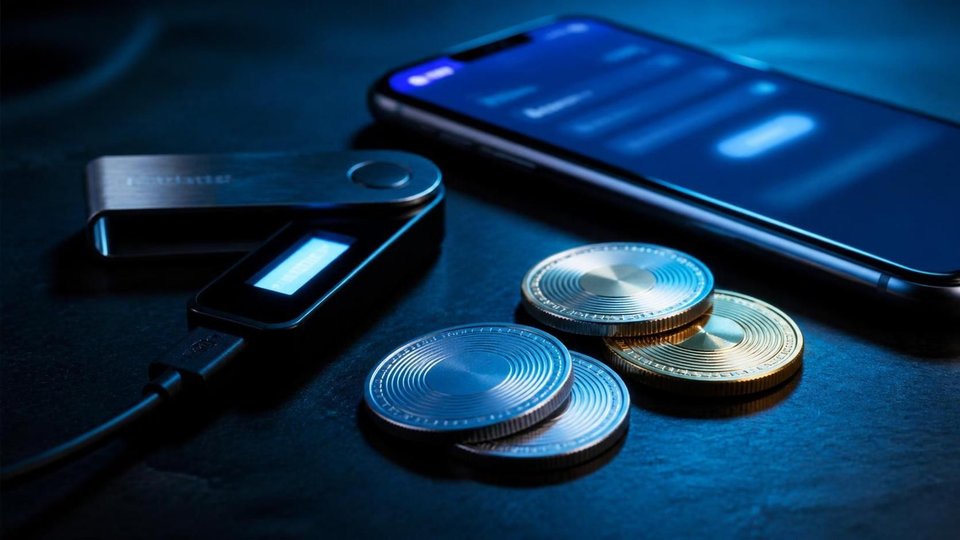
Create the invoice, send the exact XMR once, and the box images itself — about 60 seconds from payment to SSH. Core $4.80/mo annual-eff, no KYC.
Create the invoice, send the exact XMR once, and the box images itself — about 60 seconds from payment to SSH. Core $4.80/mo annual-eff, no KYC.
Nobody asks for a transaction hash, because the chain confirms itself
Most crypto checkouts are an honor system with a form: pay, then paste a transaction hash and hope a human matches it before the ticket queue drinks the morning. This one has no such form, because it needs none. A server-side watcher observes the chain, waits for the exact XMR figure to land on your invoice's one-time address, and starts provisioning on its own, with no person in the loop.
The flow from your side is four steps and roughly one coffee. Configure plan, term, datacenter, and OS at the deploy page; pick Monero on the payment step; the invoice prints an exact XMR amount with a monero: URI and a QR code; scan or paste both into any wallet whose keys you hold — the official GUI, Monerujo, Cake, or Feather — and send once. Confirmations run to 10 blocks with a 2 to 20 minute window, and the status page updates itself while you watch it not need you.
The watcher is the part worth trusting, because it removes the failure mode where payment and paperwork disagree. There is no screenshot to lose, no ID to mistype, and no human who must recognize your deposit before a disk starts imaging. The chain is the proof; the invoice address is the pointer; provisioning begins when the two match on their own. A VPS images in about 60 seconds from that moment, and the SSH credentials are waiting when it finishes.
The typical mistake is inventing paperwork the flow never asked for: hunting for a hash field, emailing a screenshot, opening a ticket to announce the transfer with ceremony. None of it speeds anything, and the ticket just adds a human to a process designed to need none. Scan, send the exact figure once, and watch the status line instead of your outbox — the chain moves at its own pace either way.
The two rules that keep this machine running smoothly are small enough to state in a sentence each: send the exact printed amount, and send it to exactly one address, once. The next two sections give each rule its due, because almost every payment problem in practice is one of these two rules bent slightly, with the best of intentions.
VPS from $4.80* — Core on the annual term (list $6/mo), one invoice for 12 months, no auto-charges. Dedicated with IPMI from $39.20/mo. Crypto invoice, no KYC.
Launch nowThe printed figure is the contract; the fee rides on top
Crypto invoices do not have prices in the retail sense; they have amounts, locked for a payment window from the live rate. The figure the invoice prints is the figure that must arrive, to the last decimal, and that strictness is not bureaucracy — it is how a watcher on the chain tells your payment from everyone else's without asking you a single identity question.
Two details break the match in practice, and both are wallet settings rather than chain problems. First, many wallets default to subtracting the network fee from the amount you enter, which lands an invoice short by exactly the fee — the watcher sees an underpayment and waits politely. Second, some wallets round their display figures; paste the amount or scan the QR so the digits survive the journey intact. Treasury habits travel badly here: a workflow built around sweep_all or a monero-wallet-cli alias that rounds amounts will fight the invoice every single time. The fee belongs on top, always.
The lock window exists for the same reason. Rates move, and an invoice repricing mid-payment would strand half-funds on a dead address; instead the stored figure holds for the window, the payment either completes against it or the invoice refreshes to a new figure and a new address. Keep the invoice page open or bookmarked — reopening it restores the same state, with the same figure and the same countdown, which is a better contract than memory or screenshots.
The mistake that costs real minutes is treating the printed amount as approximate, the way a card checkout treats a total with rounding and hold periods. It is not approximate; it is an address plus a predicate, and the automation watching the chain applies that predicate literally, without sympathy or interpretation. Send the exact stored figure in a single transfer with the fee added on top, and the match becomes a mathematical event instead of a support case with attachments.
One transfer to one address is the other half of the contract. Address reuse and split payments are the two ways otherwise-correct payments go unmatched, and the next section explains why that strictness survives every coin in the picker and why the single-use address is a feature you are benefiting from rather than a limitation put upon you.
One address is one invoice, and slicing the payment only stretches the wait
The address on your invoice exists for exactly one payment and is never recycled, which looks paranoid until you see what it buys: an amount matched to an address is an unambiguous event on the chain, with no ledger to consult and no ambiguity to adjudicate later. Reuse would blur exactly that. The design is strict so the automation can be simple, and simple automation is what images a box in about a minute.
Splitting one invoice into several transfers to be safe is the classic self-inflicted delay. Detection waits for the full exact amount at the one-time address, so two half-sends are not a payment plus a credit — they are an underpayment that keeps waiting, plus a second transaction to reconcile by a human. Partial sends just stretch the wait, and the meter that matters is chain confirmations, not enthusiasm or caution. Send once, completely, or let the ticket process finish the thought.
Reusing a previous invoice address for a second order fails more quietly: the watcher has retired that address, so a well-intentioned transfer lands where nothing is listening for it, and the recovery is a human reading the chain at ticket speed instead of a watcher at chain speed. Each order gets a fresh invoice from the checkout — the address prints with it, and nothing about the old one carries over. In your own wallet, show_transfers is the receipt: it lists the outgoing payment to the one-time address, which is also the evidence a reviewer needs if anything ever needs a human.
The mistake underneath both errors is modeling the invoice like a bank account — something with a balance that accepts additions indefinitely. Model it like a lock and key instead: one address is one door, cut for one payment, and the automation walks past every door that does not fit exactly. The mental shift takes a minute and prevents every sent-twice story in this guide's support mail, past and future.
Send the exact figure once, to the printed address, and the remaining variable is time — which lives less on the chain than people assume and more in whatever sits between your funds and the chain. That is the next section: where the minutes actually go when a payment feels slow, and why the chain is usually innocent.
The delay you will blame on the chain usually lives in the exchange
Monero itself is quick: blocks arrive roughly every two minutes, and the checkout counts 10 confirmations, which lands most payments inside a 2 to 20 minute window. When a payment takes an hour, the chain is almost never the suspect. The prime suspect is a custodial exchange sitting between your funds and your wallet, batching withdrawals on its own schedule for its own reasons.
Withdrawal engines at exchanges pool outflows for fee efficiency and risk review, so your XMR sits in a queue measured in their minutes, not the chain's. From the sending side it looks like a hung transaction; the chain, when it finally sees the transfer, confirms it in the ordinary window and forgets about it. If the treasury path runs through an exchange, budget the exchange's published withdrawal time into the maintenance window, or better, hold the spending keys yourself — the checkout has no opinion about which wallet sends, only that its keys are yours.
The clock after confirmation is short and stated plainly: a VPS images in about 60 seconds from payment, and dedicated metal adds 2 to 4 hours of physical racking that no coin can shorten — someone walks to a rack either way. Plan around the second number for bare-metal orders and around the first for slices. If the status page has not moved long past both windows, then a ticket with the transaction ID is the right tool, applied once and calmly.
The mistake is opening the ticket at minute three and escalating at minute thirty — there is nothing on the other end to cancel, because automation does not negotiate and has no status to revoke. Meanwhile, in your own wallet, refresh and show_transfers tell you whether the send left at all. Most stuck payments resolve into one of three truths: the exchange has not released, the amount was short, or the wallet never broadcast. Each has a fix; none has a panic button.
Once timing is calibrated, the remaining question is what an observer actually learns from the payment at all — and Monero's structural answer is the reason it is the privacy-leaning default in a 19-coin picker. The next section covers where that privacy comes from, mechanically, and where its honest boundaries sit.
RingCT answers the question a block explorer cannot ask
A Bitcoin payment is a public document: type the invoice address into any explorer and read the amount, the inputs, and the change, forever, indexed and archived. A Monero payment is a different species — RingCT hides amounts, one-time addresses break the link between your wallet's history and this invoice, and an observer learns that a payment landed, not whose biography produced it. That is privacy by construction rather than by promise, and the Moneropedia keeps the working definitions if you want the depth.
The mechanics are worth one paragraph of literacy. Each spend draws decoys and signs in a way that proves a key in the ring without revealing which one, so chain analysis cannot rank the real input; the destination is a one-time address derived per payment, so nothing about it correlates with your previous addresses; amounts travel encrypted inside the transaction itself. The developer guides document the same structures from the tooling side. None of it requires trusting a promise — the properties are in the cryptography, not the marketing.
For a VPS invoice the practical meaning is narrow and worth stating honestly: the host knows what you ordered, because the invoice exists and a machine has to be provisioned. What the chain does not publish is the connecting tissue — your other payments, your balances, your wallet's entire history. The checkout mirrors that narrowness: signup is a token or an email plus a 12-character password, and no wallet screening runs on incoming transfers. The official getting-started material covers the wallet side of the same story.
The mistake is undoing the construction on your side: receiving XMR at one public address you also print in a chat channel, then spending from it to the invoice, ties the threads back together by habit rather than by chain rule. Use ordinary wallet hygiene — distinct receiving addresses per counterparty, with monero-wallet-cli managing its own records — and the cryptography has less to protect. The protocol is the floor of the building, not the whole structure.
Privacy default settled, the invoice engine itself is coin-agnostic: the same exact-amount watcher clears BTC and every USDT network in the picker with the same two rules. What a coin cannot do is renegotiate conduct — the acceptable-use policy reads identically over all 19, and the next section separates the payment rail from the rulebook for good.
Underpayments have a door; blind second sends do not
Send a wrong amount and the correct next action is nothing — no second transfer, no fresh invoice, no panic spend. Stop, open a ticket with the transaction ID, and let review match the payment: underpayments can be completed on the same invoice after a human looks, which is slower than the watcher but far faster than untangling two sends to a one-time address that was cut for exactly one.
The asymmetry matters because the automation is deliberately literal. A second blind send to the same address cannot be interpreted as a correction; it is another event on a single-use address that already has a story, and the match that was one review becomes two reviews and a judgment call by a person who was not there. The ticket queue exists precisely for the cases the predicate cannot decide — wrong amounts, wrong wallets, lapsed windows — and it works from evidence you attach, not from guesses it must reverse under time pressure.
Attach the right evidence and the review is short: the transaction ID from show_transfers in monero-wallet-cli, the invoice number, and the amount you intended to send. With that trio a reviewer can find the transfer on the chain regardless of which failure mode produced it — fee subtracted, window lapsed, decimal mistyped — and complete or refund it in one pass. Without it, the review starts by reconstructing what you already know and could have pasted in ten seconds.
The deep mistake is treating a payment incident as an emergency that justifies improvisation. Nothing on the box side is degrading while the ticket sits; provisioning has simply not begun, and no order of operations is being violated anywhere. A quiet ticket with evidence beats a loud afternoon of creative transfers every time the two are compared, and they are compared somewhere every single day. Let the boring path win by default.
Wrong-amount handling is the only part of this flow where a human intervenes, and good evidence keeps that intervention brief. Everything else in the 19-coin picker rides the same automation — which is the next section: what the coin changes, what it never changes, and why the geography bills independently of both.
Nineteen coins share one invoice engine, and the flag is independent
Monero is the privacy-leaning default here, not a toll booth: BTC, ETH, SOL, LTC, XRP, DOGE, DASH, ADA, BNB, TRX, GRAM, and USDT on seven networks ride the same invoice engine with the same exact-amount rule and the same single-use addresses. Pick by treasury logic — fees, settlement speed, accounting — because the machine at the other end does not care, and the policy does not either.
The geography is equally independent of the coin. Any of the 12 locations bills the same USD math for the same plan, with published premiums on a few flags: Iceland and Norway at +20 percent, Switzerland at +35 percent, Luxembourg at +15 percent. Those percentages apply on the USD side of the invoice, whatever settles it — Reykjavik costs the same premium in XMR as in USDT, and Zurich does not discount for paying in Bitcoin. The premium buys the facility and its legal regime, and the invoice treats it as arithmetic, nothing more.
What a coin cannot do is renegotiate conduct: the acceptable-use policy reads identically over all 19, and abuse handling follows the law of the facility location, not the payment method. The full sequence for complaints and the boundaries of the policy live in the guide to DDoS filters and abuse tickets — the short version is that the invoice and the rulebook are separate documents on purpose, and neither has a coin-shaped exception printed anywhere in it.
The practical mistake is choosing a USDT network the sending exchange cannot withdraw to, then reading the resulting pause as a checkout failure. Match rails before the invoice exists: TRC-20 for cheap and fast, ERC-20 when the treasury already speaks it, the L2s — Polygon, Arbitrum, Optimism — and SPL where they fit the flow. The invoice page lists the exact network per coin; treat that list as part of the address, because sending on the wrong rail is the one mismatch no watcher can paper over.
Coin and location settled, the last lever on the printed figure is the term you pick before payment — and that lever is the largest single discount in the catalog, larger than any premium on the map. The next section runs the arithmetic on terms, premiums, and what the invoice prints before any coin moves at all.
Terms and premiums change the printed figure before any coin moves
The biggest discount available is not a coupon; it is a term. The annual option takes 20 percent off list on every tier, the quarterly takes 10, and both are priced into the invoice before any exchange rate or chain fee enters the picture. A year of Core prints at $4.80/mo annual-eff against the $6/mo list — one invoice, 12 months, no auto-charges to remember or dispute later.
Set the term to annual and order Core at $6/mo list — $4.80/mo annual-eff — when the slice has a job for the year; the saving is real and the renewal becomes a decision you make once instead of twelve times. For metal, rent the dedicated Forge at $49/mo list — $39.20/mo annual-eff — on the same terms, and the invoice prints identically: a live-rate figure, a single-use address, and the watcher at the other end. Discounts and crypto are independent layers, and neither one changes the other.
Premiums stack by location on the USD side, as covered earlier: +20 percent for Reykjavik and Oslo, +35 percent for Zurich, +15 percent for Luxembourg, base list everywhere else on the map. The arithmetic worth internalizing: a premium flag on the annual term routinely lands below a base flag paid monthly, so term choice usually dominates flag choice in the final figure. Compute both rows before you decide which constraint actually matters to you.
The mistake is comparing stickers across shops instead of figures across terms: a monthly base plan elsewhere and an annual premium-flag plan here can be nearly the same money with very different legal postures over the same disk. Price the whole row — term, flag, coin, and the absence of a KYC gate, which the checkout never adds at any term or any price. The invoice is one document; the posture is the part of it you cannot see until you need it.
Every lever that moves the figure lives before the payment step; after it, the chain and the watcher take over and the outcome stops depending on you at all. The final section lines the whole flow up in the order to run it, from an empty cart to an SSH prompt with nothing wasted in between.
The XMR payment, in the order to run it
Run the whole flow in this order and nothing in it can surprise you. First, configure the box — plan, term, datacenter, OS — and decide the term before anything else, because the annual discount changes the figure more than any other lever on the page. Add the location premium if the flag you chose carries one, and only then move to the payment step with the real number in front of you.
Second, pick Monero and let the invoice print: an exact XMR figure, a monero: URI, a QR code, and a payment window. Open the wallet whose keys you actually hold — the official GUI, Monerujo, Cake, or Feather — scan or paste both address and amount, and add the network fee on top rather than letting the wallet subtract it. Send once, in a single transaction, and stop touching the send button after the first press, permanently.
Third, wait out the chain on its own terms: 10 confirmations, typically 2 to 20 minutes, with the status page updating itself. In your own wallet, refresh followed by show_transfers confirms the send actually left, which is the fact most payment panics are really about. A VPS images in about 60 seconds after the match; dedicated metal adds 2 to 4 hours of racking that no coin shortens, so schedule the maintenance window around the hardware number when metal is the order.
Fourth, know the one wrong turn and its one right response. If the amount was wrong — fee subtracted, decimal slipped, window lapsed — do not send again to the same address; open a ticket with the transaction ID, the invoice number, and the intended figure, and let review complete the invoice the deliberate way. Everything else in the flow has no human step at all, by design, and benefits from you not designing one in.
After the SSH prompt, the money story is over and the operations story begins — what you build on the box is other guides' material, starting with self-hosting Nextcloud if the disk is the point. The payment flow itself ends where it began: one invoice, one exact amount, one address, one transfer, and a watcher that does the matching so no human ever has to know more than the chain already says.
Do I need an account anywhere to pay with Monero?
No. Monero has no accounts, and this checkout adds none: you push from a wallet whose seed you control to a one-time invoice address that exists for exactly one payment, and no identity fields ride along with it. Signup itself is a token or an email plus a 12-character password, nothing more personal than that.
How long does an XMR payment take end to end?
The chain portion is typically 2 to 20 minutes to reach 10 confirmations, after which a VPS images in roughly a minute. Dedicated metal adds 2 to 4 hours of racking time that no coin can shorten, so plan the maintenance window around the hardware rather than the wallet, and around the exchange's withdrawal queue if your funds pass through one.
Is KYC required when paying with XMR?
No. Signup is a token or an email plus a 12-character password, the invoice carries no identity fields, and no wallet screening runs on the incoming transfer. The checkout asks for a payment, not a person, and the invoice document itself contains nothing that links the payment to anything beyond the box being provisioned.
What happens if I send the wrong amount?
Stop before a second transfer and open a ticket with the transaction ID, the invoice number, and the amount you intended. Underpayments can be completed on the same invoice after review, while a fresh blind send to a single-use address only complicates the matching, delays provisioning, and turns one reviewable case into two ambiguous ones.
Can the price move while I am paying?
The invoice locks an exact XMR figure from the live rate for the payment window, and the stored figure is what must arrive, exactly. If the window lapses, a refreshed invoice prints a new figure at a new address — the old address will not accept a top-up meant for the new one, which is why the refresh is a new invoice rather than an adjustment.
Primary sources
More ways to pay
Pay with Bitcoin · Pay with Monero · Pay with USDT (TRC-20/ERC-20/SPL) · Pay with Litecoin · Pay with Ethereum · Pay with Solana · Pay with x402 · Pay with Dogecoin · Pay with XRP · Pay with TRX · Monero on bare metal · Dedicated servers with crypto · Pick the jurisdiction first.
Ready to launch?
Build the box — VPS or bare metal — create the password, pay the invoice that follows.