 VPSbit
Knowledge base: rDNS, tickets, DDoS, SSH, crypto invoices
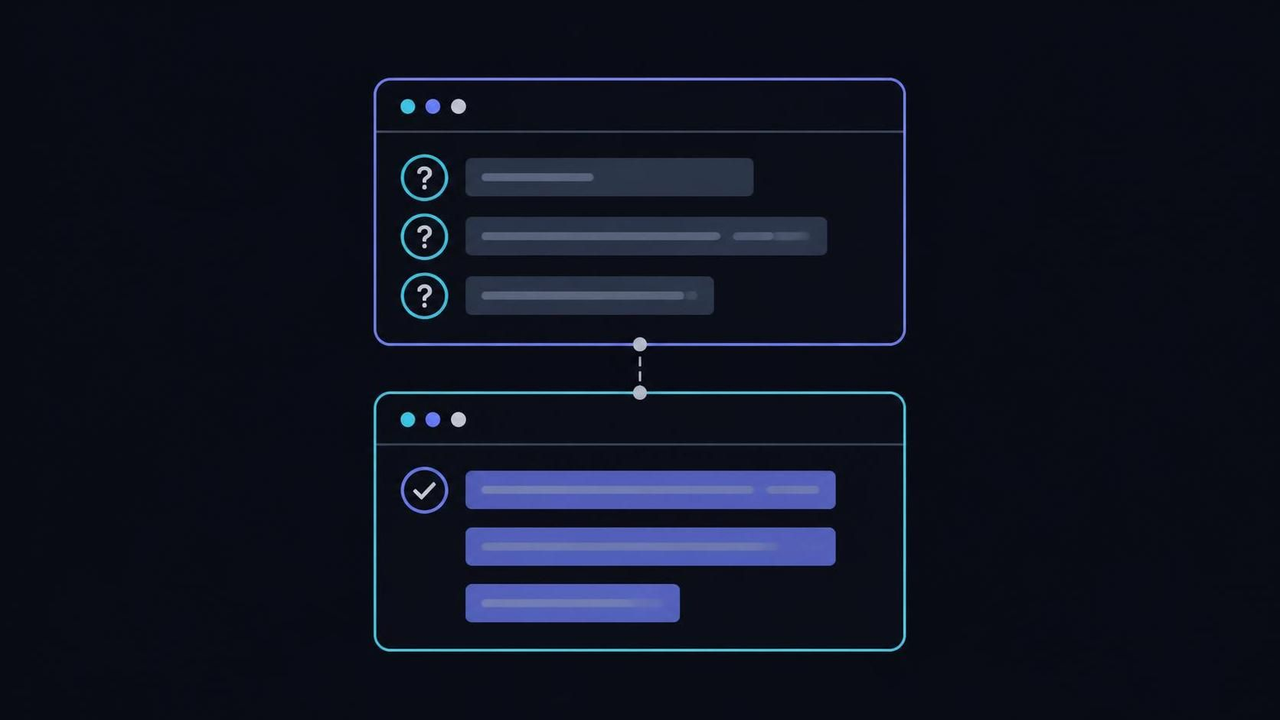
The ops desk in one guide: rDNS tickets, abuse mail, first-login SSH, crypto invoices, and the upgrade path from VPS slice to IPMI metal. From $4.80/mo.
The ops desk in one guide: rDNS tickets, abuse mail, first-login SSH, crypto invoices, and the upgrade path from VPS slice to IPMI metal. From $4.80/mo.
Root-only service turns the support desk into checklists
There is no managed layer at any tier, and the honest way to say it is that root is the product. Patching, backups, application security and everything inside the OS belong to the operator; the platform's job is the slice, the network, the invoice and the hardware under them. The consequence for support is structural: panel actions are self-serve, and a human queue exists only for what the panel cannot do.
The self-serve layer covers most of daily operations: Reboot, Reinstall and rDNS run from the client panel without a ticket, at any hour, in seconds. The human queue exists for the residue — an underpaid invoice, a stuck migration, a question the checklists do not answer. Tickets need a positive balance, a subject that names the object, and the invoice code or the IP in the body, which is the whole schema.
Numbers frame the split: a panel reboot is counted in seconds, a reinstall in minutes, and a ticket answer in working hours — which is why anything the panel can do belongs to the panel. The account's English gets the fastest replies in the queue, and the panel UI follows your locale; both are conveniences, not service tiers, and neither one patches a box for you at 2 a.m.
This page is the desk in one scroll: rDNS and PTR, first-login SSH, abuse mail and DDoS, crypto invoices, upgrades from a 2 vCPU slice to IPMI-equipped metal, plus snapshots and the privacy picture. Each section names the failure that section prevents, because a knowledge base earns its keep at 2 a.m. when you are one mistake from downtime, not at leisure with coffee.
The typical mistake is importing assumptions from managed hosting: expecting proactive patching, waiting for a human to reboot a box, or opening a ticket to ask what the panel already does in one click. Root-only cuts both ways — nobody patches your box for you, and nobody stands between you and it either. Start with the first-login checklist below, because every other section assumes the box is reachable and yours.
VPS from $4.80* — Core on the annual term (list $6/mo), one invoice for 12 months, no auto-charges. Dedicated with IPMI from $39.20/mo. Crypto invoice, no KYC.
Launch nowrDNS: the record people set in the wrong direction
Most operators set SPF and DKIM carefully, then leave the PTR record pointing at whatever the host defaulted to — and then wonder why mail from a clean VPS lands in spam. Reverse DNS is the one record the recipient's server checks first, because it asks the question that matters: does this IP's ownership story check out in both directions, or only in the one you wrote?
The mechanism is forward-confirmed reverse DNS. The receiving mail server resolves your IP to a name (203.0.113.10 → mail.example.com), then resolves that name back and compares. Match plus published SPF plus a DKIM signature is the baseline any serious receiver expects; a mismatch or a generic datacenter hostname is a spam score before content is even read. The pointer records underneath are defined in RFC 1035, and the direction of the check never changes across receivers.
Latency of trust is asymmetric: a correct PTR plus matching A record can clear a reputation flag in days, while a mismatched one undermines every other signal you publish. Deliverability guides disagree about weights and never about direction — forward and reverse must tell one story, and the story must include SPF, DKIM and DMARC records that name the same origin. One IP, one name, one narrative.
On this fleet the change is self-serve: the panel's rDNS field takes the hostname, applies it to your IP, and the authoritative answer updates in minutes. Set the A record for that hostname to the IP first, then set PTR to match the A record — direction matters, because the forward lookup must exist before the reverse claim is credible. Resolvers cache the old answer for the record's lifetime, so budget an hour of impatience, not a support ticket.
Where it breaks: setting PTR on an IP that serves many domains. One IP carries one PTR; if five sites share the address, the PTR should name the primary mail origin or nothing useful at all. That constraint — one name per IP — is also the quiet reason people eventually order an additional IP or move mail to a box of its own; the panel handles both, and the inbox is the test that tells you whether any of it worked.
First-login SSH before anything else touches the box
The box arrives with root and a password you set at checkout, and the first hour decides whether that stays true. Internet scanners find fresh SSH ports within minutes — the log noise alone proves it — so the first login exists to replace password access with keys before anything else is installed. Fifteen minutes of ordering now removes an entire class of compromise later, and the order matters more than the tools.
The sequence, in order: add a user with adduser deploy, generate a key pair on your workstation with ssh-keygen -t ed25519, and install the public half with ssh-copy-id deploy@your-server. Test the key login from a second terminal before touching the server config — an untested key is a rumor, not a credential. The ssh-keygen manual covers the key types and the flags you will actually use.
Keys scale better than passwords in one more way that matters at 2 a.m.: a lost laptop means removing one line from authorized_keys, not rotating a password across every box and service that shared it. One key per device, one authorized_keys per user, and the blast radius of any single compromise shrinks to a machine you can name — which is the difference between an incident and a Tuesday.
Only after a proven key login do you edit /etc/ssh/sshd_config: set PasswordAuthentication no and PermitRootLogin prohibit-password, then reload the daemon with systemctl reload sshd — reload, not restart, so an existing session survives a config typo. The sshd_config manual documents every directive; change two lines, not twenty, and keep the ssh page handy for the client-side flags.
Where it breaks: disabling password authentication before proving the key works, on a box where the panel console is the only way back. The reinstall button fixes it in minutes, but it wipes the disk — an expensive teacher. Prove, then restrict, then patch (apt update && apt upgrade or the distribution's equivalent), and the box is ready for everything else on this desk, starting with the rDNS story above.
Abuse mail and DDoS: what arrives and what it means
Abuse mail looks like an accusation and works like a status page. A report arrives at the abuse address when a third party — an anti-spam list, a scanning project, a rightsholder — observed something coming from your IP, and the host forwards it because the law of the facility location and the acceptable use policy make the report a process, not an opinion. The process has a shape, and the shape favors operators who respond with fixes.
Filtering has a shape worth knowing too: DDoS scrubbing runs upstream of the port, is included at every tier rather than billed per attack, and never reads your payloads — it weighs traffic, not content. A 1 Gbps unmetered port on Forge and 10 Gbps on Summit and above is the ceiling you plan against; the filter's job is to keep floods from ever becoming your problem, which is why most attacks pass unnoticed.
What the AUP bans is short and non-negotiable: CSAM, phishing, spam, and attacking others. Everything else is administration. The observability side is yours: check what is listening with ss -tlnp, read what your service saw with journalctl -u app, and keep the panel's contact email one you actually read. Server-side, connection metadata is kept ≤24h and payload is not logged, so the fix-it story has to come from your logs, not the host's.
The correct response to a real abuse notice is boring: identify the compromised or misconfigured service, fix it, and reply with what changed. An open relay, an exposed resolver, a hijacked web app sending phishing — each has a one-line fix and a one-paragraph explanation. Reports answered with fixes close; reports argued with escalate, because the facility's law, not the operator's mood, decides the endpoint of the process.
Where it breaks: running something you did not know was listening. Every admin eventually finds a service bound to 0.0.0.0 that they believed was local — the habit that prevents the abuse mail is an inventory: list listening ports after every install, close what has no audience, and keep the registered contact current, because that inbox is where the process reaches you whether or not you are ready.
Crypto invoices: the watcher, the lock, the underpay case
Invoices price in USD, convert at a live rate on creation, and credit when a server-side watcher matches the exact amount on-chain — nineteen coins, one engine, single-use addresses, no transaction-hash forms to fill. The invoice screen prints the coin, the locked figure and the confirmation depth; the client panel shows the same trio under billing, so the question of where a payment went has a self-serve answer before it has a ticket.
The −20% annual term applies before conversion: Core at $6 list lands at $4.80 on the yearly math, and only then does the coin conversion fix the amount. That ordering matters when comparing invoices — two buyers on different coins pay different coin figures for the same USD total, and both match correctly. The lock happens once, at creation, and neither later rate moves nor later page reloads change what the watcher expects to see.
Coins, for the record: XMR and BTC lead the list, ETH, SOL, LTC, BNB and TRX follow, then XRP, DOGE, DASH and ADA, GRAM (TON), and USDT on seven networks — TRC-20, ERC-20, BEP-20, SPL, Polygon, Arbitrum, Optimism. Nineteen ways to settle, none of them a card, all of them on the invoice page you already have open, and all of them subject to the same exact-amount rule at a single-use address.
Underpaid and wrong-chain transfers are ticket material, not triggers for a second send. A single-use address that receives an amount short of the printed figure has a human-sized problem: the watcher matched nothing, and firing another blind transfer at the retired address usually stacks a second mismatch on the first. Open a ticket with the invoice code and the transfer details, and let support reconcile once, cleanly, with both sides of the arithmetic visible.
The recurring mistake is treating the invoice figure as a quote rather than a contract: rates locked at creation do not follow the market afterwards, and an invoice paid an hour late at a different price still owes the printed number. Read the panel's invoice view before assuming a stuck payment — credit is automatic when the match lands, and the crypto FAQ covers rate locks and the underpay procedure in depth.
When a slice graduates to metal
Upgrades have two axes, and the panel's plan picker only shows one. RAM and vCPU scale inside the VPS ladder; exclusive cores, ECC memory and out-of-band console access do not — those live on the dedicated side, and the workload announces the move long before the dashboards do, in steal time and swap counts rather than in polite summary graphs.
The signals are concrete: %steal climbing during neighbor load, si/so columns active in vmstat, p99 latency rising while CPU utilization looks flat — classic noisy-neighbor signatures that no VPS tier can fix because they are structural to sharing a host. When a Core or Titan slice spends its days hiding from neighbors, the ladder's next rung is metal, not a bigger slice with the same physics.
Hardware facts draw the line precisely: VPS plans run KVM on ECC and local NVMe — Titan carries 32 GB of DDR5 ECC — while the dedicated ladder adds exclusive cores and IPMI on every tier. If the workload never leaves the slice's resources, stay on the slice; if it needs the whole die, a hypervisor is the wrong layer to rent under, and no amount of vertical resizing changes that.
Move the workload to VPSbit Forge at $49 list — $39.20 annual-eff — when co-tenants start showing in steal time: sixteen Ryzen 9 9950X threads of exclusive time, 32 GB DDR5, two 1 TB NVMe drives and IPMI on the port. The same no-KYC checkout prices it in the same nineteen coins, and racking adds 2–4 hours to the migration window, which is a planning fact rather than a drawback.
Terabyte-scale is the other axis: Monolith pairs 4 × 2 TB of NVMe with 128 GB ECC for archives and databases that outgrew slices entirely. The mistake is scaling the wrong axis — buying RAM slices against a CPU-bound steal problem, or metal against a disk-space problem a 160 GB Prime would have solved. Name the bottleneck first; the slice-versus-metal guide walks the decision tree end to end.
Tickets that get answered
A support ticket is a query with a schema, and the schema is printed on the form: positive balance, subject naming the object, invoice code or IP in the body. Tickets missing any of the three wait longer than they should, not because anyone is punishing anyone, but because the queue's first step is identification and an unidentified ticket cannot even start moving toward an answer.
Response expectations, stated plainly: self-serve panel actions land in seconds, tickets in working hours, and abuse-process mail on the legal lane's clock. The positive-balance requirement sounds odd until you see the inverse — prepaid accounts generate the smallest fraction of junk tickets, because the same credit that runs the server also stakes the question. Identification is not bureaucracy; it is routing.
A good subject does most of the work: Invoice A8F3 — underpaid transfer routes itself; server problem!! waits for a human to guess. The body carries the object — IP, invoice code, panel service name — plus what you did and what you saw, with timestamps. English gets the fastest replies, though the panel UI follows your locale; write the ticket in English, read the interface in whatever you like, and attach evidence rather than describing it.
What does not belong in a ticket: passwords (nobody should ever ask for one), full disk dumps, or a third party's abuse complaint — abuse reports route to the abuse address, where they get the legal process rather than the ops queue. Billing disputes ride on the invoice code; network questions ride on traceroutes you attach, not describe: mtr -rw example.com output pasted as text beats a screenshot of a feeling every single time.
The failure pattern is escalation-by-impatience: three tickets in an hour, each with less context than the last, each resetting the queue position. One complete ticket answered in hours beats three fragments answered in days — and for everything the panel does (reboots, reinstalls, rDNS), no ticket should exist at all. The desk's shape, reviewed: self-serve first, schema-complete tickets second, abuse mail for the legal lane.
Privacy, stated with the limits attached
No KYC means the signup never asks for a passport — it does not make the account invisible. The email exists, the invoice exists, and your guest keeps whatever logs your guest keeps. The checkout's side of the ledger is narrow by design: billing and panel actions retained, connection metadata kept ≤24 hours, no payload or guest traffic logs. Narrow is not zero, and honest privacy planning starts from that sentence instead of a marketing one.
On the box, privacy is administration: OpenSSH keys instead of a reused password, full-disk encryption where the workload allows it, and WireGuard if the endpoint should answer only to you — a tunnel that leaves port 22 invisible to scanners costs one config file at /etc/wireguard/wg0.conf. The platform sees connection metadata by necessity of running a network; it does not need to see inside the tunnel, and with your own WG endpoint, it does not.
Log hygiene is yours, twice over: the guest's own logs — auth, access, application — are the richest record of the box's life, and rotating or minimizing them is an operator decision. A useful baseline: keep auth logs, minimize access logs to error levels, and never log payloads you would not hand over, because the honest answer to the question of what logs exist should start with the ones you chose, not the ones you forgot.
Fund the account once and keep the paper trail to the coin you chose: put a Core slice on the annual term — $6/mo list, $4.80 annual-eff, one invoice, no auto-charges — and renew deliberately rather than leaving a card-shaped habit behind. The account side of that picture is stated at signup — token or email, a 12-character password, nothing else collected — and the limits are printed on every invoice rather than promised in a separate policy.
Where it breaks: claiming invisibility from a no-KYC invoice while the application itself emails password resets to a personal address, or while DNS for the domain sits on a registrar account with your legal name on it. Privacy is a chain of custody across registrar, DNS, mail and logs, and the weakest link sets the level; the anonymous-domain guide handles the registrar half of that chain.
Snapshots, backups, and the rollback you forgot to buy
Backups are the most common thing people plan to add later and the only thing that turns an incident into an inconvenience. On this platform snapshots are a rollback add-on in the panel, and mirrored disks protect the host's drives — neither of which protects you from yourself, because rm -rf executes cheerfully on mirrored storage and deletes every copy at once.
Costs keep the habit honest: snapshot storage bills a little per gigabyte, off-box backups bill at the second box's rate, and version control is free — which is exactly the right order of expense for the value each layer returns. A Core slice at 80 GB snapshots in minutes; a Monolith's 8 TB of raw NVMe wants a real backup plan, not a checkbox, because at that scale the restore time is the incident.
Design the three layers deliberately. Snapshots in the panel capture the slice for rollback before risky changes — take one before every upgrade, name it with the date, delete old ones so they do not bill forever. Application backups belong off-box: rsync -a --delete to a second box, or restic to object storage, on a schedule that runs without you. Configuration lives in version control from day one, so a reinstall is a checkout, not archaeology.
Test restores quarterly, because an untested backup is a hope, not a backup. The drill is short: spin the snapshot or the restore path, confirm the service answers, record how long it took. A database that restores in 40 minutes changes your incident math for the better; one that has never restored changes nothing, statistically, except your confidence on the day you need it.
Where it breaks: snapshots on the same box as the data they protect. A compromised panel account or a fat-fingered deletion takes both layers at once — the off-box copy is the one that survives, which is why the schedule matters more than the tool. With the layers set, the desk's remaining half is human: tickets and escalation, covered in the section above this one.
The ops desk, in the order to run it
Order of operations, first hour: log in, add your user, install the key with ssh-copy-id, prove the key login from a second terminal, then set PasswordAuthentication no in /etc/ssh/sshd_config and reload. Patch the box, list listening ports with ss -tlnp, and close what has no audience — the box is now harder to take than most of the machines on the internet, and it took fifteen minutes.
Second pass, identity and naming: set the A record for the hostname you intend to answer as, then set rDNS in the panel to match it, and give propagation an hour before testing with dig -x. Publish SPF, DKIM and DMARC if mail is in scope, and confirm the story reads the same in both directions — forward, reverse, and the records that name the origin.
Third pass, the tunnel and the schedule: stand up WireGuard if the endpoint should be private, take a panel snapshot as the known-good baseline, and schedule off-box backups to a second box or object storage. Calendar the invoice — annual terms renew on a date you chose, not one a card processor chose for you, and a funded wallet a week early is the difference between renewal and re-provisioning.
Standing rhythm, weekly and quarterly: check steal time if you are on a shared slice, rotate keys on lost devices, test one restore per quarter, and read the abuse inbox you registered. When the workload's signature — steal, swap, p99 — says the slice is done, the panel prices the dedicated ladder on the same page, in the same coins, under the same no-KYC terms as the slice it replaces.
That is the desk: root, keys, records, backups, tickets — in that order, because each step assumes the ones before it. The checklists stay valid across all twelve locations and every tier from the smallest slice to IPMI-equipped metal; the facts change, the order does not. Keep this page in the panel bookmarks, because 2 a.m. is not the time to re-derive it from memory.
Do you manage the operating system?
No — root is the product at every tier, and these pages are checklists rather than a managed SLA. Patching, backups and application security stay on the operator's side; the platform's job is the slice, the network, the invoice and the hardware beneath them, and the panel covers the self-serve half of that.
Is this page copied from another host's docs?
The topics overlap every ops desk because servers have the same problems everywhere, but the facts here are this catalog's: twelve locations, nineteen coins, crypto-only billing, and a Saint Kitts and Nevis company behind racks in named cities. The checklists are generic on purpose; the numbers are not.
Where do invoices and confirmations show up?
In the client panel, each invoice showing the coin, the locked amount and the confirmation depth. Credit lands automatically when the watcher matches the transfer on-chain — no support action is part of a normal payment, and the billing view is the first place to check before opening a ticket.
Is there a managed option for teams?
No managed layer exists at any tier. What teams actually use is root plus the checklists on this page, snapshots as a rollback add-on, and dedicated IPMI when out-of-band console access becomes the requirement — Forge and every tier above it ships with IPMI on the port.
How do I choose between VPS tiers and metal?
By the workload's bottleneck: CPU and RAM slices serve most apps, terabyte archives want dedicated disks, and exclusive cores with IPMI start on Forge at $39.20 annual-eff. The checkout prices every tier on the same page, in the same coins, so the whole comparison is one screen wide.
What do I do about an abuse email I received?
If the report names your service, fix the exposed or compromised component and reply with what changed — reports answered with fixes close quickly. Third-party complaints about your own provider experience go nowhere in a ticket; the abuse lane exists for reports against an IP, and it runs under the facility's law.
Primary sources
More ways to pay
Pay with Bitcoin · Pay with Monero · Pay with USDT (TRC-20/ERC-20/SPL) · Pay with Litecoin · Pay with Ethereum · Pay with Solana · Pay with x402 · Pay with Dogecoin · Pay with XRP · Pay with TRX · Monero on bare metal · Dedicated servers with crypto · Pick the jurisdiction first.
Ready to launch?
Build the box — VPS or bare metal — create the password, pay the invoice that follows.