 VPSbit
How to self-host a Matrix homeserver
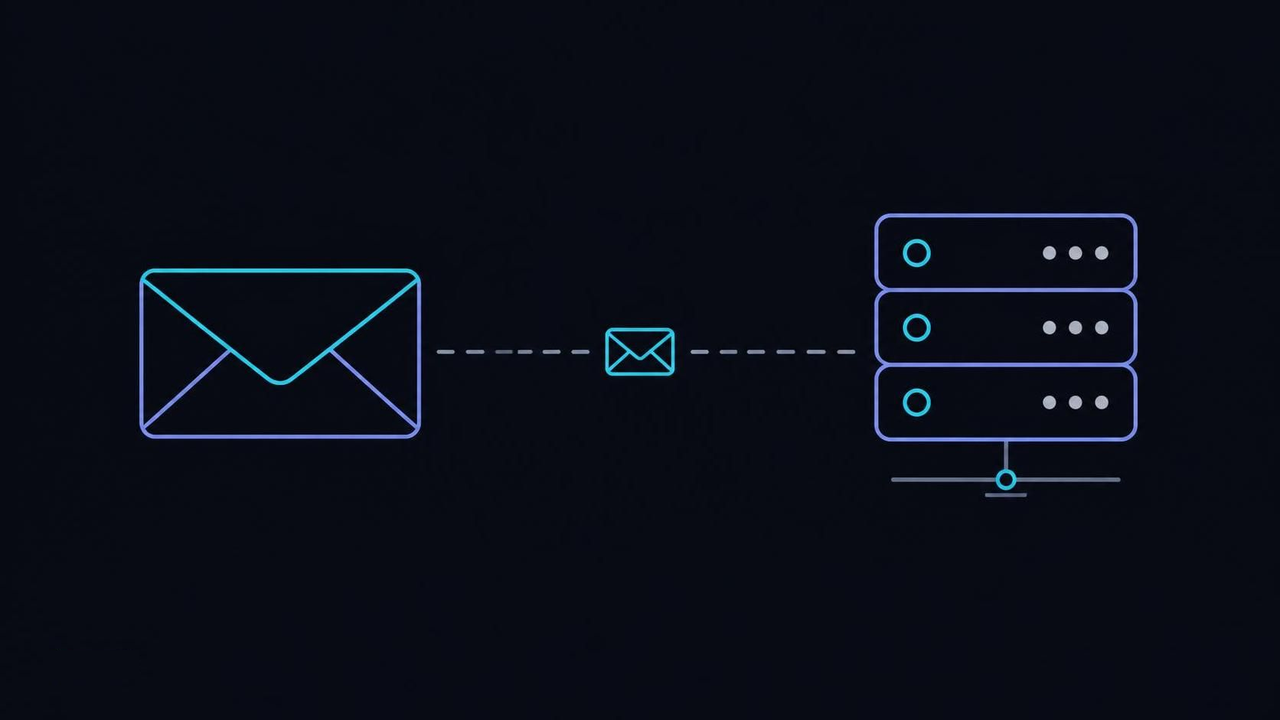
Install Synapse from Element's docs, publish .well-known delegation, size RAM by rooms and media. Matrix hosting on Core from $6/mo list, $4.80 annual-eff.
Install Synapse from Element's docs, publish .well-known delegation, size RAM by rooms and media. Matrix hosting on Core from $6/mo list, $4.80 annual-eff.
Federation moves the mailbox, not the audience
The counter-intuitive part of running your own Matrix homeserver is that federation keeps most of the topology public by design. Homeservers replicate shared rooms among themselves, close to how SMTP relays pass mail between domains, so a room your server joins also lives on the homeservers of every other participant. Self-hosting moves the metadata — who talks to whom, and when — into a database you administer. What it does not do, on its own, is fence the room roster away from the wider network.
The mechanics split into two channels with different jobs. The reference homeserver, Synapse, speaks the server-to-server API defined by the Matrix specification over 8448, while client apps such as Element talk to your domain over 443. A user ID like @you:example.com is a claim that example.com runs a homeserver, and remote peers verify the events you emit against the signing key generated at install time. Encryption protects payload content inside rooms, which is a separate matter from who is present in them.
That separation is where expectations break. In an encrypted room, message bodies stay unreadable to outsiders, yet the fact of membership, the room addresses and the server names involved still cross the federations your box participates in. A household server for twelve people and a public community server of ten thousand rooms answer to the same protocol rules; the difference is how much surface you expose when you join rooms. Decide the posture before the first invite goes out, not after.
The typical failure starts here: treating a private room as an invisible one, then discovering the roster inside a remote server's database. No payment method, location or hosting tier changes federation semantics — only configuration does: restricted rooms, federation allow-lists and careful room choices on a deployment you intend to keep small. If the audience is the sensitive part, keep the server out of public rooms entirely and tell every member that invites propagate the address. Settle that posture first, and the rest of the build becomes a checklist instead of a debate.
VPS from $4.80* — Core on the annual term (list $6/mo), one invoice for 12 months, no auto-charges. Dedicated with IPMI from $39.20/mo. Crypto invoice, no KYC.
Launch nowRAM is sized by rooms and media, not by the vCPU label
The vCPU count is the number marketing puts on the label; RAM is the axis that actually decides whether a homeserver feels good. Synapse holds room state, presence and media bookkeeping in memory to stay responsive, and the working set grows with joined rooms, active users and the media repository. A box with plenty of cores and thin memory degrades earlier than its specs suggest — usually first as slow room joins and sync requests that time out under load.
The sizing logic follows the workload. A household server with a dozen light rooms runs comfortably on a tier with 8 vCPU and 32 GB DDR5 ECC, with the database and media store on local NVMe — roughly 320 GB at that level — where write bursts from uploads and state resyncs are absorbed instead of queued. Federated rooms with active media, or bridges to other networks, are the workloads that outgrow that floor, because every image and voice clip lands in the media repository and stays there.
Postgres lives on the same box at this scale, which surprises people who run it as a managed service at work. Colocating the database and the media repository on local storage keeps the request path short: a sync request touches memory, then the local disk, and never a network hop. Watch the media store deliberately — max_upload_size, retention settings and a periodic vacuum decide whether growth stays boring or turns into a midnight disk alarm.
The usual failure is buying bandwidth and cores while memory-starving the process, then blaming federation for sluggish syncs. The second failure is putting Postgres on network-attached storage, where latency spikes show up exactly when a room resyncs. Size by the two growth axes — joined rooms and stored media — and leave the CPU label out of the decision. When in doubt, overprovision RAM by one step; homeservers forgive spare memory far more readily than they forgive spare cores.
Install Synapse from the documented path
The install has one canonical route, and deviating from it is how support threads are born. Synapse's installation guide walks through the package or virtualenv setup, the --generate-config run that creates homeserver.yaml and the signing key, and the registration of your chosen server_name. Follow it as written the first time; the config file is where every later decision lives, and you want it born correct rather than patched into shape.
Two values deserve unhurried attention. The server_name becomes the domain part of every user ID on the machine and is effectively permanent, and the public_baseurl is what clients copy into links and federation endpoints. Rename the server later and you orphan every account and room reference that names the old domain — the protocol has no rename operation. Pick the domain as if you will keep it for a decade, because operationally you will.
Create the first users with register_new_matrix_user, then connect a client such as Element through your own domain to confirm the client API answers. On a test box the whole loop — order, image, install, first login — fits inside an afternoon. Bring the instance up on Core at $6/mo list — $4.80 on the annual term — and keep the production data migration for after you have rehearsed it once.
Where installs go wrong: mixing package sources — a distribution's older Synapse with a newer config schema — and reading the resulting tracebacks as disk or network trouble. Pin one install channel, note its version in your notes file, and upgrade through that same channel every time. The project's documentation hub keeps client setup paths current, while the server docs stay authoritative for config keys. Boring and reproducible beats clever and brittle, especially for something your family depends on daily.
Delegation is DNS plumbing before it is compute
Federation fails at the name-resolution layer far more often than at the compute layer, which feels backwards until you trace a join. The server name in your user IDs has to resolve, the /.well-known/matrix/client and /.well-known/matrix/server files have to point delegates at the right places, and 8448 has to answer TLS with a certificate the domain actually owns. Get those three facts right and remote homeservers find you; miss one and they silently decline the handshake, leaving nothing useful in your logs.
Delegation exists so the user-facing domain and the server name can differ. The document at /.well-known/matrix/server carries an m.server field naming the real federation endpoint, which can live on another hostname or another machine entirely, while client delegation via /.well-known/matrix/client points apps at the client API. Serve both as plain JSON over 443 with the correct content type, and keep cache lifetimes modest while you are still moving endpoints around.
Test delegation from outside your own network, because local resolvers flatter you with caches. Fetch both well-known paths with curl, inspect the certificate chain with openssl s_client, and only then expect remote joins to work. A CDN in front of the endpoints is acceptable as long as it passes the JSON through untouched and stays away from the federation port, where its certificate and buffering habits usually do more harm than good.
The classic failure is publishing delegation for a server name you never provisioned, or letting a generic web server answer 8448 with the wrong certificate. Remote homeservers do not email you about any of this; they simply stop knocking. Federation is correctness work, and it rewards a boring, documented DNS setup over a clever one. Write the delegation block down once and reuse it verbatim on the next server you build.
Postgres and the media store decide the upgrades
SQLite ships as the default database because it makes the first run frictionless, and that is the last kind thing anyone says about it under real load. The moment the server holds actual rooms with actual media, move to PostgreSQL — its documentation covers the install, and Synapse's docs cover the schema. The migration tool synapse_port_db carries an existing SQLite instance across, ideally during a quiet window with the process stopped.
The media repository is the second quiet grower. Every avatar, image and file shared in joined rooms lands on your disk, and the defaults are generous by design: max_upload_size caps individual files, while the media_retention settings decide how long remote media lingers before cleanup. Set both deliberately on day one, then check growth monthly — a homeserver that feels tiny can hold 50 GB of other people's conference slides within a single quarter.
Two dials on the database side deserve a glance each quarter. Autovacuum defaults assume a web workload, not one where a single busy room can churn thousands of rows between heartbeats, so nudge the cost limits until the bloat graph stays flat. Connection counts behave similarly: every worker thread opens its own database session, and a lively instance multiplies those sessions faster than newcomers expect — watch them in pg_stat_activity, and put a pooler in front once the number stops being countable at a glance.
Backups stay unglamorous and decisive: a nightly pg_dump plus copies of the signing key and the config brings a dead machine back within an hour, and PostgreSQL's own backup chapter is the reference for the dump-and-restore dance. When the working set outgrows a shared slice, rent Forge at $49/mo list — $39.20 on the annual term — and give the database and media store their own pair of local NVMe drives.
The frequent error is running years of upgrades without reading the database notes, then discovering that a major version bump includes a schema migration that runs for hours on your data volume. Schedule upgrades, snapshot before each one, and let the release notes drive the sequence rather than urgency. A rehearsed maintenance window on a Sunday morning beats an exciting outage on a Tuesday night, every single time.
Pick the flag for law, then for latency
One list price covers all 12 facility locations, which turns jurisdiction from a budget question into a thinking question. The published premiums are the exceptions: Iceland and Norway at +20%, Switzerland at +35%, Luxembourg at +15%. Everything else — Amsterdam, Frankfurt, Tokyo, Singapore, Hong Kong, Taipei, Stockholm, Helsinki — bills at base list, so the flag you choose costs either nothing or the premium, never a different pricing scheme.
The legal differences are real but narrow, and different workloads weigh them differently. Reykjavik pairs a non-EU rack with no mandatory data retention; Zurich runs Swiss FADP process outside the EU's direct reach; Amsterdam and Frankfurt sit under GDPR with the continent's best round-trips; the four APAC sites answer to their own statutes. The guide that picks the jurisdiction first orders that decision, the offshore VPS guide maps the trade-offs, and the 14-Eyes explainer covers the intelligence-sharing shorthand if that is part of your threat model.
Moving later is cheaper than choosing wrong forever, but not free: the server name is welded to DNS, so a flag change usually means a fresh build and a federation-aware migration of accounts. Plan the first deployment as if the rack were permanent, and treat any later relocation as a rebuild with backups rather than a lift-and-shift. Rooms with years of history are the painful part — a decade of conversation does not compress well, and re-fetching media from dozens of remote servers can take days.
Latency still decides user experience: a household in central Europe feels Amsterdam or Frankfurt long before it notices which statute book governs the rack. Federation multiplies the effect, because your server talks to dozens of remote homeservers continuously — a well-peered site like Amsterdam on AMS-IX or Reykjavik on FICIX keeps those conversations short and the sync lag invisible.
Where the choice breaks: picking law for the workload and latency for nobody — a Zurich box serving an EU-heavy room roster buys process distance at the cost of round-trips nobody asked for. The locations table lists tier, uplink and governing law per site, and reading it once collapses the choice to two candidates. Shortlist those two, benchmark both, and let the measurements close the argument rather than the folklore.
Ports: 8448 answered, 443 for clients
Federation needs exactly one inbound port beyond a normal web server: 8448/tcp for server-to-server traffic, alongside 443/tcp for clients. Both are open by default on every plan, so the firewall work is mostly about not breaking them later. Bandwidth is unmetered across the catalog, so the practical ceiling is the port speed — 1 Gbps on the entry VPS line — rather than any quota that federation traffic could exhaust.
Verify from the outside in. A remote check of openssl s_client -connect matrix.example.com:8448 should complete a TLS handshake presenting your domain's certificate, and a client login over 443 should behave like any other HTTPS service. A firewall that allows 443 but drops 8448 produces the classic half-alive server: the web client works fine while remote joins stall mysteriously.
Give the outside view a permanent home in your monitoring. A tiny scheduled job from a different network that attempts a TLS connection to the federation port every five minutes tells you what strangers experience, which is the only perspective that matters here. Pair it with certificate-expiry warnings set to fire at 30 days out, because a lapsed certificate silently empties your rooms of remote participants while the local client keeps working, and nothing inside the datacenter ever complains about it.
When you do add a firewall — ufw allow 8448/tcp is the common Debian idiom — remember that stateful rules survive reboots while your memory of them may not, so document the two open ports next to the delegation notes. IPv4 and an IPv6 /64 come standard on every VPS, which means federation can run dual-stack from the first day without buying extra addresses or renumbering anything later.
The recurring incident is a hardening sprint that closes 8448 in passing; federation degrades quietly because nothing inside the machine notices that the outside stopped arriving. Alert on outbound federation activity stopping, not just on your own HTTP checks, and the mistake stays a five-minute fix instead of a week of confused room reports. Two ports, both documented, both watched — that is the entire surface.
Dendrite and Conduit run the same logic lighter
Synapse is the reference implementation, not the only one. Dendrite, a second-generation homeserver from the Matrix ecosystem, and Conduit, a lightweight server written in Rust, both run on the same VPS with smaller footprints — the binaries install as dendrite and conduit and answer the same protocol. The sizing logic from the earlier sections survives the migration unchanged: RAM by rooms and media, Postgres on local NVMe, 8448 reachable, delegation correct.
Resources differ enough to matter on small plans: the lighter builds hold steady near a few hundred megabytes where the reference process prefers several gigabytes of headroom, and their restart after a crash takes seconds rather than the minutes a large database needs to warm. On a mixed-purpose machine — a tunnel here, a web root there — that difference decides which projects get hosted at all. Test with your actual room list, though; synthetic benchmarks flatter every implementation, and only your community's real traffic tells the truth.
What changes is the feature surface and the operational history. Synapse's long deployment record means most bridging guides, admin tools and moderation workflows assume it, while the lighter servers trade some of that ecosystem weight for leaner resource use — which matters on a box that also hosts other things. For a household server, testing the lighter option first is reasonable; for a bridge-heavy community server, the reference implementation's maturity usually wins the argument on its own.
Migration between homeservers is not a rename: user IDs carry the server name, so the domain inside @you:example.com survives a swap only if the new implementation answers for the same name. Plan the change as a cutover — stop the old server, move the data, repoint delegation — and keep restorable backups of both sides until the new one has run for a full week without surprises.
The trap is picking a lighter server for the resource savings and then discovering that one needed bridge or moderation tool does not support it. Inventory the features you actually use before choosing, because the RAM you save is worthless next to a workflow that stops working. Whichever server you run, the protocol-level duties — names, ports, keys — stay identical, so nothing in the earlier sections is wasted effort.
The Matrix homeserver, in the order to run it
Run the build in this order and every step validates the one before it. First fix the posture: audience model, federated or locked down, public rooms or private ones only. Second pick the flag — law for the workload, latency for the users — and the size, RAM by rooms and media rather than by any label. Third order the box and set up SSH keys before anything else touches the network.
Fourth, DNS: the server name, the two /.well-known/matrix/ documents, the delegation targets, then the certificates for 8448 and the client port. Fifth, install Synapse from the documented path, generate the signing key, set server_name and public_baseurl exactly once, and register the first user with register_new_matrix_user. Sixth, move the database to PostgreSQL and schedule the nightly pg_dump before the media store has anything worth losing.
Seventh, open and verify the ports — 8448/tcp and 443/tcp — from outside your own network, not from the couch. Eighth, test a real federation join with a remote account and watch the handshake complete end to end; only then start inviting people. Provisioning on the platform runs about a minute after the invoice credits, so the DNS-and-install loop can begin the same hour you order.
Ninth, publish the house rules somewhere users actually read: who may create rooms, what the media policy is, how a newcomer gets an invite. Communities drift toward their defaults, and defaults written nowhere get decided by whoever shouts first. An hour spent on that page during the quiet first week prevents the arguments that otherwise arrive at month six, when habits have already hardened and changing them costs goodwill you cannot mint again.
Tenth, write the maintenance rhythm down: monthly media-store checks, quarterly upgrades after the release notes are read, one rehearsed restore per year. A homeserver is mail-infrastructure-grade equipment for your family or organization, and treated that way it runs for years with nothing more dramatic than a config diff. Keep the delegation notes and the signing-key backup together, because between them they are the server's identity.
Do you manage Synapse for me?
No. The platform rents the KVM slice and stays out of the application layer entirely — installs, upgrades, database tuning and moderation belong to whoever holds the root login. That is what makes a homeserver yours: every config decision, from media retention to federation policy, is written and executed by you, not by a vendor's change process.
How much RAM does a family homeserver need?
A dozen active users in mostly private rooms sit comfortably in a 32 GB DDR5 ECC tier with the database and media store on local NVMe. What pushes an install upward is federated rooms with heavy media, or bridges to other networks, because both grow the working set and the media repository at the same time.
Dendrite or Conduit instead of Synapse?
Both run on the same VPS with lighter footprints, and the sizing logic stays identical: RAM by rooms and media, Postgres on local NVMe, federation ports open. Check the bridges and moderation tools you actually use against each server's supported features before you commit, since the lighter implementations trade some ecosystem maturity for efficiency.
Can I pay the annual term in USDT?
Yes. Twelve-month billing applies its 20 percent discount to the USD total first, then the invoice converts at the live rate on any of nineteen coins, and USDT is exactly the dollar-stable case. If you would rather the payment corridor itself leak less, Monero covers that job — the coin choice and the term choice are independent dials.
What ports does federation need?
Port 8448 for server-to-server traffic plus 443 for clients, both open by policy on every plan. The .well-known delegation files are what tell remote homeservers where to knock, so federation is name-resolution correctness before it is bandwidth. Verify both ports from outside your own network, because a half-open firewall produces exactly the kind of silently stalling joins that never appear in local logs.
Primary sources
More ways to pay
Pay with Bitcoin · Pay with Monero · Pay with USDT (TRC-20/ERC-20/SPL) · Pay with Litecoin · Pay with Ethereum · Pay with Solana · Pay with x402 · Pay with Dogecoin · Pay with XRP · Pay with TRX · Monero on bare metal · Dedicated servers with crypto · Pick the jurisdiction first.
Ready to launch?
Build the box — VPS or bare metal — create the password, pay the invoice that follows.