 VPSbit
How to self-host a WireGuard VPN on a VPS
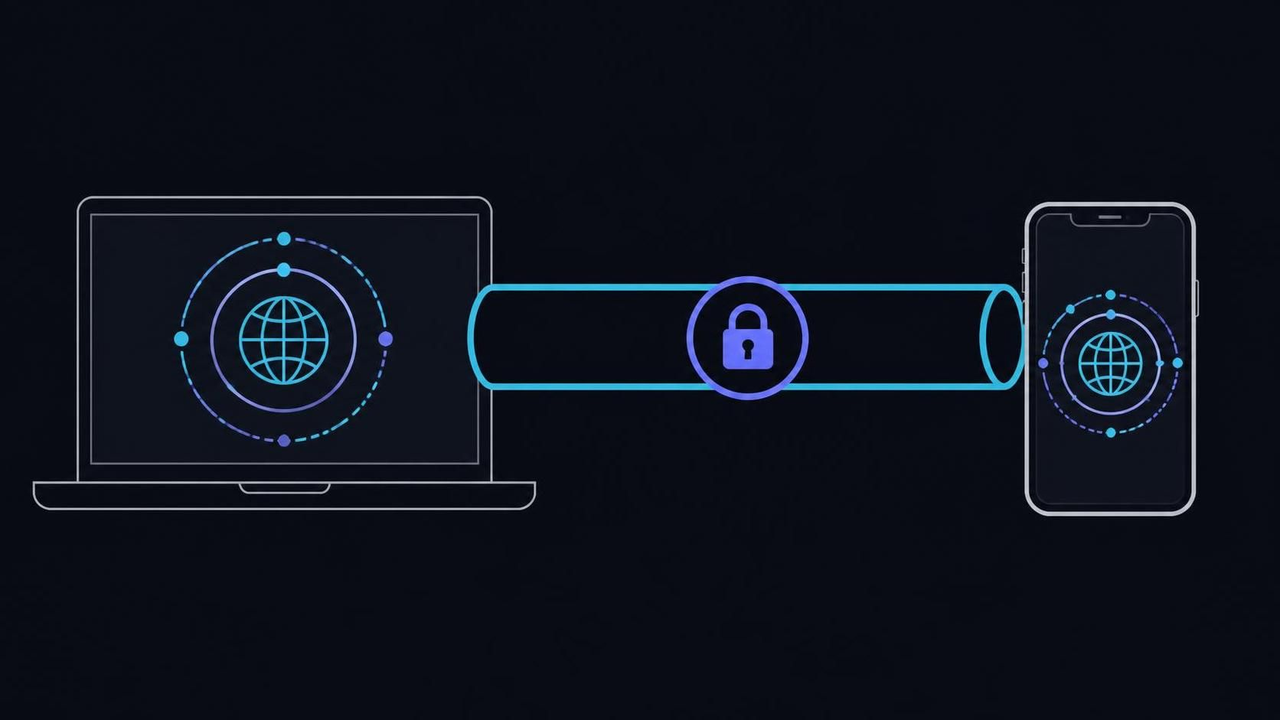
Rent a no-KYC VPS from $4.80/mo (Core, annual), run the official WireGuard quick start, and keep the keys and one UDP port on hardware whose root you own.
Rent a no-KYC VPS from $4.80/mo (Core, annual), run the official WireGuard quick start, and keep the keys and one UDP port on hardware whose root you own.
The crowd is the feature, and that is the problem
The standard argument for a commercial VPN subscription is the crowd: thousands of strangers behind one shared exit IP, so no single pattern can be pinned on any single person. The counter-argument nobody prints on the pricing page is that the same crowd produces the CAPTCHA walls, the streaming blocks and the reputation pooling that make shared exits miserable to actually use. When you rent a small VPS and install WireGuard on it yourself, the protocol underneath is identical to what the big consumer brands document openly (wireguard.com), but the exit IP on 51820/udp serves exactly one person — and that person is you.
Ownership is the mechanism doing the work. A consumer subscription rents you an exit you cannot inspect, reset or rekey; a rented VPS hands you root on a box with its own public IPv4, 2 vCPU of Ryzen 9 9950X and 80 GB of NVMe on the entry Core line, and leaves the tunnel entirely to you. The keys are generated on your machines, the whole server config is one /etc/wireguard/wg0.conf file, and an unmetered 1 Gbps port means the plan never becomes the bottleneck. Outline (Jigsaw) sells the same ownership model behind a friendlier installer (getoutline.org), but the model, not the installer, is what you are actually buying.
Here is where the reasoning breaks: a solo IP has no crowd to dilute it. Usage profiling that would blur across thousands of subscribers instead attaches to your address alone, and that address is attributable to a hosting account with your credentials on it. That is the honest price of owning the endpoint, and no tunnel encrypts it away.
The trade is still worth making, because you give up crowd cover and gain the ability to rebuild, rekey or relocate the exit in minutes. VPSbit rents the box and does not operate the tunnel; nobody at the company ever holds a key of yours. The next question is what exactly changes when the cryptography stays the same but the accountability moves — and the answer surprises people who assumed the app was the hard part.
VPS from $4.80* — Core on the annual term (list $6/mo), one invoice for 12 months, no auto-charges. Dedicated with IPMI from $39.20/mo. Crypto invoice, no KYC.
Launch nowSame protocol, different party on the hook
Switching from a subscription to a self-hosted tunnel changes nothing about the cryptography and everything about responsibility. WireGuard's design is deliberately small: the protocol overview describes a handshake and data plane implemented in a few thousand lines of kernel code, encrypting with ChaCha20-Poly1305 and hashing with BLAKE2s, both specified publicly in RFC 8439. Mullvad, Proton VPN and IVPN run the same construction and document it openly; what they sell on top is an app, a fleet, and the crowd from the previous section.
On your own box the entire stack is three pieces: the kernel module, the wg configuration tool, and the wg-quick wrapper that brings an interface up from a single file. You install them from your distribution's repository in minutes — the official install page covers every distro — and enable the tunnel with systemctl enable --now wg-quick@wg0. There is no daemon to babysit, no database to prune, and no vendor client that phones home between your device and the wire.
The break: people import the client-app mindset and expect kill switches, obfuscation and address rotation to materialize on their own. Self-hosted WireGuard ships none of that. A dropped tunnel falls back to the physical interface silently, so traffic leaves unencrypted unless you add a firewall rule that only permits egress through wg0. The wg(8) manual states the model plainly — the tool configures, it does not supervise.
Treat that gap as a to-do list rather than a defect: the guardrails are yours to build, and the ones worth building appear later in this guide. What you get in exchange is a tunnel whose every component you can read in an afternoon. First, though, look at where the security actually originates — not on the server, but on the machines that mint the keys.
Keys are minted on your side of the wire
The most important security property of this arrangement never touches the provider: private keys are generated on your own machines, and the server only ever receives public keys. The official quick start makes it two commands — run umask 077 so nothing is created world-readable, then wg genkey | tee privatekey | wg pubkey > publickey to mint a pair. A private key that never leaves the laptop that made it cannot be intercepted at rest by anyone, including the company renting you the rack space.
WireGuard's cryptokey routing maps every peer to a key: the server's [Peer] blocks list each device's public key plus the tunnel addresses it may use, and nothing else about the device matters. Adding a PresharedKey line per peer — wg genpsk mints one — layers a symmetric secret on top of the handshake, which is the design's hedge against future advances against elliptic curves. The ip(8) manual covers the routing layer the addresses ride on.
Where it breaks in practice: one keypair shared between a phone and a laptop. Both devices keep re-handshaking and evicting each other, the latest handshake timestamp bounces between them, and traffic blackholes for seconds at a time in a way that looks like bad Wi-Fi. The other classic is baking a used privatekey file into a dotfiles repository or a disk image — once a private key has been copied anywhere, treat it as burned and mint a fresh pair.
The discipline that pays: one pair per device, stored under /etc/wireguard/ on the server side and in the system keychain on clients, with a rotation habit attached — a device that leaves the family is one wg set wg0 peer remove away from being nothing at all. With identity settled, the next question is how much of the box the outside world should be able to see, and the answer is refreshingly small.
One silent UDP port is the whole attack surface
Here is the counter-intuitive part: the best thing your VPN endpoint can do when probed by a stranger is nothing at all. WireGuard never answers unauthenticated packets — no banner, no reset, no reply of any kind — so a scan of 51820/udp cannot even prove that a server is listening there. That silence is the design, and it shrinks your firewall job to something you can hold in your head: default-deny, then open exactly one UDP port for the tunnel.
The mechanics are two lines on most systems. nft add rule inet filter input udp dport 51820 accept opens the hole, and ss -ulnp | grep 51820 confirms the interface is bound and listening (ss(8) explains the output). Everything else — 22/tcp for your own administration, 80/tcp and 443/tcp if the box also serves a site — is a deliberate, separately reviewed decision, never a side effect of the setup script.
The classic mistake is testing from the server itself: wg show on the box always looks healthy and proves nothing about the path a real client takes, because localhost never crosses the filter you just wrote. Second classic: enabling the firewall in the hosting panel while leaving the in-guest firewall empty, or the reverse, so the two layers disagree about who is protecting what. When they disagree, the looser one usually wins by accident.
A matching PTR record set from the panel is optional polish — tunnels work identically without one, so skip it until the interesting parts work. What decides whether strangers can find the port is the key exchange from the last section, and what decides whether your traffic can escape the tunnel is the guardrail from the previous one; the port is just the door. Next: who gets to walk through it.
One peer per device, or the newest handshake wins
Reusing a single peer configuration across every device you own feels tidy and quietly wrecks the tunnel. WireGuard keeps exactly one session per keypair, so when a phone and a laptop share one, each new handshake evicts the other: whichever device just spoke holds the session, packets vanish mid-download on the loser, and you get intermittent failures that look like hotel Wi-Fi but are actually your own config fighting itself.
The fix is structural, not procedural: one [Peer] block per device on the server, each with its own keypair and its own address from a subnet you control — 10.8.0.0/24 is the customary pick. On the client side, AllowedIPs = 0.0.0.0/0 funnels all traffic through the tunnel, while AllowedIPs = 10.8.0.0/24 reaches only the box itself; decide per device, not per household, and the ip(8) manual explains the routing semantics underneath.
Verification is per-peer work: bring up one device, read the server side with wg show wg0, and confirm that peer's transfer counters move in both directions before the next device joins. Staging them this way means a misbehaving config identifies itself immediately — counters freeze on the broken client while earlier ones keep flowing. Enrolling all 4 devices at once turns a single bad AllowedIPs line into an afternoon of guessing which config is the culprit.
Where it breaks: mobile peers behind carrier-grade NAT go quiet. The server cannot initiate toward an address it cannot see, so the phone stops receiving until it talks first; PersistentKeepalive = 25 fixes it by sending an empty packet every 25 seconds to hold the NAT mapping open. Second break: path-MTU blackholes, where handshakes succeed but large transfers stall at the same byte count — clamping MTU = 1420 inside the interface block resolves most of them.
With per-device peers, revocation becomes a one-liner instead of a household negotiation, and rotation stops being scary enough to postpone. That modularity is also what makes relocating the endpoint painless, which is convenient — because the location of the exit is the one decision in this stack that law, not engineering, gets to overrule.
The exit IP inherits the law of the rack
Choosing where the box lives looks like a latency question and is actually a legal one: the exit IP sits inside a specific facility, under a specific statute, and every packet you send through the tunnel emerges under that jurisdiction. The jurisdiction guide ranks all 12 VPSbit sites; the short version is that Amsterdam answers milliseconds, Reykjavik answers retention law, and Zurich answers process. Nothing about the tunnel itself changes with the flag — everything about what can be asked of the box does.
Commerce, notably, does not change with the flag: the same SKU is offered in every city, one list price covers the map, and all nineteen coins clear at checkout under a no-KYC account — a token by itself, or an email plus a 12-character password. Connection metadata is kept for at most 24h; payload and guest traffic are not logged. Three sites carry published premiums: Iceland and Norway at +20%, Switzerland at +35%, Luxembourg at +15% — the rest bill at base list. The XRP payment guide shows how coin and city stay independent dropdowns.
Order Core at $6/mo list — $4.80/mo on the annual term — and put the endpoint in the city your threat model actually names rather than the cheapest one; the deploy page takes plan, city and coin on a single invoice with no auto-charges to cancel later. A tunnel for a handful of peers does not strain 2 vCPU or an unmetered 1 Gbps port, so the entry plan is genuinely enough.
The break: assuming the flag legalizes the payload. It does not — the AUP rides every SKU, abuse is handled under the law of the facility location, and scanning, spam or attacks through your own tunnel are ban-level events you agreed to. What the flag changes is which court has to ask, and how. That is a real difference; it is just not the one marketing implies, which is why the limits deserve their own section.
The tunnel encrypts one leg and nothing else
Be precise about the geometry, because most disappointment with VPNs is geometry confusion: a self-hosted WireGuard tunnel encrypts traffic from your device to the VPS and no further. Your home ISP sees an unreadable stream to one IP; the destination website sees the VPS address, not yours. Everything past the box — the datacenter uplink, the path to the destination, the destination itself — leaves as ordinary traffic wearing the server's wg0 address.
That geometry comes with a ledger you can read. On this platform there are no payload or guest traffic logs, and connection metadata is retained for at most 24h; billing and panel actions are retained as commerce records normally are. The contract is with a Saint Kitts and Nevis company, while the disks sit in one of 12 facilities whose local law governs any process that arrives — two layers, both described in the jurisdiction guide.
DNS deserves its own sentence in the geometry: a tunnel routes packets, not resolutions, so a client that keeps its old resolver will happily ask questions through the wrong leg. Point each device's DNS at the tunnel-side resolver — DNS = 10.8.0.1 in the interface block — and queries follow the same path as everything else. Half of all 'it stopped working' reports on otherwise healthy tunnels are lookups escaping the wrapped interface, not packets leaving it.
Where the model disappoints people: it is not anonymity. Legal process that reaches the rack reaches the box; the exit IP is attributable to a hosting account; and anything the AUP bans — scanning, spam, attacks — is ban-level conduct even when it rides your own encrypted tunnel. A tunnel is a boundary, boundaries have two sides, and the outside side is not yours to control no matter whose hardware it runs on.
What the boundary does buy you is control of the inside side: the box. Patch it, keep its keys tight, and it stays yours in every operational sense that matters day to day. That is the maintenance question the next section takes up, because most self-hosted tunnels are lost to neglect rather than to attackers — and neglect has a schedule you can actually plan around.
Endpoints die of neglect, not of attackers
The most common failure of a self-hosted VPN is boring: the kernel that booted on day one is still running in month nine, with known CVEs against its TCP stack or its WireGuard implementation. Unattended security upgrades close most of that gap — apt install unattended-upgrades on Debian-family systems enables a daily run that pulls security patches without asking your calendar — and after the first enablement you never think about it again until something forces a reboot.
Reboots are the part automation cannot finish for you. A patched kernel waits in memory until the box restarts, and /var/run/reboot-required is the flag that says one is pending — check it weekly or restart on a fixed schedule you chose. The full ordering, keys before firewall before patches before backups, lives in the hardening checklist; a VPN endpoint is just a hardening target with exactly one open UDP port, which makes it one of the easier boxes to keep clean.
Where it breaks: upgrading the client app on every device while the server OS drifts out of support. An EOL release stops receiving the very security pocket automation reads from, so the machine looks maintained while patching has silently stopped. Second break: systemctl restart wg-quick@wg0 drops every peer session for a moment, so do config changes in quiet hours, and use wg syncconf when a reload without the drop is enough for the change you are making.
Maintenance cadence is also the moment to notice growth. If the tunnel now carries a household, an office or a mesh of site-to-site links, the entry plan that carried it comfortably may be the wrong shape — and that is a scaling question with an honest answer, which is sometimes a bigger port and sometimes actual metal.
When a pocket of peers becomes a rack question
Core carries a few peers without strain: 2 vCPU of Ryzen 9 9950X at 4.3–5.7 GHz, 4 GB of DDR5 and an unmetered 1 Gbps port saturate long before a personal tunnel does. The ladder exists for workloads that outgrow that shape: the middle tier doubles to 4 vCPU and 8 GB with 2.5 Gbps, and the top VPS tier moves to 8 EPYC cores, 32 GB of ECC memory and 10 Gbps. Each rung is the same SKU model, so moving up is a plan change, not a migration.
The crossover to dedicated is architectural, not numerical: when the same box must be a tunnel and something else — office egress plus mail plus a build server — separate physical hardware with IPMI out-of-band access starts earning its keep. Forge is 16c / 32t of the same 9950X with 2 x 1 TB NVMe in RAID 0/1 and DDoS filtering included; Summit and Monolith climb to dual-EPYC territory with 10 and 25 Gbps ports. The dedicated tiers ship the same crypto checkout and the same no-KYC account model as the VPS lines.
Rent Forge at $49/mo list — $39.20/mo on the annual term — when the endpoint doubles as shared infrastructure for a dozen people rather than a device family of four. IPMI means a locked-out firewall edit is a console session away instead of a support ticket, and the 9950X cores chew handshakes without breathing. For a personal tunnel alone, though, it is capacity you will never touch.
The break: moving to metal before the workload needs it costs eight times the money for headroom a family of peers never exercises. Decide from the port speed and the number of co-tenants, not from the appeal of the spec sheet. Either way, the runbook below stays identical — which is exactly why the guide ends with it.
The WireGuard VPN, in the order to run it
Start at the checkout: pick the plan, pick the city, pay the invoice in whichever of the nineteen coins your wallet holds, and the box images in about 60 seconds from payment to SSH. On first login, add your public key and disable password authentication before anything else touches the network — the hardening checklist owns those steps, and this guide inherits them rather than repeating them. Fifteen minutes in, you are at the interesting part.
Mint the keys next: umask 077, then wg genkey and wg pubkey per device, never one pair shared between two machines. Write /etc/wireguard/wg0.conf with the interface's Address and ListenPort, then one [Peer] block per device with its public key, its tunnel address from 10.8.0.0/24, and — for anything mobile — PersistentKeepalive = 25 so NAT mappings survive idle periods.
Open exactly one hole in a default-deny firewall — udp/51820 or the port you chose — confirm the listener with ss -ulnp, and bring the interface up at boot with systemctl enable --now wg-quick@wg0. Test from a real client on a foreign network, never from the box itself, and confirm both directions: traffic flows through wg0, and nothing leaks around it when the interface drops. Set the optional PTR from the panel only after the interesting parts work.
Then keep it boring: read /var/run/reboot-required weekly, rotate the key of any device that leaves the family, and revisit the location decision once a year as law and latency shift around your users. The whole sequence — order, keys, config, port, enable, test, maintain — is about fifteen minutes the first time and five minutes a month after that, and the payoff is an exit whose keys, config and jurisdiction you can name at any moment without looking them up.
Does VPSbit operate the VPN for me?
No. Root is the product: you install WireGuard, OpenVPN or Outline on the VM yourself, hold the keys, and revoke or rebuild the setup whenever you like. There is no managed endpoint and no client software on the provider side — the company rents you the hardware and stays out of the tunnel entirely.
Is any identity verification required to order?
None. The account is a token by itself or an email plus a 12-character password, and the invoice clears in crypto across nineteen coins including XMR and BTC. No passport, phone number or card enters the flow at any tier, from the entry VPS plan through the dedicated racks.
How much bandwidth does a personal tunnel need?
Less than any plan in the catalog provides: entry VPS lines run unmetered on a 1 Gbps port, which saturates long before a family of WireGuard peers does. Move up the ladder only when the same box also serves workloads that are not yours, and let the port speed rather than the spec sheet make the argument.
How does this differ from a commercial VPN subscription?
Architecture, not protocol: the same WireGuard runs underneath, but the exit is yours alone. Shared-IP CAPTCHAs and logs-policy trust disappear, and in exchange a solo IP means usage profiling attaches to you rather than to a crowd. That is the honest cost of owning the endpoint, and it is worth naming before you buy rather than after.
Can I move the endpoint to another country later?
Yes. Deploy a second box on the same no-KYC account, point your devices at the new <code>Endpoint</code>, and retire the old one — the city dropdown changes latency and law, never the checkout. Iceland and Norway add +20%, Switzerland +35% and Luxembourg +15%, while every other site on the map bills at base list.
What if the exit IP gets blocked by a service I use?
Redeploy for a fresh IPv4, update the <code>Endpoint</code> line on your clients, and the tunnel is itself again within a couple of minutes of provisioning. This is one reason keeping one peer per device pays: only the server block changes, and none of your per-device keys or client configs need to be touched.
Primary sources
More ways to pay
Pay with Bitcoin · Pay with Monero · Pay with USDT (TRC-20/ERC-20/SPL) · Pay with Litecoin · Pay with Ethereum · Pay with Solana · Pay with x402 · Pay with Dogecoin · Pay with XRP · Pay with TRX · Monero on bare metal · Dedicated servers with crypto · Pick the jurisdiction first.
Ready to launch?
Build the box — VPS or bare metal — create the password, pay the invoice that follows.