 VPSbit
Shared Hosting vs VPS — When to Move and Why
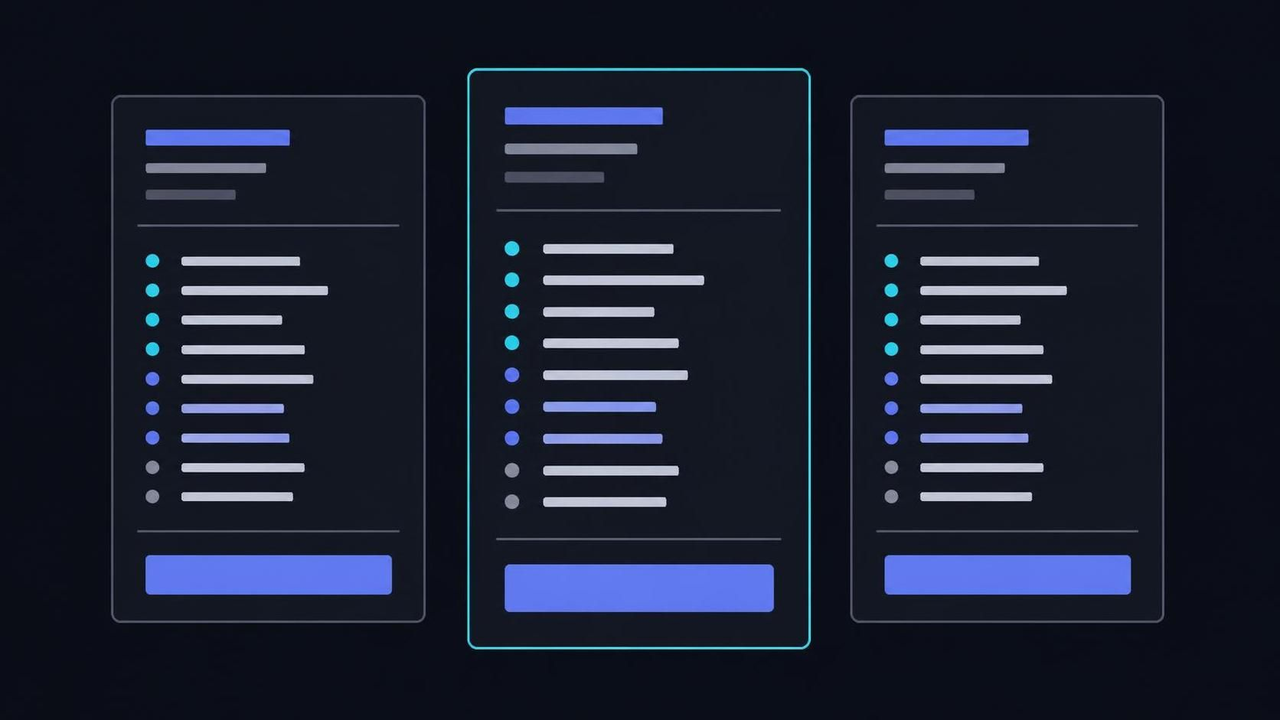
Where shared plans break: CPU caps, shared-IP reputation, inode walls — and the path to a root KVM VPS from $4.80/mo annual with 2 vCPU, 4 GB, 80 GB NVMe.
Where shared plans break: CPU caps, shared-IP reputation, inode walls — and the path to a root KVM VPS from $4.80/mo annual with 2 vCPU, 4 GB, 80 GB NVMe.
One Apache, hundreds of tenants: the deal you actually signed
The counter-intuitive part of a shared plan is that it is not a small server at all — it is a queue with your name on it. You rented a directory under /home/username/public_html on an operating system you will never see, and the low monthly figure is not generosity the vendor absorbed; it is the arithmetic consequence of reserving nothing. Hundreds of sites share one kernel, one web-server process and one IPv4, and every ceiling you eventually collide with traces back to that single design decision.
Mechanically, the host runs one web server fronting hundreds of virtual hosts, and a control layer meters how much processor time each account may draw per interval. Requests inside the cap get served; requests past it die as 503 or 508 responses before your code ever runs. The Apache project documents the multi-processing modules that make this density possible (Apache HTTP Server documentation). Traffic moves under fair-use clauses rather than a published port speed, so a neighbour's launch-day surge lands on your status page as errors you did not cause.
The same pooling governs mail and scheduled work: one Postfix or exim spool serves every tenant, one scheduler serializes every tenant's jobs, and one account's abuse gets answered by tightening everyone's leash. Nothing here is a defect a support desk can patch, because the architecture is what makes the price possible. When you buy shared, what arrives is a queue position with a strict allowance attached — not hardware, not a guaranteed slice, not capacity you can plan a launch around.
Even the convenient parts hide pooling. Backups you schedule land inside your own quota; logs you never asked for accumulate against your file count; the panel itself burns allowance while you configure it. A wp-config.php tweak takes effect instantly because the interpreter is already resident for the whole node — that immediacy is the polite face of shared tenancy, and it is paid for by the same arithmetic that throttles your busiest hour.
The typical mistake is reading the plan table as capacity: unlimited bandwidth reads like a ceiling and is actually the least binding line on the page. What binds first is processor seconds, entry processes and the inode count — none of which the sales page prints beside the price. Until you plan around the meter instead of the terabytes, every optimization inside the account aims at the wrong constraint — and the constraint, not your code, is what throws the 500 errors.
VPS from $4.80* — Core on the annual term (list $6/mo), one invoice for 12 months, no auto-charges. Dedicated with IPMI from $39.20/mo. Crypto invoice, no KYC.
Launch nowCPU caps are a meter, not a capacity plan
A throttled allowance behaves like a prepaid electricity meter: tripping it does not mean the machine ran out of capacity, it means you spent your allotment for the interval. Shared panels enforce this with kernel-level walls, and the enforcement stays invisible until the moment it slows your checkout in front of a paying visitor. That is why the classic symptom report reads like folklore — the site hums along, then inexplicably crawls at the exact hour your campaign lands.
The mechanism is a control-group fence drawn around each account: a slice of the cores, a memory ceiling, a cap on concurrent workers. The kernel documentation describes the model these panels are built from (kernel cgroup v2 documentation). Concrete numbers: an allowance of 100% means one full core-equivalent spread across the node; an entry-process cap of 20 means the twenty-first simultaneous request queues or fails. The chassis itself stays healthy throughout — the shortage is contractual, not physical.
Pressure shows up before errors do. The kernel tracks stall time — stretches where tasks sat waiting on the processor — and on your own box you could read it straight out of /proc/pressure; on shared you infer it from latency graphs the panel grudgingly provides. Because the fence is per-account, you cannot tune through it from inside: caching stretches the budget, but a meter that throttles cache warm-up cancels the benefit, and a nightly reindex collides with the same 60-second window every time.
Panels surface the tripped meter as a resource notice or a usage graph — the receipt, not a diagnosis. The numbers still tell the story: p95 latency that tracks your marketing calendar rather than your code changes is the signature of an allowance, not an application. Note which hours the ceiling bites — campaign launches, morning peaks, cron overlap — because those are the hours you would pay for twice during a botched emergency migration later.
The standard mistake is buying the largest shared tier and expecting the wall to move proportionally. It moves, but it remains a wall, and peak traffic still finds it. If response times degrade exactly when demand arrives, you are measuring a ration. The durable fix is architectural: capacity reserved in a plan table instead of rationed by allowance — which is precisely the boundary a KVM VPS draws around you.
IP reputation is a commons you inherit, not a score you own
Here is the counter-intuitive one: your deliverability can collapse without you ever sending a questionable message. On a shared plan, hundreds of tenants send through one IPv4 wearing one PTR record, and receiving systems score that address before they read a syllable of content. When a co-tenant spams from it, the blocklist entry lands on the entire neighborhood, and your password resets bounce with the same 550 codes as the junk.
Receivers behave this way because the mail protocol authenticates the envelope, never the intent — the behavior is codified in the SMTP specification (RFC 5321), and reputation systems grew up to fill the trust gap. Public blocklists keyed on addresses are the industry's immune system (their query format is standardized in RFC 5782). One bad tenant earns one listing; every account behind the shared 25/tcp exit inherits the penalty until the listing lapses or the provider rotates the address.
What responds to your own effort is the domain side: authenticated headers, list hygiene, sending discipline. What does not respond is the address itself — you cannot warm, rotate or reputation-manage an IP shared with strangers, and no operator renumbers a node because your newsletters slid into the promotions tab. Deferrals harden into explicit 5.7.1 rejections while your copy stays identical; the variable was never the prose.
Where the damage compounds: transactional mail — receipts, resets, invoices — shares that same poisoned exit with the marketing it never asked to sit beside. A store can lose the password-reset flow for a week and watch support volume triple, all because of a neighbor's campaign. Recovery at the receiver is procedural and slow; re-sending harder only proves their filters right and deepens the hole you are already in.
The typical mistake is polishing SPF and copywriting while the shared address stays listed, or worse, escalating volume to force delivery. Diagnose in the correct order: prove the address is the variable by testing from a different one, then relocate the mail job to infrastructure you govern. Reputation attaches to the A/PTR pair and to the domain — hold both, and deliverability becomes solvable; share them, and it is a stranger's variable wearing your name.
The real quota is inodes, not gigabytes
The surprise arrives as a full disk on a plan advertising unlimited space. Shared hosts quota files, not merely bytes: every message, thumbnail, directory entry and cache fragment consumes one inode, and the ceiling on these accounts sits somewhere between fifty thousand and half a million. You can idle at 40 percent of your gigabytes and still slam the wall, because the counter that binds tallies objects, not volume — and nothing on the sales page admits it exists.
The mechanics of filling it are mundane. A Maildir preserving every message since the company was founded, a CMS cache that writes a file per rendered fragment, a backup plugin snapshotting nightly into your own allowance, a version-control checkout per experiment — each adds thousands of small objects that never aggregate into visible weight. Run df -i against a long-lived account and the IUse% column states the truth the marketing omitted. Email is the usual champion: one attachment-laden message spends several inodes before anyone reads it.
Where it breaks, it breaks sideways. Writes begin failing mid-operation with ENOSPC: a cart cannot persist its session, an upload lands truncated, a database temp table refuses to extend — while the usage graph shows half the allocation free and support repeats that nothing is wrong. The cap gets raised once, maybe twice, as a courtesy; beyond that the ceiling is policy, and policy terminates in a hard maximum no ticket can negotiate past.
There is a second-order cost people miss: the same file-count pressure slows the panel's own file manager, lengthens backup runs, and can push the nightly export past its window so yesterday's snapshot silently never happens. The quota does not merely stop writes at the limit — it degrades everything adjacent for weeks before the limit arrives, which is why the first symptom is often a backup you discover was never taken.
The mistake is responding by deleting media a byte at a time, treating a count as a weight. Audit with counts instead — find . -xdev | wc -l per directory outranks every size-based guess — then relocate the archive class of data: mail piles, image derivatives, backups of backups. A quota you cannot inspect from inside is a quota you cannot plan around; a root machine shows you every counter it enforces, which is the honest version of the same contract.
What a reserved slice actually changes
The honest description of a KVM VPS is not a bigger shared plan — it is a different contract. A reserved slice arrives with its own kernel, its own virtual hardware and a plan table that prints the allocation: you hold the cores, the memory and the port speed whether or not you exercise them, and nobody else's spike can appear on your graphs. The KVM project documents the virtualization boundary that makes the isolation enforceable (Linux KVM project).
On VPSbit the entry point is Core: 2 vCPU on a Ryzen 9 9950X, 4 GB DDR5, 80 GB NVMe, an unmetered 1 Gbps port and one IPv4 plus a /64 IPv6 allocation. Order Core at $6/mo list — $4.80/mo on the annual term — and hold the invoice beside a premium shared plan: the money occupies the same bracket, yet every number above is reserved and published rather than rationed behind fair-use prose. The VPS plans ledger prints each tier beside its specs.
Root also widens the software surface: nested virtualization, unrestricted Docker (yes, --privileged), custom ISOs, raw sockets — the very features shared terms prohibit one clause at a time because each requires kernel access. Your stack stops being a dropdown the host curated. Mail servers, VPN terminations, CI runners, voice relays, game lobbies: all of it runs because the kernel answers to you and no acceptable-use appendix carves the workloads out individually.
Geography becomes part of the specification too. Twelve facilities carry the map — Reykjavik and Zurich among them, with Amsterdam, Frankfurt, Tokyo, Singapore, Hong Kong, Taipei and the rest — each with its own tier, uplink and governing law, and abuse handled under the jurisdiction where the racks physically sit. On shared, your data's location was a line in a policy; here it is an attribute you choose at order time and can change by redeploying.
The mistake to avoid is importing shared expectations — buying the slice and treating the published specs as a throttle to game. Nothing throttles you; the constraint migrates to your own configuration, your own patching cadence, your own firewall state. The ceiling is now the plan table rather than a meter's mood, which raises the practical question this page answers next: when was the meter, not the specs, ever your real problem?
Five signals, ranked by how much they cost you
Counter-intuitively, the throttling email — the signal everyone treats as urgent — is the cheapest of the five. It costs performance, not data. Ranked by actual damage: deliverability collapse first, since mail leaving through a shared 25/tcp can vanish without a bounce you control; then the inode wall, where writes to live data fail mid-operation; then forced upgrades requiring root because some component is simply not permitted on shared; then the resource notices; then renewal repricing of the same queue position.
The ranking matters because the signals run on different clocks. Deliverability decays over weeks and repairs take weeks more, so it earns the earliest response of anything on the list. The inode wall arrives abruptly and breaks production writes without a grace period. Throttling is chronic but survivable — an insult, not an injury. Act in the order damage ranks and you will often migrate before the official signal, the resource email, ever bothers your inbox.
Where readers misjudge: they treat the resource notice as a to-do — optimize the site — rather than as a measurement of the architecture. Optimization that keeps you beneath a meter is not headroom; it is a wager that demand never grows. Meanwhile the mail signal, the one that actually loses data, gets ignored because the inbox still looks fine from the sender's chair. Bounce reports — mailq on your own box, the panel's logs on shared — are the honest inbox.
There is a compounding effect between signals, too: throttling during a mail spike defers SMTP conversations into deferrals, deferrals age into 5xx bounces, and bounces sculpt the reputation story of the previous section. The five signals are not independent alarms; they are one congestion pattern wearing five costumes, which is why patching any single costume rarely changes the ending for longer than a billing cycle.
A practical threshold: any two signals inside one quarter means the architecture, not the workload, is the problem — schedule the migration instead of another optimization lap. The requirements and limits guide spells out what changes the day you hold root. Signals one and five repeat forever on shared; the closing checklist turns them into a one-week project with a rollback window instead of a leap of faith.
The migration path, minus the drama
The frightening part of migrating is never the file copy — rsync -a over SSH moves a typical site in minutes — it is the DNS cutover and the mail. Get the sequence right and the whole move is one calm week: provision, baseline, build, copy, cut, hold a rollback window, cancel. Get it wrong and you lose inbound mail for a weekend while buyers wonder whether you folded.
Provision first: choose the plan, settle the invoice, and the box images in about 60 seconds — checkout runs nineteen coins and no card step (the checkout FAQ walks the flow), so the move also terminates the old card auto-renewal as a side effect. Apply the baseline before any site touches the box: key-only SSH, default-deny firewall, unattended security upgrades. The OpenSSH project documents the configuration surface for key-only login (sshd_config manual).
Then build and copy: stand up the stack or a panel, mirror files with rsync, move the database with mysqldump and a re-import (mysqldump documentation — Postgres keeps the same shape with its own dump tool), and stage the mail stack if you self-host it. One day before cutover, drop the TTL on the A record to 300 seconds so resolvers forget the old address quickly — the record-level TTL, not the nameserver's, sets the switching speed.
The classic mistake is cutting MX, web and certificates in one heroic evening and debugging live afterward. Instead: flip the A record, watch the mail log on the new box, keep the old account for a rollback window of several days, and cancel only then — and ticket the PTR for the new address before volume ramps (the rDNS guide covers that ticket line by line). Mailcow's maintainers are blunt that the mail stack is the piece needing patience (Mailcow documentation).
Treat the move as two cutovers, not one: the web cutover is reversible in seconds by pointing the record back; the mail cutover deserves its own hour, its own checks, and a sender-side test suite of password resets, order confirmations and replies. A clean cutover beats a fast one every time it is tried, and the rollback window is what converts a migration from a leap into a reversible edit.
What you take on with root, and what pays it back
The honest ledger: a VPS hands you patching, firewall state, backup discipline and abuse exposure on the same afternoon it hands you root. The abstraction you are leaving was also a blindfold — when the database crawls on shared, the process you would profile belongs to somebody else, and nobody hands you the profile. On your own slice the slow query is yours, and so is the authority to fix it at 2 in the morning without filing anything.
Panels and stack scripts shrink the operational delta to roughly one working afternoon: base hardening, a default-deny firewall (ufw default deny incoming), an update policy, a backup routine. Most of the checklist happens once; the recurring portion is reading your own logs and restoring a backup once, deliberately, before you ever need one in anger. Snapshots ride along at checkout as a rollback add-on, covering the broke-it-today class of incident rather than the disk-died class.
Where newcomers break things: they skip the baseline because the machine behaved on day one, then inherit a compromise or a dead volume with no restore path. The second failure mode is silence — shared hosting emailed you when the meter tripped; your box will sit at 100% processor indefinitely without comment. One uptime probe plus one load alert (uptime polled every minute is enough to start) closes most of that gap for the price of ten minutes and zero monthly fees.
There is a quieter payoff operators discover late: determinism. On shared, third-party changes — a new neighbor, a policy tweak, a PHP minor bump — altered your runtime without notice. On the slice, the only force that changes the environment is you, which makes regressions attributable and performance reproducible. Debugging shrinks from archaeology into reading; the same application that misbehaved mysteriously for months becomes a system you can reason about from first principles.
Scale is the final payback: when a workload wants a whole core, IPMI or terabyte disks, the dedicated ladder is the same checkout. Order Forge at $49 list — $39.20 on the annual term — and you hold 16c/32t, 2×1 TB NVMe and IPMI hand-over under one crypto invoice. Buy the smallest machine that fits today, resize the slice when the numbers say so, and keep the VPS vs dedicated comparison for the day a whole-socket workload actually knocks.
The move off shared hosting, in the order to run it
Seven days out, audit what you actually hold: count inodes with df -i, export the mail you intend to keep, and list every scheduled job and DNS record the account carries. The inventory decides the destination size — most sites land on a 2 vCPU slice with room to stretch — and doubles as your rollback map, because it documents precisely what the old account was doing on its final good day.
Five days out, provision and baseline the new machine: keys, firewall, unattended upgrades, then the stack. Three days out, move content and database, and stage email — the mail move is the slow one, so grant it its own day rather than an hour at the end. One day out, drop the TTL on the A record to 300 seconds; short TTLs are what turn a cutover into a non-event instead of a propagation lottery nobody can watch.
On cutover day, raise the new stack, flip the A record, and watch three things for the next hour: dig confirming the new address, the mail log showing inbound delivery, and certificates issuing without complaint. Keep the old account through the rollback window — several days, not hours — because the cheapest insurance in the project is the elderly plan still answering while the newcomer learns your real traffic.
Verify like an operator, not a visitor: exercise the flows that touch writes — an order, a comment, a password reset — and confirm each lands in the database the new stack reads. Compare error rates across the flip in whatever analytics you run. Two quiet evenings of ordinary metrics say more about the migration than any single curl check performed at midnight while exhausted.
After the window closes, cancel the shared account and the project is done: the card auto-renewal dies with it, and the nineteen-coin checkout means the next renewal is an invoice you consciously approve. From here the rhythm is yours — patch monthly, restore a backup quarterly on purpose, and re-run this sequence whenever a second signal from the ranked list appears inside one quarter. The exit, done in this order, is boring — which is the highest compliment a migration can earn.
Is a VPS harder to run than shared hosting?
You hold root, so patching, firewall state and incidents belong to you. A control panel or a stack script erases most of the distance from shared hosting — the full hardening checklist fits inside one working afternoon — and every failure becomes something you can diagnose yourself instead of something a ticket queue owns on your behalf.
How much more does a VPS cost than shared hosting?
Core lists at $6/mo and $4.80 on the annual term, the same bracket as premium shared plans. The difference is what the money buys: 2 vCPU, 4 GB DDR5 and 80 GB NVMe are reserved and printed in a plan table rather than rationed behind fair-use wording, so the ceiling is published before you ever pay.
Can I host email on the same VPS?
Yes. Port 25 is open by policy and the PTR record is settable, so Mailcow or a plain Postfix stack runs without unblock petitions. Warm the address across weeks, hold bounce rates low, and publish SPF, DKIM and DMARC so receiving systems can verify the whole chain before they score your content.
Do I lose my IP address when I migrate?
Yes — IPv4 cannot travel between providers, so the new machine answers on a fresh address. Plan around it: shorten the TTL on the A record a day ahead, cut over in a deliberate order, and ticket the PTR on the new IP before volume ramps so the identity travels with the hostname.
Is the annual term worth it?
At 20 percent off, Core prices at $4.80 monthly-equivalent and Forge at $39.20, and the discount applies to the USD total before any coin conversion. If twelve months is a long commitment, the three-month term takes 10 percent — a shorter leash in exchange for a shallower discount.
Can I skip shared hosting entirely?
Two workloads justify starting on metal: whole-core CPU with IPMI and ECC, which points at the dedicated ladder from $39.20 annual-eff, and terabyte-class archives wanting Monolith's 4×2 TB NVMe behind a 25 Gbps port. Everything else — sites, apps, panels, small crews — fits a slice first and graduates when the numbers demand it.
Primary sources
More ways to pay
Pay with Bitcoin · Pay with Monero · Pay with USDT (TRC-20/ERC-20/SPL) · Pay with Litecoin · Pay with Ethereum · Pay with Solana · Pay with x402 · Pay with Dogecoin · Pay with XRP · Pay with TRX · Monero on bare metal · Dedicated servers with crypto · Pick the jurisdiction first.
Ready to launch?
Build the box — VPS or bare metal — create the password, pay the invoice that follows.